

KIMI_API_KEY, and pick a Kimi Code model.
Kimi Code and the Moonshot open platform are separate systems with separate keys, endpoints and billing. A
MOONSHOT_API_KEY does not work here, and a Kimi Code key does not work on moonshotai/* models.Setup
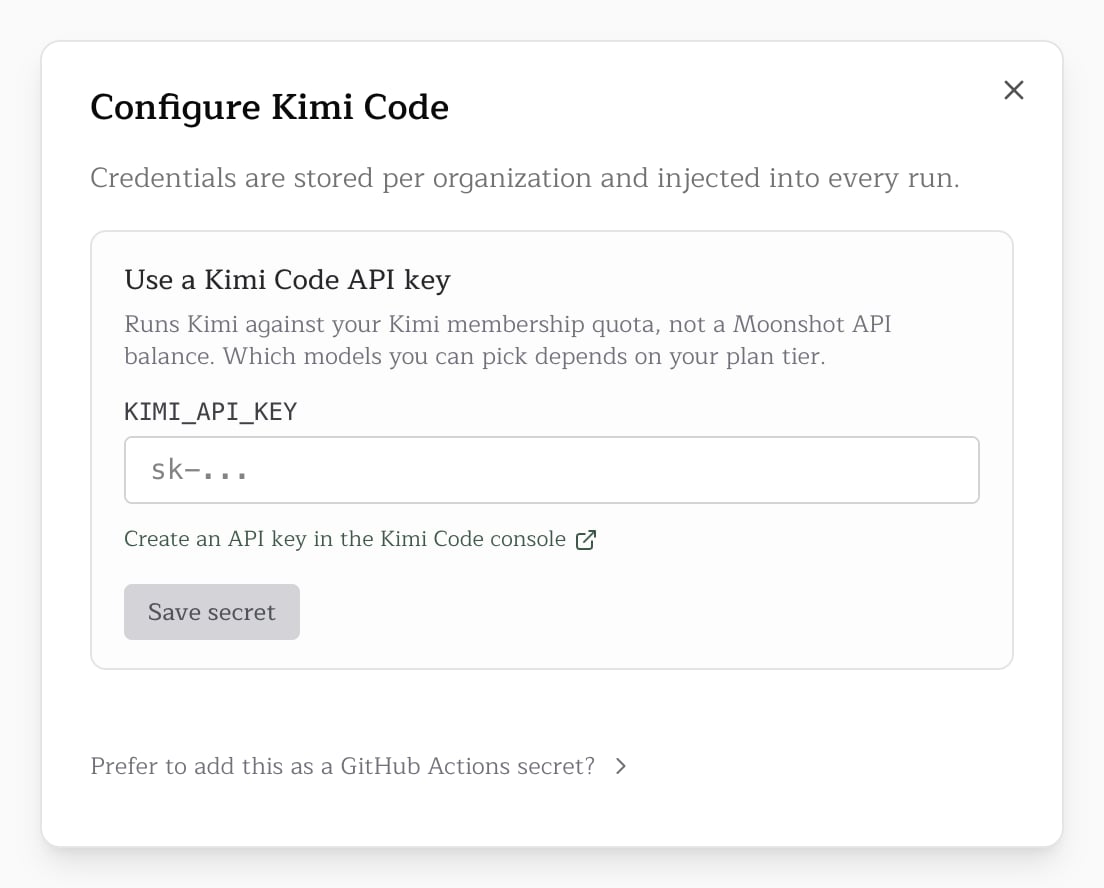
- Create an API key in the Kimi Code console. The console shows it once, and you can hold at most five.
- Store it as
KIMI_API_KEY: on the Kimi Code card in the Pullfrog console, or as a GitHub Actions secret mapped into the workflow’senv:block. - Pick a Kimi Code model in the console, or set the
modelinput as above.
Models
The membership tier decides which models a key can reach. A request for a model outside your plan fails with an error that names the plan it needs.
Pullfrog recommends Kimi K3 256K. It is the same model as Kimi K3 in a 256K window, at about half the quota per run. Below Allegretto, Kimi K3 also stops at 256K, so on Moderato both give the same results and Kimi K3 uses twice the quota.
Kimi K3 and Kimi K2 accept a reasoning effort of low, high or max, and default to high. Kimi K2 HighSpeed has no effort setting.
Billing
A storedKIMI_API_KEY counts as your own key: runs on Kimi Code models use your membership quota, not Pullfrog Router. Pullfrog Router cannot serve these models, so a Kimi Code pick with no key runs on the Router’s default model, and the job log names the substitution.