Repository navigation
Code completion doesn't trigger automatically for imports/slashes/interpolation in LSP #3211
Description

Describe the bug
It doesn't autocomplete package in VS Code. It's a pain in the butt now.
To Reproduce
Steps to reproduce the behavior:
- write
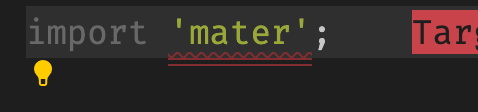
import 'mate
Expected behavior
import 'package:flutter/material.dart';
Screenshots

Versions (please complete the following information):
- VS Code version: 1.54.2
- Dart extension version: Awesome Flutter Snippets: v2.0.4
- Flutter (Channel beta, 2.0.1, on macOS 11.1 20C69 darwin-x64, locale es-ES)
- Dart SDK version: 2.10.5 (stable) (Tue Jan 19 13:05:37 2021 +0100) on "macos_x64"
Activity
[-]Code completion doesn't trigger automatically for import snippets[/-][+]Code completion doesn't trigger automatically for imports in LSP[/+]DanTup commentedon Mar 16, 2021
Thanks for the issue! This is a known limitation when using LSP that hasn't been resolved yet.
In case you're not away - you can manually invoke completion with
Cmd/Ctrl+Space which will open the list. The only thing missing is that it doesn't open automatically when pressing the'.I'll keep this issue open to track supporting this in LSP.
tomasbaran commentedon Mar 16, 2021
Thanks @DanTup but how come this issue was NOT present before?
tomasbaran commentedon Mar 16, 2021
@DanTup Please, how can I manually invoke completion again? pressing cmd+space on Mac opens the macOS search Spotlight.
DanTup commentedon Mar 16, 2021
In the original code there are some hacks to make this work:
Dart-Code/src/extension/providers/dart_completion_item_provider.ts
Lines 68 to 81 in 7a270e1
We're in the process of moving to LSP for the language server, which isn't so easy to do something like that. It's possible to fix (and will be fixed), but it wasn't considered critical for the migration so hasn't been done yet.
Sorry, I gave the wrong combo - it's Ctrl+Space even on Mac!
tomasbaran commentedon Mar 16, 2021
My mac (I guess all do but maybe I'm wrong) have ctrl+space is set for changing keyboard language. Even when I undo this system shortcut, autocompletion still does NOT work. Any tips, please?

DanTup commentedon Mar 16, 2021
I don't know why it wouldn't work - it's VS Code functionality rather than Dart, but you can see/re-bind the shortcut in the VS Code Keyboard Shortcuts editor. (it's the top item here called "Trigger Suggest"):
Hope this helps!
tomasbaran commentedon Mar 16, 2021
Thanks. Maybe all I had to was restart the IDE after unselecting the system shortcut for changing keyboard language.
Cheers,
[-]Code completion doesn't trigger automatically for imports in LSP[/-][+]Code completion doesn't trigger automatically for imports/slashes/interpolation in LSP[/+][analyzer] Support additional LSP completion trigger characters
tomasbaran commentedon Jun 7, 2021
@DanTup Is the issue fixed? If so, what do I have to do to make it work on my end? As far as I know I'm still not experiencing auto completion of
importDanTup commentedon Jun 9, 2021
@tomasbaran it depends on the exact context you're having issues with.
If the problem is that when you type a quote after
importor a/inside the path (note: type manually, and not have them included by a completion) then the fix is in the SDK, so you'll need an updated SDK for the fix (it's not in the current stable channel, but should be in the dev channels of Dart/Flutter).If the problem is when you select the
import '';snippet from the completion list, or you select a folder in the completion list, then that's fixed for the next version of Dart-Code (#3385).