Repository navigation
Allow setting depth of search for a Flutter/Dart app #3858
Description

Is your feature request related to a problem? Please describe.
I have a multi-package project and recently changed the folder structure from having app folders just two levels down (eg. project/packages/app) to the app folders being further down (eg. project/packages/folder/app)
The extension stopped recognising the project as a Flutter project when opening the project folder.
Describe the solution you'd like
Perhaps a setting where we can change how deep the extension searches for a flutter app.
Additional context
If I add a flutter app back at the level project/packages/app, and open project, the extension starts detecting the project as a Flutter project again.
Activity
DanTup commentedon Mar 7, 2022
I've added a
dart.projectSearchDepththat controls this. It defaults to 3 with the same behaviour as before, but you can set it in your user settings or in a.vscode/settings.jsonin your monorepo root.I did consider increasing the default to 4, but I'm not sure how common it is to be this deeply nested and didn't want to potentially slow down extension activation for anyone opening large folders (additional levels could add a larger number of extra folders the further down you go).
I did also try switching to VS Code's built-in
workspace.findFile()API in the hope it would search the tree faster than our own code - but sadly it was surprisingly much slower for my test cases (whether allowed to search a whole workspace, or a glob that only searched a few levels).nickmeinhold commentedon Mar 8, 2022
Damn that was fast! ⏩ Thanks a lot @DanTup!
DanTup commentedon Mar 10, 2022
If you're after the fix early, it was included in a new pre-release version. You can switch to the pre-release versions of the extensions in VS Code using the buttons shown in the screenshot below.
Please let me know if you hit any issues. Thanks!
nickmeinhold commentedon Mar 11, 2022
Thanks @DanTup - I am on the 'preview' channel (not sure if that's the right term?) so I seem to already have the pre-release version:

Perhaps I don't have the version with the change though because I added
"dart.projectSearchDepth": 5,to my settings and I see no change in behaviour, ie.projectfolder with the structure described above isn't recognised as a Flutter projectpubspec.yamlat the level ofproject/packages/app/and openprojectthe extension does recognise the project as a Flutter project"dart.projectSearchDepth": 5,(or 6 or 7) to my settings doesn't change either behaviour in the previous two pointsDanTup commentedon Mar 11, 2022
@nickmeinhold this change is actually inside the Dart extension, so you need to be on the pre-release of that too. The version should be v3.37.20220310 (the last part is the date in YYYYMMDD format). The latest Flutter pre-release is th eone you have - I didn't bother publishing an updated version of that as it contained no changes.
Please let me know if it still doesn't work!
nickmeinhold commentedon Mar 11, 2022
Thanks @DanTup, didn't realise the change was in the Dart extension - I'm on the 'preview' channel for that too I believe, anyway I seem to have v3.37.20220310:
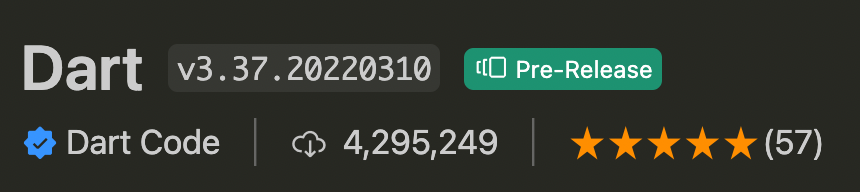
I believe this was the case when I tested and got the result mentioned above, anyway I tested again jut now and same result.
Anything I can do to help figure it out?
DanTup commentedon Mar 11, 2022
I forgot to mention - you need to reload the extension for this setting to take effect. Have you done that since changing it? (eg. use the Developer: Reload Window command, or re-open the folder, or restart VS Code).
I tested again with this version and it seems to be working ok for me. If not for you, can you create a skeleton folder that's nested with a Flutter pubspec at the bottom to share so I can test with exactly what you're testing with? Thanks!
nickmeinhold commentedon Mar 11, 2022
Oh bloody hell - I made a repo with the same basic structure, tested and took screenshots to match yours and finally realised my mistake - I haven't been opening a dart file and expecting the
Flutter: 2.x.yand the device list to just appear 🤦 just user error, sorry for taking up your timenickmeinhold commentedon Mar 11, 2022
Actually I think the origin issue was user error too - going back now and deleting the
"dart.projectSearchDepth": 5,, opening the relevantmain.dartand then running the app seems to work, which is the only real issue I was having. That's embarrassing - I did know in some part of my brain that I needed to have a dart file open... once again sorry @DanTup 🙏nickmeinhold commentedon Mar 11, 2022
Oh I spoke too soon! In my case without setting the search depth, when I open

main.dartin one of the Flutter projects (which is 4 levels down) I get:And I can't run the project from a launch config
And when I set the search depth to 5, and open the same project I see

and the launch config works.
Maybe this is because I have Dart projects only 2 levels down in the monorepo?
Anyway being able to set the search depth seems to be exactly what I need for my use case. Thanks very much!
DanTup commentedon Mar 11, 2022
I'm not sure I understand the last comment. It's correct that we only show the Dart/Flutter info when a Dart file is open.
Showing "Dart from Flutter" is when you open a non-Flutter project, but the Dart SDK we locate happens to be in the Flutter SDK (this is because it's usually more useful to show the Flutter version number in that case, since some users only ever have Flutter SDKs and don't really track the Dart SDK version numbers).
Out of interest, what error/message do you get when trying to run the Flutter project in this state? We should make sure that it detects that it's a Flutter project but we're not in Flutter mode, and explain how to fix (which may be to open a closer folder, or change the new setting).
Thanks!
nickmeinhold commentedon Mar 11, 2022
Thanks for the explanation, I was assuming something like that and so guessing the Flutter project was perhaps being incorrectly identified.
The minimal repo I made (https://github.com/nickmeinhold/deeply_nested) is showing the same behaviour I'm seeing in my project - without setting the search depth, opening a Flutter project seems like it might be incorrectly recognised as a Dart app:

I added a launch config to the minimal repo above that shows the same behaviour as my monorepo project - running the launch config without the search depth set, the Debug window prints
and exits.
With the search depth set, the device list is there and the selected device is apparently used and it runs nicely 🙂
DanTup commentedon Mar 11, 2022
Thanks! I've opened #3870 to track handling this better.
crwg commentedon Jun 18, 2025
Any depth (10-999kkk+) Doesn't working at all. Windows 11, alpha/beta/gamma/theta version - doesn't matter
DanTup commentedon Jun 18, 2025
@crwg I'm sorry you're having trouble. I'd be happy to help track down your problem if you could file a new issue with some more details.
crwg commentedon Jun 18, 2025
I just try turn on debug mode, also yup, I tried change dart.projectSearchDepth - no sense, reboot/restart, no way :( main.dart in lib, as usual. Release/Pre-Release/Beta/Omega - no way, the same error
DanTup commentedon Jun 19, 2025
@crwg please open a new issue - this one is very old and all other participants/subscribers above will get notifications.
Please include a copy of your
pubspec.yamland (if you have one).vscode/launch.jsonin the issue. Thanks!Allow the project search depth to be configured