Repository navigation
Font rendering artifacts when calling DrawText() with a long multi-line string #572
Description
Activity
Hi @AtwindYu
Thanks for raising this issue. Would it be possible to add an image demonstrating the blurring?
Cheers
James
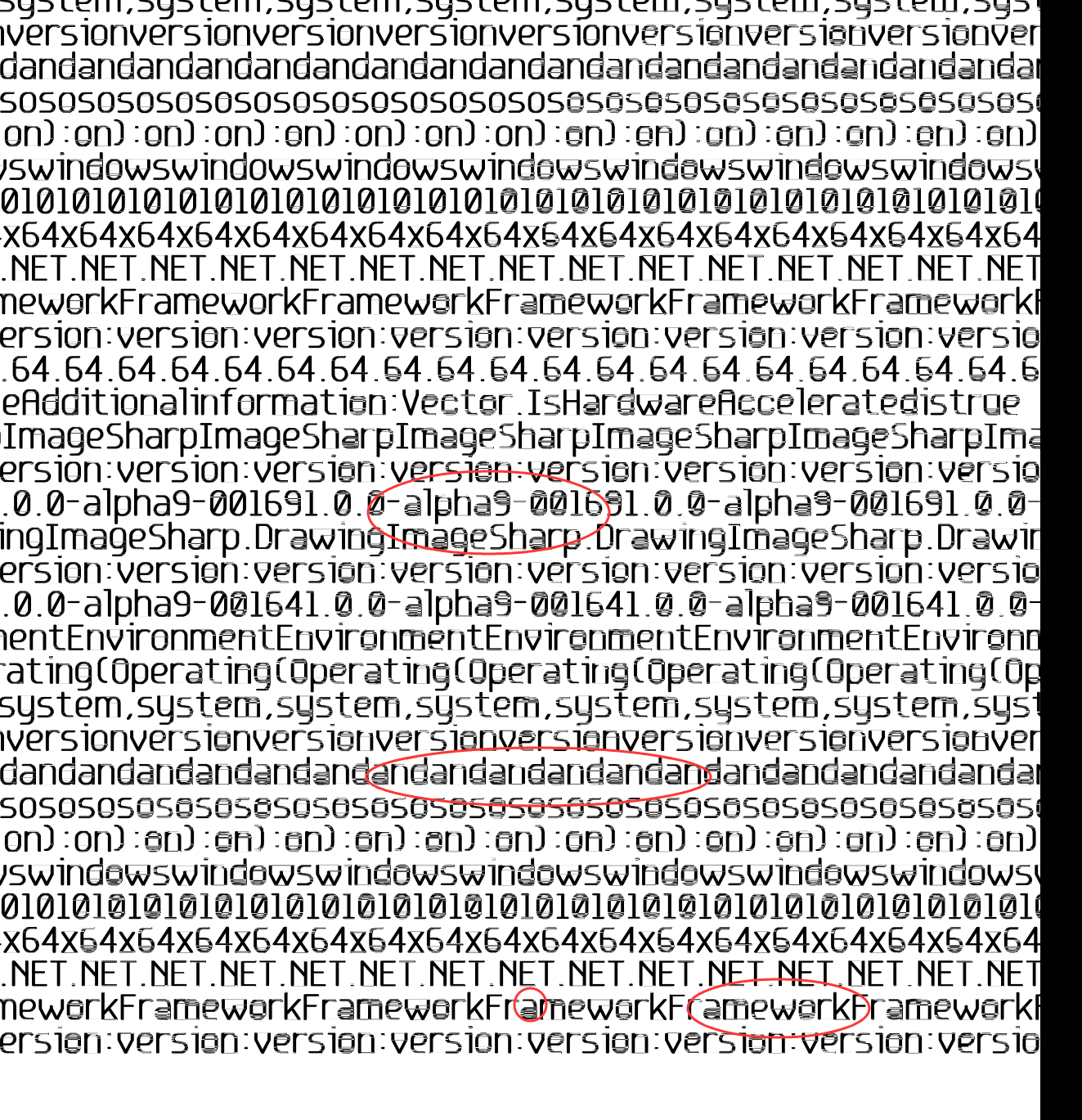
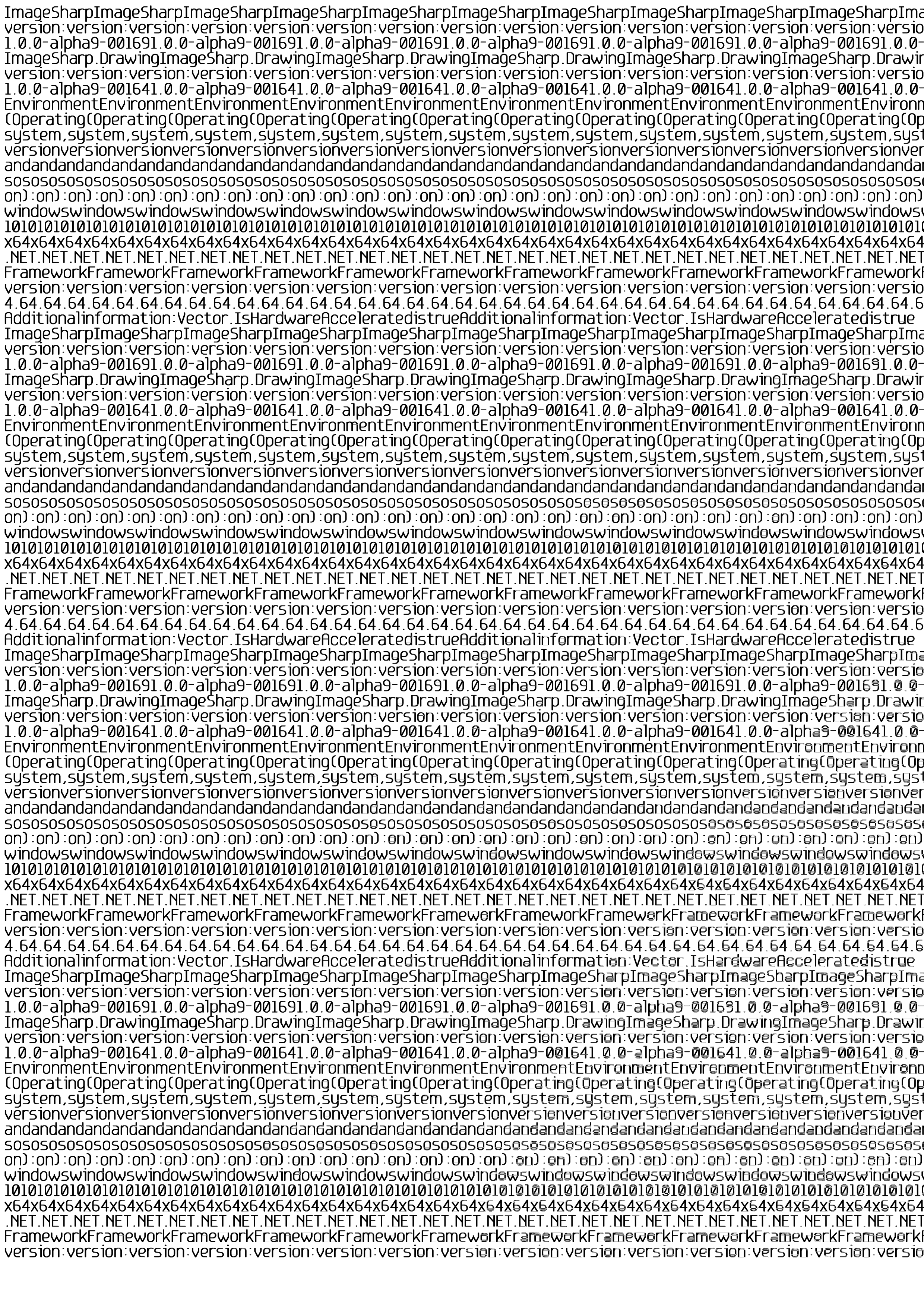
Looks like its routed in being a bug in SixLabors.Shapes where particularly large composite shapes start dropping intersection points and as it scans from left to right the errors compound across multiple scans. Raised an issue over on the shapes repo to track any investigation etc we need to do on that side.
@AtwindYu in the mean time could you please try adding/using this package https://www.myget.org/feed/sixlabors/package/nuget/SixLabors.Shapes/1.0.0-ci0018 from our myget feed and see if that solves it for you.
Reacted by woutwareI have a feeling that it could related to other issues we have seen around
Vector2being retained as properties. The version of the Shapes package I've pointed to has just had them all removed.Is that alph9 in the image a version number?
Could you answer my question above please? That looks like you’re printing using an alpha.
@JimBobSquarePants How to set or change the alph9?
Are you connected to the right Myget feed for the nightlies? (It’s linked from the README) Alpha 9 is a very old version number from the old MyGet feed.
https://github.com/SixLabors/ImageSharp/blob/master/README.md#installation
@JimBobSquarePants the example code suggests that he is not using an alpha.
@AtwindYu the question is the source of the marked information in the sample output image you posted in this thread. Is it an old output?
That’s what I’m finding confusing. I’ll need to try to recreate locally but I want to make sure I have all the relevant info first.
Hi,There is my test code:
  [TestMethod]
        public void CreateA4300FullPageOutputBlurryTest()
        {
            var str = "THISISTESTWORDSTHISISTESTWORDSTHISISTESTWORDSTHISISTESTWORDSTHISISTESTWORDSTHISISTESTWORDSTHISISTESTWORDSTHISISTESTWORDSTHISISTESTWORDS";
            var sb = new StringBuilder();
            for (int i = 0; i < 110; i++)
            {
                sb.AppendLine(str);
            }

           var  textOptions = new TextGraphicsOptions
            {
                Antialias = true,
                ApplyKerning = true,
                VerticalAlignment = VerticalAlignment.Top,
                HorizontalAlignment = HorizontalAlignment.Left,
                //WrapTextWidth = PageSize.Width
            };
            var fo = SixLabors.Fonts.SystemFonts.Find("Microsoft Sans Serif");
            var font = new Font(fo, 36, FontStyle.Regular);
            using (Image<Rgba32> img = new Image<Rgba32>(2480, 3508))
            {
                img.MetaData.HorizontalResolution = 300;
                img.MetaData.VerticalResolution = 300;

                img.Mutate(x =>
                    x.Fill(Rgba32.White)
                        .DrawText(textOptions, sb.ToString(), font, Rgba32.Black, new PointF(10, 5))

                );

                img.Save("output/a4300.png");

            }

        }
Here is my nuget packages
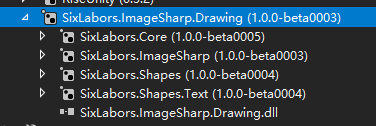 Reacted by James Jackson-South and Anton Firszov
@AtwindYu That all make sense now. Thanks for the updated sample and detail. That’s really really helpful. 👍
Reacted by FisherIssue confirmed using current latest of all packages from nightlies.
    <PackageReference Include="SixLabors.Core" Version="1.0.0-ci0007" />
    <PackageReference Include="SixLabors.Fonts" Version="1.0.0-ci0022" />
    <PackageReference Include="SixLabors.ImageSharp" Version="1.0.0-dev001327" />
    <PackageReference Include="SixLabors.ImageSharp.Drawing" Version="1.0.0-dev001327" />
    <PackageReference Include="SixLabors.Shapes" Version="1.0.0-ci0018" />
    <PackageReference Include="SixLabors.Shapes.Text" Version="1.0.0-ci0018" />
 Reacted by Anton Firszov
- changed the title
[-]Why are the font near the bottom and right blurred?[/-][+]Font rendering artifacts when calling DrawText() with a long multi-line string[/+]on May 13, 2018 Hi, I am having the same issue, is there any workaround ?
Thanks.
@DiegoGarciaa try rendering smaller parts of the text on manually defined locations.
I've patched the issue: SixLabors/Shapes#43.Notice that the problem appears only for larger x, y coordinates (roughly > 1500), and it gets worse the larger the coordinates are (bottom right of bitmap is worst). This indicates that there's a floating point rounding problem: floating point is relatively precise around zero, but less precise the further from zero you get.
From this stand point a future improvement could be using the center of the bitmap as (0, 0), this will reduce the size of a a multiplication by a factor 4, improving the precision by the same factor.
Here's a quick program to reproduce the issue quicker:
        public static void CreateA4300FullPageOutputBlurryTest2() {

            var textOptions = new TextGraphicsOptions {
                Antialias = false,
                ApplyKerning = true,
                VerticalAlignment = VerticalAlignment.Top,
                HorizontalAlignment = HorizontalAlignment.Left,
                //WrapTextWidth = PageSize.Width
            };
            var fo = SixLabors.Fonts.SystemFonts.Find("Microsoft Sans Serif");
            var font = new Font(fo, 36, FontStyle.Regular);
            //int size = 2500;
            int size = 1500;
            using (Image<Rgba32> img = new Image<Rgba32>(size, size)) {
                img.MetaData.HorizontalResolution = 300;
                img.MetaData.VerticalResolution = 300;

                img.Mutate(x =>
                    x.Fill(Rgba32.White)
                        .DrawText(textOptions, "O", font, Rgba32.Black, new PointF(img.Width - 80, img.Height - 50))
                );

                img.Save(@"D:\support\image2.png");

            }
        }
Problem occurs at
y >= 1478.5f, set breakpoint conditionstart.Y >= 1478.5fatInternalPath.FindIntersections. It will report 1 intersection for the outer polygon of the letter 'O' instead of 2.Reacted by James Jackson-SouthClosing now as in nightlies
Reopening this for now, see:
https://github.com/SixLabors/ImageSharp/issues/496#issuecomment-391323991Fixed with #596 in beta4.


Prerequisites
DEBUGandRELEASEmodeDescription
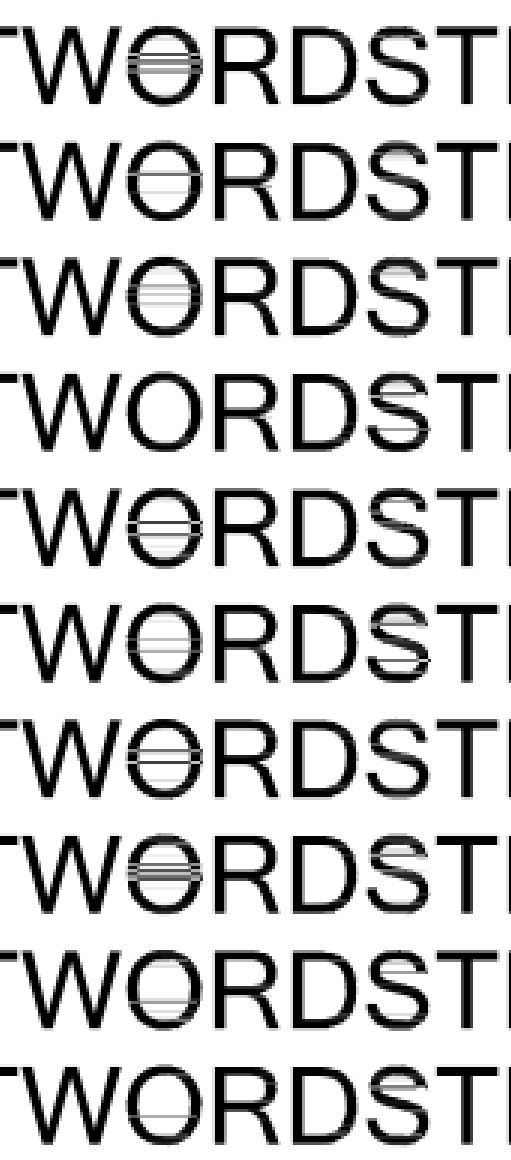
If the texts are covered with the entire A4 paper(300dpi), the words on the bottom right becomes pasted.
Steps to Reproduce
Key code:
System Configuration