Repository navigation
Document oh-my-zsh workaround for completion support #716
Description
Activity
Hi, you seem to be on the right track, and I don't know why completions are not working for you.
- First of all, ensure that you have installed gh via Homebrew and that
/usr/local/share/zsh/site-functions/_ghfile is present (assuming that your Homebrew prefix is/usr/local) - You do not need
eval "$(gh completion -s zsh)”in your zshrc nor the current running shell. Those instructions are only applicable for bash - Make sure to restart your shell after configuration changes
Let us know how it went!
Reacted by nreinhardt- First of all, ensure that you have installed gh via Homebrew and that
So my Homebrew prefix is
/usr/local/homebrewand I do have the file/usr/local/homebrew/share/zsh/site-functions/_gh. I don’t haveeval "$(gh completion -s zsh)”in my.zshrcbut even after restarting my terminal I still don’t get the completions.When do you
echo $fpath, does the/usr/local/homebrew/share/zsh/site-functionsdirectory appear in there?If not, then double-check that you have this line in your zshrc
FPATH=$(brew --prefix)/share/zsh/site-functions:$FPATHIf yes, then double-check that FPATH is changed before oh-my-zsh gets loaded.
Reacted by Iago S., Jackie Li and Christopher DignamYes I see the
site-functionspath in$fpath. For reference here’s my.zshrcfile:export PATH=/usr/local/homebrew/bin:~/.local/bin:$PATH:/opt/local/bin:/usr/local/mysql/bin:~/Scripts:$GOPATH/bin # Path to your oh-my-zsh installation. export ZSH="/Users/nathanielpalmer/.oh-my-zsh" # Set name of the theme to load --- if set to "random", it will # load a random theme each time oh-my-zsh is loaded, in which case, # to know which specific one was loaded, run: echo $RANDOM_THEME # See https://github.com/ohmyzsh/ohmyzsh/wiki/Themes # ZSH_THEME="agnoster" ZSH_THEME="robbyrussell" # Set list of themes to pick from when loading at random # Setting this variable when ZSH_THEME=random will cause zsh to load # a theme from this variable instead of looking in ~/.oh-my-zsh/themes/ # If set to an empty array, this variable will have no effect. # ZSH_THEME_RANDOM_CANDIDATES=( "robbyrussell" "agnoster" ) # Uncomment the following line to use case-sensitive completion. # CASE_SENSITIVE="true" # Uncomment the following line to use hyphen-insensitive completion. # Case-sensitive completion must be off. _ and - will be interchangeable. # HYPHEN_INSENSITIVE="true" # Uncomment the following line to disable bi-weekly auto-update checks. # DISABLE_AUTO_UPDATE="true" # Uncomment the following line to automatically update without prompting. # DISABLE_UPDATE_PROMPT="true" # Uncomment the following line to change how often to auto-update (in days). # export UPDATE_ZSH_DAYS=13 # Uncomment the following line if pasting URLs and other text is messed up. # DISABLE_MAGIC_FUNCTIONS=true # Uncomment the following line to disable colors in ls. # DISABLE_LS_COLORS="true" # Uncomment the following line to disable auto-setting terminal title. # DISABLE_AUTO_TITLE="true" # Uncomment the following line to enable command auto-correction. # ENABLE_CORRECTION="true" # Uncomment the following line to display red dots whilst waiting for completion. # COMPLETION_WAITING_DOTS="true" # Uncomment the following line if you want to disable marking untracked files # under VCS as dirty. This makes repository status check for large repositories # much, much faster. # DISABLE_UNTRACKED_FILES_DIRTY="true" # Uncomment the following line if you want to change the command execution time # stamp shown in the history command output. # You can set one of the optional three formats: # "mm/dd/yyyy"|"dd.mm.yyyy"|"yyyy-mm-dd" # or set a custom format using the strftime function format specifications, # see 'man strftime' for details. # HIST_STAMPS="mm/dd/yyyy" # Would you like to use another custom folder than $ZSH/custom? # ZSH_CUSTOM=/path/to/new-custom-folder # Which plugins would you like to load? # Standard plugins can be found in ~/.oh-my-zsh/plugins/* # Custom plugins may be added to ~/.oh-my-zsh/custom/plugins/ # Example format: plugins=(rails git textmate ruby lighthouse) # Add wisely, as too many plugins slow down shell startup. plugins=( vi-mode history-substring-search git zsh-nvm npm timer vscode ) # Homebrew completions if type brew &>/dev/null; then FPATH=$(brew --prefix)/share/zsh/site-functions:$FPATH autoload -Uz compinit compinit fi source $ZSH/oh-my-zsh.sh # User configuration # export MANPATH="/usr/local/man:$MANPATH" # You may need to manually set your language environment # export LANG=en_US.UTF-8 # Preferred editor for local and remote sessions if [[ -n $SSH_CONNECTION ]]; then export EDITOR='vim' else export EDITOR='code' fi # Compilation flags # export ARCHFLAGS="-arch x86_64" # Set personal aliases, overriding those provided by oh-my-zsh libs, # plugins, and themes. Aliases can be placed here, though oh-my-zsh # users are encouraged to define aliases within the ZSH_CUSTOM folder. # For a full list of active aliases, run `alias`. alias zshconfig="$EDITOR ~/.zshrc" alias ohmyzsh="$EDITOR ~/.oh-my-zsh" alias reload='source ~/.zshrc' # Key Bindings # bind UP and DOWN arrow keys zmodload zsh/terminfo bindkey "$terminfo[kcuu1]" history-substring-search-up bindkey "$terminfo[kcud1]" history-substring-search-down # bind k and j for VI mode bindkey -M vicmd 'k' history-substring-search-up bindkey -M vicmd 'j' history-substring-search-down prompt_context(){}
@diminutivesloop Thank you for sharing. I see nothing wrong with your setup. The only thing I can suggest is temporarily replacing your zshrc with a minimal one that just modifies FPATH and turns on completions, nothing else, then see if that helps
ghcompletions. If it does, then it is the extra stuff in your zshrc that sabotages it. If it never works in any scenario, then I'm at a loss— you could check other paths in FPATH for whether they contain an unrelated_ghfile or try upgrading zsh 😕Ok so the culprit appears to be this block of code in
oh-my-zsh.sh:if [[ $ZSH_DISABLE_COMPFIX != true ]]; then source $ZSH/lib/compfix.zsh # If completion insecurities exist, warn the user handle_completion_insecurities # Load only from secure directories compinit -i -C -d "${ZSH_COMPDUMP}" else # If the user wants it, load from all found directories compinit -u -C -d "${ZSH_COMPDUMP}" fi
It doesn’t matter whether
ZSH_DISABLE_COMPFIXis set totrueorfalse.So I can fix the problem either by commenting out the above block of code or by adding
rm -f ~/.zcompdump; compinitto.zshrcaftersource $ZSH/oh-my-zsh.shto forcibly rebuildzcompdumpas described in the Homebrew shell completion docs.I have a similar setup. My workaround in
.zshrc:if type brew &>/dev/null; then FPATH=$(brew --prefix)/share/zsh/site-functions:$FPATH # Despite homebrew docs, running compinit after loading oh-my-zsh # seems to work, without the need to rebuild zcompdump #autoload -Uz compinit #compinit fi source $ZSH/oh-my-zsh.sh if type brew &>/dev/null; then autoload -Uz compinit # Use `-u` to silence `zsh compinit: insecure directories` # See: https://stackoverflow.com/a/19601821/4378637 compinit -u fi
Reacted by Tomas DabašinskasThank you both for your input! When you do land on a working solution that feels alright, please report so here so we can update our documentation for setting up zsh 👌
My solution is to add the following to
.zshrcaftersource $ZSH/oh-my-zsh.sh:if type brew &>/dev/null; then FPATH=$(brew --prefix)/share/zsh/site-functions:$FPATH autoload -Uz compinit rm -f ~/.zcompdump; compinit fiUnlike the solution provided by @SuaYoo I don’t pass the
-uto compinit and I updateFPATHaftersource $ZSH/oh-my-zsh.sh. I tried removing the line to rebuildzcompdumpbut whenever I did that it broke other completions such as those provided by thenpmplugin.Reacted by Al Duncanson, Nikita Galkin, Brian Pfeil and madhav-q4incIt sounds like this is worth documenting in the manual area for gh completion.
4 remaining items
Thanks @JonMontgo that is working for me (I am also on ubuntu 18.04 if that helps anyone)
ohmyzsh has a default place for completions, that is
$ZSH/completions, it'll probably be/home/$USER/.oh-my-zsh/completions:
https://github.com/ohmyzsh/ohmyzsh/blob/master/oh-my-zsh.sh#L18So you just need to do:
gh completion -s zsh > $ZSH/completions/_ghand restart zsh.
Reacted by Jorge González, Daniel VG, Jonathan Montgomery, NET, Phạm Thành Trung, Christian Heusel and Petr Pechkurovohmyzsh has a default place for completions, that is
$ZSH/completions, it'll probably be/home/$USER/.oh-my-zsh/completions:
https://github.com/ohmyzsh/ohmyzsh/blob/master/oh-my-zsh.sh#L18So you just need to do:
gh completion -s zsh > $ZSH/completions/_ghand restart zsh.
This Works for ubuntu. Noice.
Reacted by Mohamed Bana, Cirelli and Petr Pechkurovohmyzsh has a default place for completions, that is
$ZSH/completions, it'll probably be/home/$USER/.oh-my-zsh/completions:
https://github.com/ohmyzsh/ohmyzsh/blob/master/oh-my-zsh.sh#L18
So you just need to do:gh completion -s zsh > $ZSH/completions/_ghand restart zsh.
This Works for ubuntu. Noice.
Thanks a lot for that. My version in
~/.zshrcis:if [[ ! -d "$ZSH/completions" || ! -f "$ZSH/completions/_gh" ]]; then mkdir -pv $ZSH/completions gh completion --shell zsh > $ZSH/completions/_gh echo "gh added completions: gh completion --shell zsh > $ZSH/completions/_gh" fi
Reacted by Filip Czaplicki, Rolf Kleef, teutat3s, Jorge González, Peter Thorin, Aahnik Daw, Jonathan Montgomery, Jake Shadle, Cirelli, Nick Johnson and 10 moreReacted by Paul Petrovhelp wanted
I followed the techniques shown above ...
Auto-completion worked. But when I press backspace and erase the command, the help message options are not going.
Please take a close look at this gif
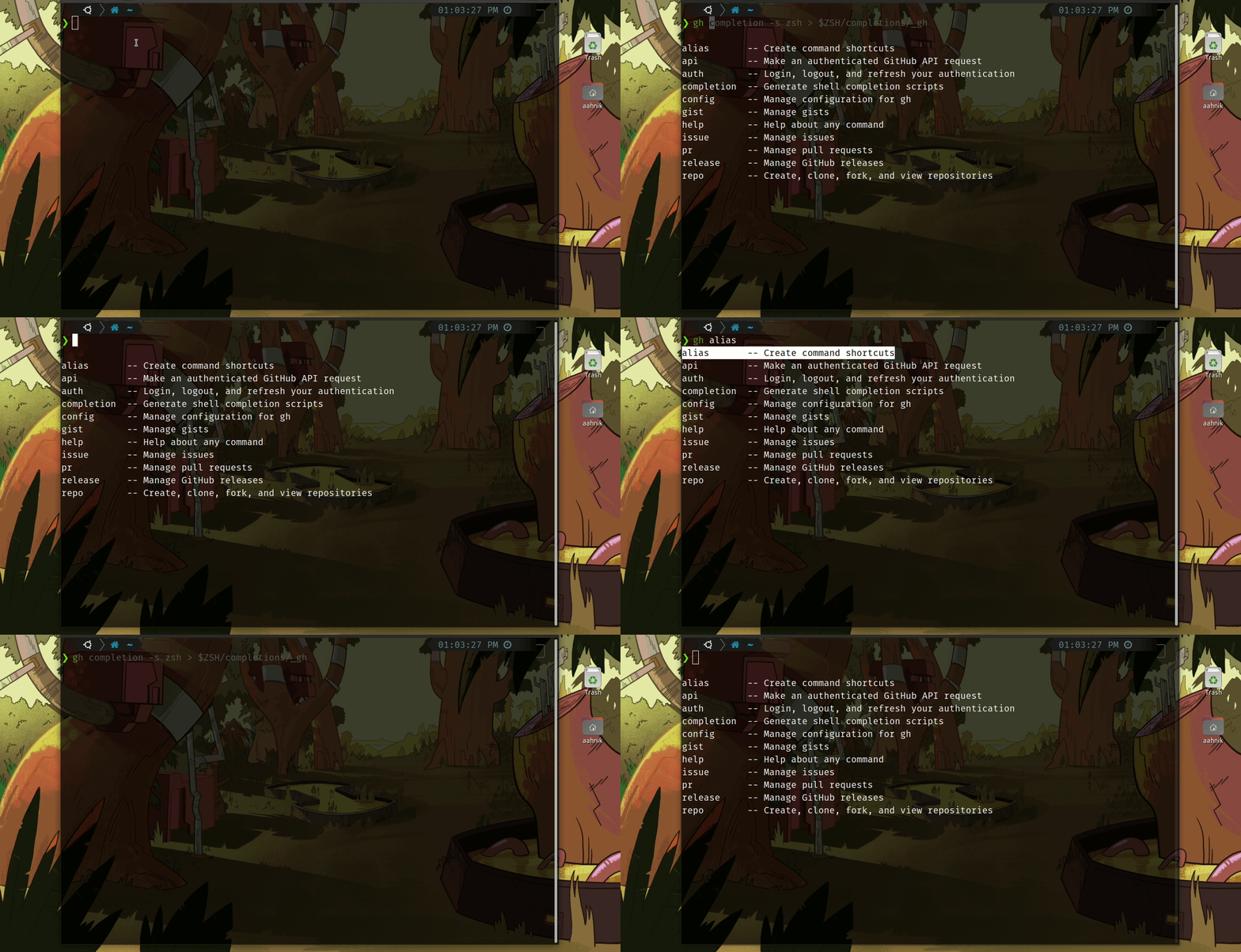
I believe that this issue is zsh completion related because this is the case for many commands
For eg. When you type git remote and hit tab once, and press backspace, it still shows the options for git remote commandohmyzsh has a default place for completions, that is
$ZSH/completions, it'll probably be/home/$USER/.oh-my-zsh/completions:
ohmyzsh/ohmyzsh@master/oh-my-zsh.sh#L18So you just need to do:
gh completion -s zsh > $ZSH/completions/_ghand restart zsh.
This works well.
Additionally I just had had to add arm ~/.zcompdump*after adding the completions and before restarting zsh as referenced here: python-poetry/poetry#1734 (comment)Reacted by Michael Taron, Milton Carlos Katoo, Shawn Cicoria, Marcel Schneider and Gastón HaroReacted by Miloš Mošić, Milton Carlos Katoo, Shawn Cicoria and Marcel SchneiderI've tried everything on this list to get this working to no avail. Currently on
Fedora 34,zsh 5.8 (x86_64-redhat-linux-gnu),gh version 1.12.1 (2021-07-01)and the latestoh-my-zshfrom their git repos. I've also testedfishand it doesn't work either. Only one that works isbash. I've also completely removedoh-my-zshand attempted straightzshas well to no avail. Starting to look like a bug possibly. Any ideas? Should I open a bug report?@dasunsrule32 I'm sorry you're having trouble! If zsh completions don't work for you after you follow zsh instructions in
gh help completion, especially if you've also disabled oh-my-zsh, please open a new issue with as much information as you can share. 🙇@mislav Sounds good. I'll open a new bug report.
@dasunsrule32 I'm sorry you're having trouble! If zsh completions don't work for you after you follow zsh instructions in
gh help completion, especially if you've also disabled oh-my-zsh, please open a new issue with as much information as you can share.Since version
1.13.1, it's working now with and withoutoh-my-zsh. Not sure if anything was changed under the hood or not. There have been Fedora updates since then as well. Who knows... 🤷🏻


Describe the bug
After following the instructions for enabling shell completion I still can’t get the completion functionality to work. I’ve tried both the
evaland Homebrew options. I’m on Mac OS 10.15.4 using zsh with Oh My Zsh and gh version 0.6.2.Steps to reproduce the behavior
.zshrc. and open a new terminal.gheval "$(gh completion -s zsh)”Expected vs actual behavior
I expect to see completion options for
ghcommands but instead I get my shell’s standard file path completion.