Repository navigation
[Bug] On iOS: The type initializer for 'SQLite.SQLiteConnection' threw an exception (Android works) #3211
Description

Description
  public class Database
  {
      public Database()
      {
          var dbPath = Path.Combine(FileSystem.AppDataDirectory, "databaseTest.db3");

          Connection = new SQLiteAsyncConnection(dbPath);
          Connection.CreateTableAsync<User>().Wait();
      }

      public SQLiteAsyncConnection Connection { get; set; }
  }
This seems to work fine with Android applications allowing me to manipulate the database from anywhere.
However, when I run this application through an IOS simulator with an active Mac connection I get the following error:
"The type initializer for 'SQLite.SQLiteConnection' threw an exception."
I believe that an active connection to an SQLite database cannot be resolved but I don't know why.
Steps to Reproduce
- Create a database class that uses SQLite-net-plc to establish a connection with a database in the constructor
- Pass this class through the MAUI dependency injection
Expected Behavior
Database connection connects and you can use the database
Actual Behavior
"The type initializer for 'SQLite.SQLiteConnection' threw an exception."
Basic Information
- Version with issue: 6.0.101-preview.9.1843
- Last known good version: n/a
- IDE: VS 2022
- Platform Target Frameworks:
- iOS: 15.0
- Android: n/a
- UWP: n/a
- Android Support Library Version: n/a
- Nuget Packages: sqlite-net-plc, SQLitePCLRaw.provider.dynamic_cdecl
- Affected Devices: Iphone 11 Pro Max IOS 15.0
Screenshots
n/a
Reproduction Link
not available
Activity
[-][Bug] [/-][+][Bug] On iOS: The type initializer for 'SQLite.SQLiteConnection' threw an exception (Android works)[/+]VladislavAntonyuk commentedon Nov 5, 2021
I don't think the issue is with the MAUI. by the way I created a test project where SQLite works with Maui https://github.com/VladislavAntonyuk/KanbanBoard
jsuarezruiz commentedon Nov 5, 2021
Could you attach a sample where we can reproduce the issue?
jallmen commentedon Nov 5, 2021
Does this work on IOS?
VladislavAntonyuk commentedon Nov 5, 2021
yes,
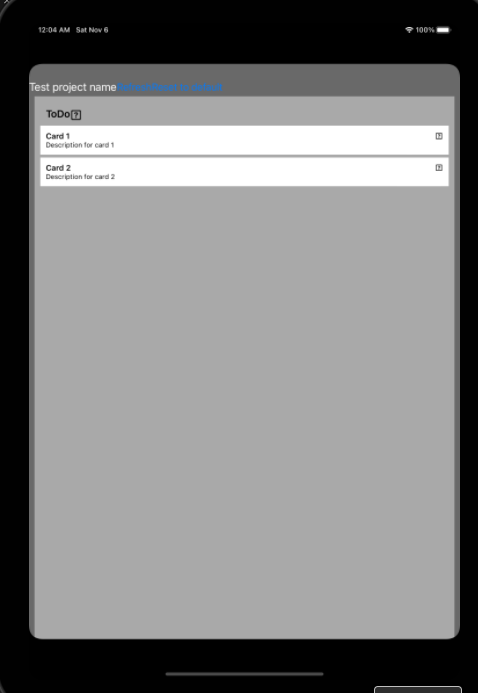
iOS
and macOS
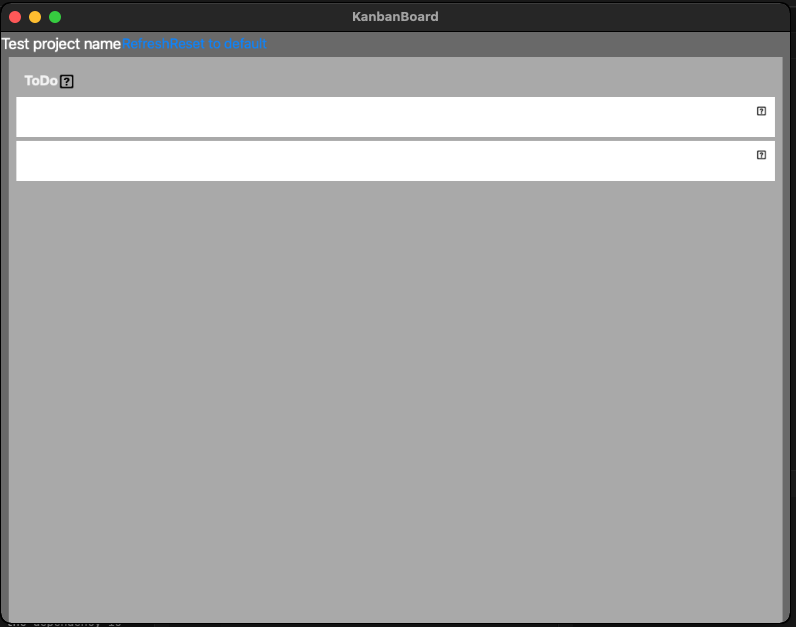
make sure you set the provider (
SQLitePCL.raw.SetProvider(new SQLitePCL.SQLite3Provider_sqlite3());) before MauiApp initializationjallmen commentedon Nov 9, 2021
Do you mean before this line:

VladislavAntonyuk commentedon Nov 9, 2021
no, in AppDelegate: https://github.com/VladislavAntonyuk/KanbanBoard/blob/maui/KanbanBoard/Platforms/iOS/AppDelegate.cs
jallmen commentedon Nov 10, 2021
Yes that fixed the issue, Thanks.
mattleibow commentedon Nov 12, 2021
Awesome!
wuyuansushen commentedon Nov 30, 2021
Thanks a lot.
The List of nuget packages should be used in preview:
Some of these nuget packages have the Preview version only, so search them with Include prelease on in Nuget browser.
VladislavAntonyuk commentedon Dec 24, 2021
https://vladislavantonyuk.azurewebsites.net/articles/Adding-SQLite-to-the-.NET-MAUI-application
RaspeR87 commentedon Feb 2, 2022
@VladislavAntonyuk your sample on Github didn't work anymore on latest Visual Studio 17.1.0 Preview 5 & MAUI Preview 12.
It doesn't recognise SQLite3Provider_sqlite3 in the AppDelegate class. I can get it to build if I change it to SQLite3Provider_e_sqlite3, but then the app crashes on start-up with the following:
[0:] An error occurred: 'e_sqlite3'. Callstack: ' at SQLitePCL.SQLite3Provider_e_sqlite3.SQLitePCL.ISQLite3Provider.sqlite3_libversion_number()
at SQLitePCL.raw.SetProvider(ISQLite3Provider imp)
As you mentioned on your blog, it can be builded just with CLI command
dotnet build -f net6.0-iosand not with UI.But then app cannot be pushed to iOS simulator with command
dotnet build -t:Run -f net6.0-ios -p:_DeviceName=:v2:udid=<UDID>It can be builded with UI too only if you add one additional Nuget package: SQLitePCLRaw.provider.sqlite3
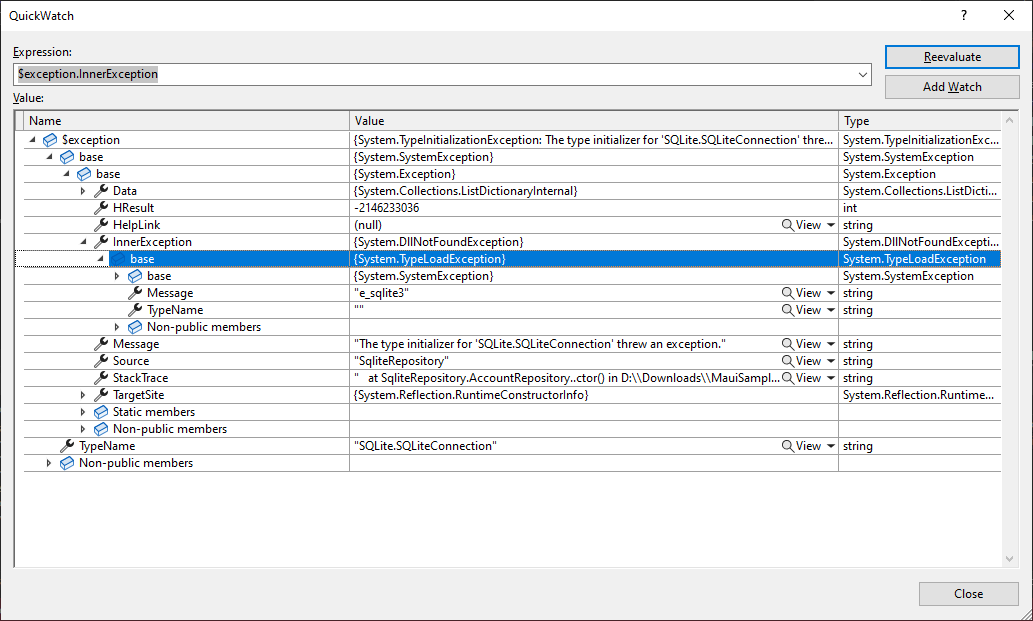
But when you want to run that app on iOS simulator you get this error:
@hartez I think this bug is not Done. Is there any way how we can currently use SQL database in our MAUI app (in iOS and Android app)?
VladislavAntonyuk commentedon Feb 2, 2022
I haven't installed preview 12 on my macOS (it requires .net 6.0.2 which hasn't released yet). I will take a look and update the app.
The app should work on Android
RaspeR87 commentedon Feb 2, 2022
@VladislavAntonyuk no, I am talking about VS and MAUI on Windows and remote debugging on remote iOS simulator via Mac
VladislavAntonyuk commentedon Feb 2, 2022
By the way what is your iOS version?
RaspeR87 commentedon Feb 2, 2022
iOS 15.2
VladislavAntonyuk commentedon Feb 11, 2022
It is fixed. I update the sample app. Please try again