Repository navigation
Break on exceptions behaves inconsistently on Blazor WASM apps #42326

Description

Break on exceptions behaves unreliably in a Blazor WASM application. I was able to get it working by doing a combination of setting breakpoints before the exception is thrown and pausing on caught exceptions. Of course, I wasn't able to reproduce the exact state I was in when I managed to get it working when drafting the repro notes here.
Configuration
Operating System and Browser
Google Chrome 85.0.4183.102
macOS 10.15.16
Note: Similar behavior was reproduced on Windows and Chromium Edge.
.NET SDK (reflecting any global.json):
Version: 5.0.100-rc.2.20459.6
Commit: 4e6d364bbb
Runtime Environment:
OS Name: Mac OS X
OS Version: 10.15
OS Platform: Darwin
RID: osx.10.15-x64
Base Path: /usr/local/share/dotnet/sdk/5.0.100-rc.2.20459.6/
Host (useful for support):
Version: 5.0.0-rc.2.20458.14
Commit: 482494f
Reproduction Steps
-
Create a new Blazor WASM project using
dotnet new blazorwasm -o Testing. -
Open
Pages/Counter.razorand addthrow new Exception("foo")inside theIncrementCountmethod. -
Run
dotnet runand navigate to the Blazor app. Press Alt+Shift+D to open the debugging experience. You'll be directed to relaunch a Chrome session with remote debugging enabled. -
Enable "Pause on Exceptions" in the debugger.
-
Navigate to the counter page and click the increment button.
-
Observe that the JS exception is thrown in the UI (by Blazor) but not paused on.
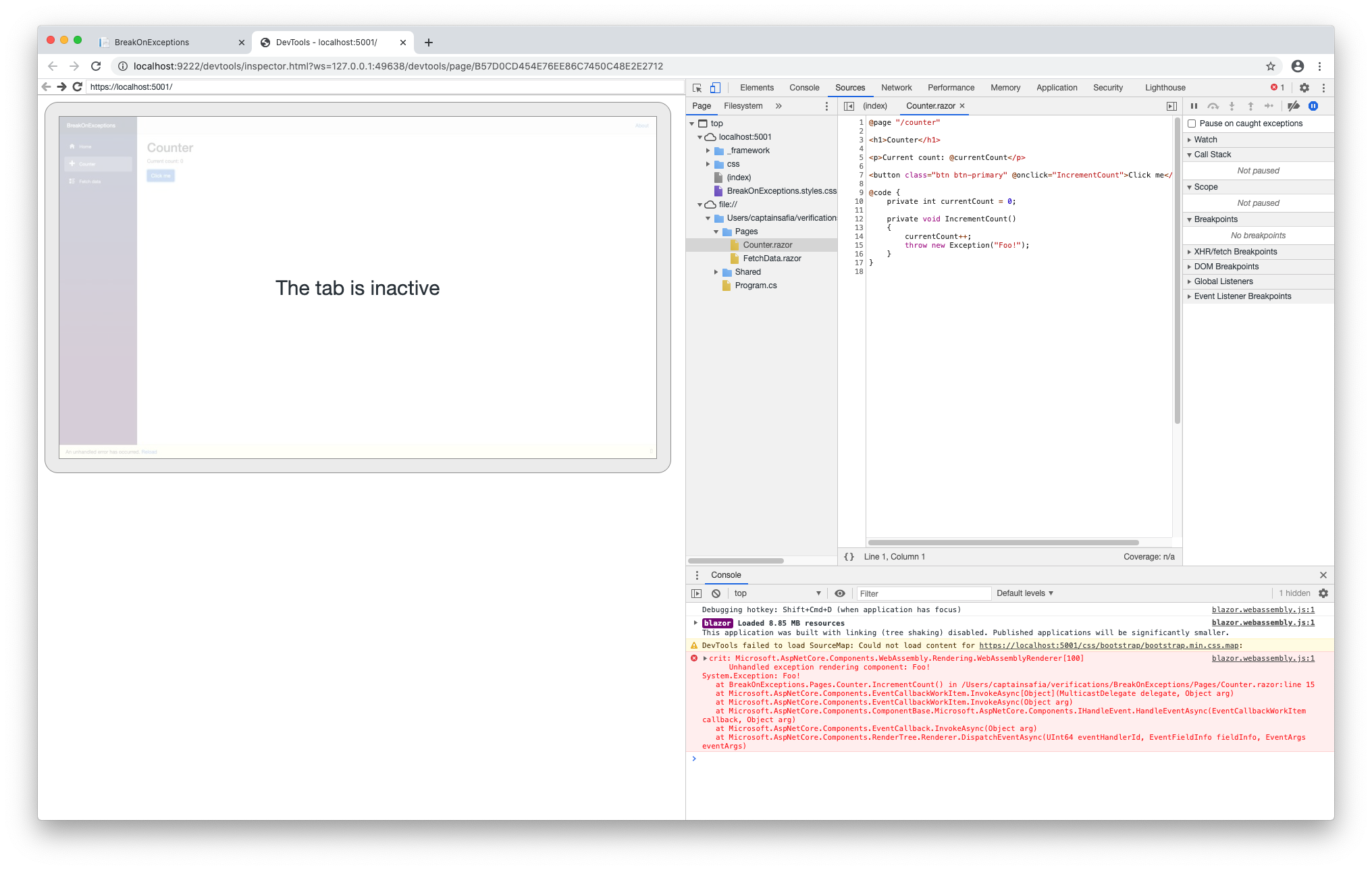
-
Enable "Pause on caught exceptions".
-
Refresh the counter page and click the button again.
-
Observe that the debugger pauses on every exception but the one thrown.

Activity
Dotnet-GitSync-Bot commentedon Sep 16, 2020
I couldn't figure out the best area label to add to this issue. If you have write-permissions please help me learn by adding exactly one area label.
danroth27 commentedon Sep 16, 2020
@lewing
lewing commentedon Sep 16, 2020
It looks like we're not doing sufficient tracking of the state here. If you change the state of "Pause on exceptions" after navigating to the counter page does it work as expected?
captainsafia commentedon Sep 16, 2020
Yep. Loading the app, then navigating to the counter page, then Enable exceptions (and set pause on caught exceptions), then hitting the button works as expected.
lewing commentedon Sep 16, 2020
Ok good. I think we can fix this by tracking the state in the proxy by session, then forcing the runtime to match on load or exception.
thaystg commentedon Sep 17, 2020
Working on it...
lewing commentedon Sep 28, 2020
Just to update the status here, we've dug into the issue and it seems that the state of this setting is preserved and communicated to the ui outside of the Debugger protocol and we don't currently have a path to retrieve it so we're it isn't clear how this can be properly fixed. We can track the state better once it has changed so we'll start there.
thaystg commentedon May 13, 2021
@lewing suggestion: "inject a caught exception and see if we get a pause", I agree that this is possible. Let's try.
lewing commentedon Jul 31, 2021
@thaystg reopen if this isn't actually fixed.