Repository navigation
Add keyboard shortcut overlay to DevTools #1608
Description
Activity
Seeing as this is marked
good first issue, can someone refer to a list of keyboard shortcuts the UI should show?Thanks for picking this up! Each
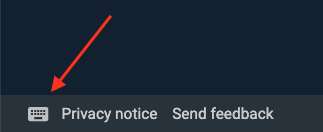
Screenobject in DevTools has a method that can be overriddenbuildKeyboardShortcutsto return a set of keyboard shortcuts for the screen. Right now, only the Debugger screen has a non-empty set: https://github.com/flutter/devtools/blob/master/packages/devtools_app/lib/src/screens/debugger/debugger_screen.dart/#L55-L58My suggestion for implementing this is to add an icon button like the screenshot above that is to the right of "Read docs" and "Watch tutorial" in the bottom left of the DevTools footer. This action should only show for a screen if it has a non-empty set of keyboard shortcuts.
When pressed it can launch a dialog like the one pictured above, that builds from the set of keyboard shortcuts provided by the
Screenobject.any updates on this issue?
This is no active work on this issue to my knowledge. @ahmadrafidev feel free to pick it up if you are looking for ways to contribute. Thanks!
Of course, I would love to solve this problem! May I know specifically, what command shortcuts need to be in this feature other than those in the image above?
The screenshot above was just an example of how we might surface the keyboard shortcuts (this is an example from dart pad).
The keyboard shortcuts to show for each screen should be defined by the screen's buildKeyboardShortcuts method:
https://github.com/flutter/devtools/blob/master/packages/devtools_app/lib/src/screens/debugger/debugger_screen.dart/#L52


This could be present (and useful) on every screen as an app-wide footer. A feature like this could help with discoverability of keyboard shortcuts (like with WASD in timeline or Ctrl + O for memory / debugger).
DartPad has this feature: