Repository navigation
There is a weird behavior of Stack with Fittedbox in layout? #17287
Description

Steps to Reproduce
-
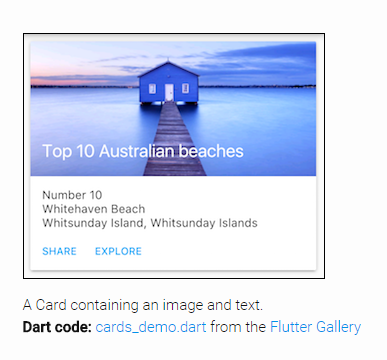
follow to write the code of flutter gallery card example
https://github.com/flutter/flutter/blob/master/examples/flutter_gallery/lib/demo/material/cards_demo.dart
-
I don't know the logic with stack combine with fittedbox. Why there is a height ? I just follow the tutorial of setting bottom, left, right to 16.0,16.0,16.0. If i do not have any misunderstanding, it's a margin between parent and size-box. Why would have height existing ? Is there any black magic code of that? I just want to understand the logic of that.


 var titleImage2 = new SizedBox(
          height: 200.0,
          child: new Stack(
            children : <Widget> [
                //new Text("First element" , style: new TextStyle(color: Colors.red),),
                new Positioned(
                    //top: 0.0,
                    left : 16.0,
                    right : 16.0,
                    bottom: 16.0,
                    //width: 100.0,
                  child: new FittedBox(
                    fit : BoxFit.scaleDown,
                    alignment: Alignment.topLeft,
                    child : new Container(
                      child: new Text(
                          "Hello world"
                      ),
                    )
                  ),
                )],
          ),
    );
Summary : Why only set left ,right, bottom to margin 16.0, it will appear an existing height? I'm a newbie of flutter
left : 16.0,
right : 16.0,
bottom: 16.0,
Activity
zoechi commentedon Jul 26, 2018
Sorry for the late response.
Is this still an issue with recent Flutter versions?
zoechi commentedon Aug 31, 2018
Without additional information, we are unfortunately not sure how to resolve this issue. We are therefore reluctantly going to close this bug for now. Please don't hesitate to comment on the bug if you have any more information for us; we will reopen it right away!
Thanks for your contribution.
ParsaGachkar commentedon Oct 6, 2019
this issue still exists it shouldn't be closed! reproducing is easy.
Fitted box is not working correctly inside a Stack.
https://www.dropbox.com/s/u46li7wbrirskd1/Android%20Emulator%20-%20Pixel_3_XL_API_28_5554%2010_6_2019%2012_53_30%20PM.png?dl=0
👆 This is normal Behavior (The result every one is expecting)
https://www.dropbox.com/s/4pa7yuo8r1mz8mz/Android%20Emulator%20-%20Pixel_3_XL_API_28_5554%2010_6_2019%201_06_41%20PM.png?dl=0
This is the actual result (the result we get from flutter)
it only takes the 100*100 size of innser container while the FittedBox is sposed to scale it up and crop the borders to cover the screen no matter what.
ParsaGachkar commentedon Oct 6, 2019
Forgot to mention the workaround I'm using now. I'm putting the FittedBox inside a Container with defined Width and Height (for example equal to screen size), then I'm using the Container inside a stack as i desire.
But seriously I will encounter problems if i want to achieve somthing more complicated like using it inside a stack with dynamic size. anyone please investigate this issue!!!
flutter-team-archive/engine@2d42c74...d7ad50c
flutter-team-archive/engine@2d42c74...d7ad50c
fellow7000 commentedon Apr 19, 2020
Hi there! I see it's closed but on my stable channel V1.12.13+hotfix.9 this issue still exists.
What I am doing wrong?..
lock commentedon May 6, 2020
This thread has been automatically locked since there has not been any recent activity after it was closed. If you are still experiencing a similar issue, please open a new bug, including the output of
flutter doctor -vand a minimal reproduction of the issue.