Repository navigation
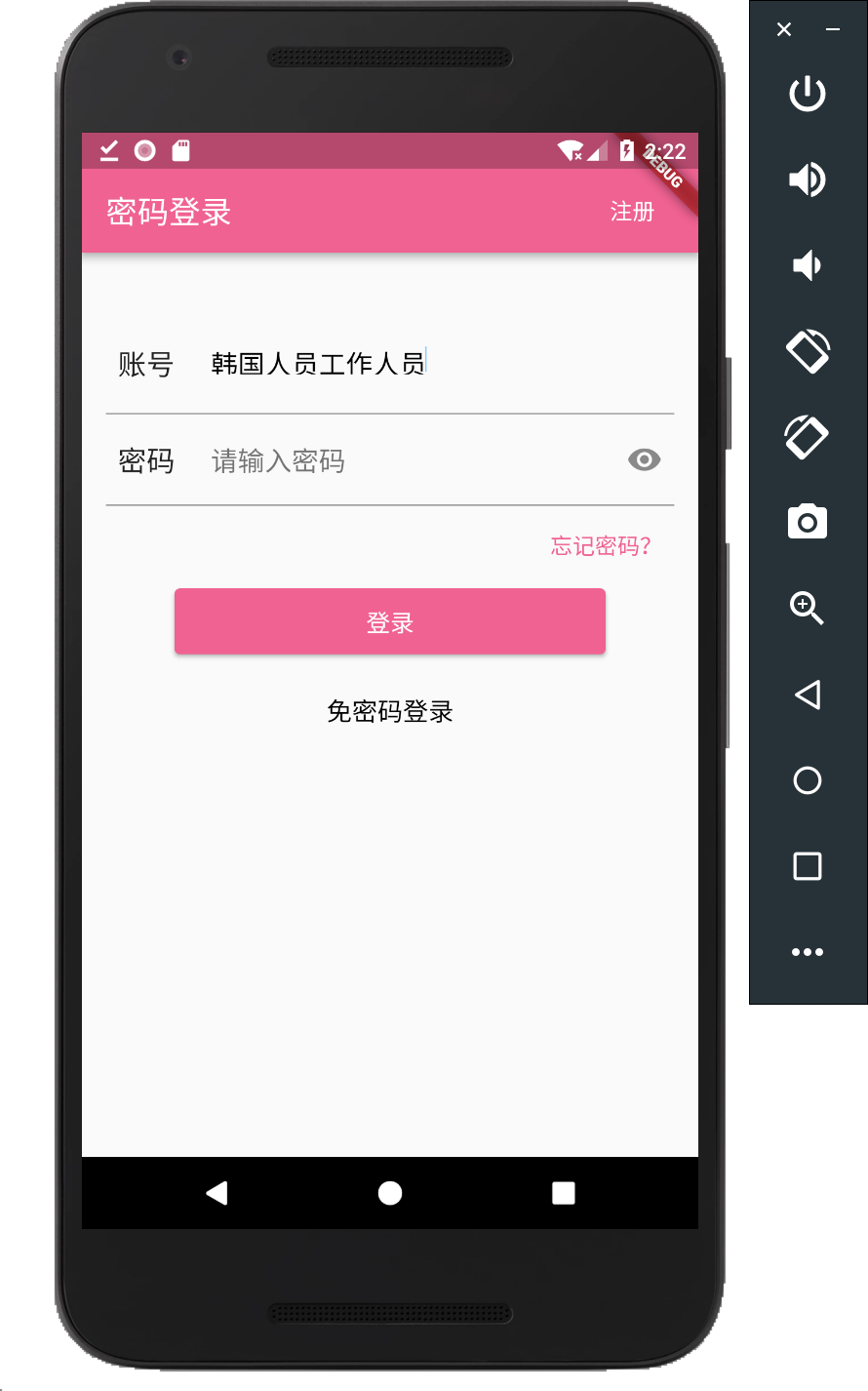
chinese font display not well on nexus 5x #18665
Description
Activity
The issue is more apparent (and more serious) when mixing CJK characters with English:
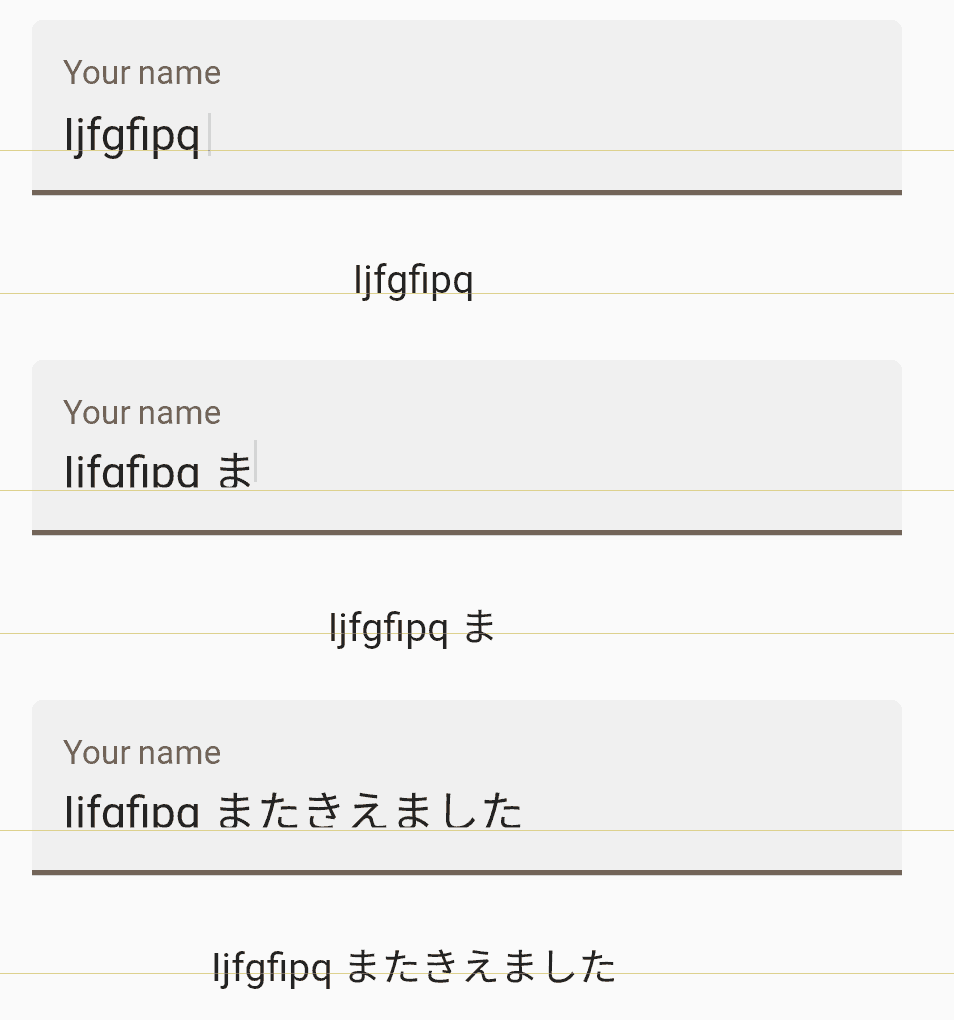
As shown above, when a CJK character is introduced to an all-English text,
- decenders of the text field is cut away, user can no longer possible to distinguish a "g" from a "q".
- the baseline(?) of the text field and text widget will be changed, creating a somewhat suboptimal experience. The baseline of the text field is shifted up a little bit, while the one in text widget is shifted down in a larger extent.
I'd also like to add that this doesn't limited to Nexus 5X. I am seeing this same issue on my Nexus 5X and Nokia 7 Plus. I don't see this on the Nexus 5 emulator though.
Tested on some emulators and got the following result:
Pixel 2 emulator on Android 8.1.0 - descendents cropped.
Pixel 2 emulator on Android 7.1.1 - descendents cropped.
Nexus S emulator on Android 8.1.0 - descendents not cut.
Nexus S emulator on Android 7.1.0 - descendents not cut.I know it sounds strange but could it be device resoluation/dpi related?
(The baseline got shifted for all devices though, so this is probably another issue.)
- added this to the milestone
on Jul 16, 2018 - added a commit that references this issue
on Aug 7, 2018 flutter-team-archive/engine#5962 will fix this for editable text fields where the text content does not overflow the field's bounds.
However, if the text overflows, then the clipping done in the framework's
RenderEditable.paint()will clip part of the text. This happens because the RenderEditable'ssizeproperty does not update when the height of the text changes due to the mix of fonts with different metrics.Interestingly the layout of the widgets is updated to reflect the new height as expected, but
sizeremains unchanged.- added a commit that references this issue
on Aug 7, 2018 One thing we should probably do here is probably to change the baseline code in RenderEditable to not pay attention to the actual text and to just return the baseline of the given text style. That way the baseline wouldn't change over time. (RenderEditable is a special case here because it's expected for the user to edit the text, and we never want that to wobble.)
/cc @GaryQian Does your work fix this?
The hacky fix for this has not been landed as it introduces a new bug where the text box heights and line heights jump around as you type. I am working on a more permanent solution by providing a richer leading/line height system.
I can't reproduce this on the latest master
1.21.0-6.0.pre.38with Android API 27, 28 or 30.flutter doctor -v
[√] Flutter (Channel master, 1.21.0-6.0.pre.38, on Microsoft Windows [Version 10.0.18362.959], locale et-EE)
   • Flutter version 1.21.0-6.0.pre.38 at C:\Development\flutter_master
   • Framework revision 8e0eee9008 (8 hours ago), 2020-07-26 23:38:01 -0700
   • Engine revision 626244a72c
   • Dart version 2.9.0 (build 2.9.0-21.0.dev a3815b6590)


[√] Android toolchain - develop for Android devices (Android SDK version 30.0.0)
   • Android SDK at C:\Users\Isa\AppData\Local\Android\sdk
   • Platform android-30, build-tools 30.0.0
   • Java binary at: C:\Users\Isa\AppData\Local\JetBrains\Toolbox\apps\AndroidStudio\ch-0\193.6626763\jre\bin\java
   • Java version OpenJDK Runtime Environment (build 1.8.0_242-release-1644-b01)
   • All Android licenses accepted.

[√] Chrome - develop for the web
   • Chrome at C:\Program Files (x86)\Google\Chrome\Application\chrome.exe

[√] Visual Studio - develop for Windows (Visual Studio Community 2019 16.6.4)
   • Visual Studio at C:\Program Files (x86)\Microsoft Visual Studio\2019\Community
   • Visual Studio Community 2019 version 16.6.30309.148
   • Windows 10 SDK version 10.0.18362.0

[√] Android Studio (version 4.0)
   • Android Studio at C:\Users\Isa\AppData\Local\JetBrains\Toolbox\apps\AndroidStudio\ch-0\193.6626763
   • Flutter plugin version 47.1.2
   • Dart plugin version 193.7361
   • Java version OpenJDK Runtime Environment (build 1.8.0_242-release-1644-b01)

[√] VS Code (version 1.47.2)
   • VS Code at C:\Users\Isa\AppData\Local\Programs\Microsoft VS Code
   • Flutter extension version 3.12.2

[√] Connected device (6 available)
   • SM G950F (mobile)                  • ce12171c51cc001c03 • android-arm64  • Android 9 (API 28)
   • sdk gphone x86 (mobile)            • emulator-5554      • android-x86    • Android 11 (API 30) (emulator)
   • Android SDK built for x86 (mobile) • emulator-5556      • android-x86    • Android 8.1.0 (API 27) (emulator)
   • Windows (desktop)                  • windows            • windows-x64    • Microsoft Windows [Version 10.0.18362.959]
   • Web Server (web)                   • web-server         • web-javascript • Flutter Tools
   • Chrome (web)                       • chrome             • web-javascript • Google Chrome 84.0.4147.89

• No issues found!
Closing as fixed. Feel free to comment with your case and
flutter doctor -vif this persists and I'll reopen.This thread has been automatically locked since there has not been any recent activity after it was closed. If you are still experiencing a similar issue, please open a new bug, including the output of
flutter doctor -vand a minimal reproduction of the issue.- locked as resolved and limited conversation to collaborators
on Aug 15, 2021


in Meizu

in nexus 5x
flutter doctor