Repository navigation
[Android 10] Unable to set transparent navigation bar #40974

Description

Steps to Reproduce
Run the provided code on an Android 10 device. Tested on a physical Pixel 3 XL running latest Android 10 stable release.
Expected: The blue background pushes until the bottom of the screen, while the gestures bar stays floating over the app.
Result: The navigation bar is still black, the app doesn't draw until the bottom.
Sample code
import 'package:flutter/material.dart';
import 'package:flutter/services.dart';

void main() {
  runApp(SampleApp());
}

class SampleApp extends StatelessWidget {
  @override
  Widget build(BuildContext context) {
    SystemChrome.setEnabledSystemUIOverlays(SystemUiOverlay.values);
    return MaterialApp(
      title: 'Flutter Demo',
      theme: ThemeData.light(),
      darkTheme: ThemeData.dark(),
      home: Scaffold(
        backgroundColor: Colors.blue,
        body: Center(
          child: Text('Test'),
        ),
      ),
    );
  }
}
Flutter doctor output
[√] Flutter (Channel master, v1.10.6-pre.20, on Microsoft Windows [Version 10.0.18362.356], locale es-ES)
    • Flutter version 1.10.6-pre.20 at C:\src\flutter
    • Framework revision c238045a96 (35 minutes ago), 2019-09-20 07:58:53 -0700
    • Engine revision 70f21b0edb
    • Dart version 2.6.0 (build 2.6.0-dev.1.0 7c1821c4aa)

[√] Android toolchain - develop for Android devices (Android SDK version 29.0.2)
    • Android SDK at C:\Users\Cristian\AppData\Local\Android\sdk
    • Android NDK location not configured (optional; useful for native profiling support)
    • Platform android-29, build-tools 29.0.2
    • Java binary at: C:\Program Files\Android\Android Studio\jre\bin\java
    • Java version OpenJDK Runtime Environment (build 1.8.0_202-release-1483-b03)
    • All Android licenses accepted.

[√] Android Studio (version 3.5)
    • Android Studio at C:\Program Files\Android\Android Studio
    • Flutter plugin version 39.0.3
    • Dart plugin version 191.8423
    • Java version OpenJDK Runtime Environment (build 1.8.0_202-release-1483-b03)

[√] Connected device (1 available)
    • Pixel 3 XL • 89PY09NNV • android-arm64 • Android 10 (API 29)

• No issues found!
Related to #34678
cc/ @shihaohong
Metadata
Metadata
Assignees
Labels
Important issues not at the top of the work listMatching the OEM platforms betterSystemChrome and Framework's Layout IssuesA truly polished experienceAffects or could affect many people, though not necessarily a specific customer.Affects only some versions of the relevant operating systemflutter/engine related. See also e: labels.Found to occur in 1.22flutter/packages/flutter repository. See also f: labels.The issue has been confirmed reproducible and is ready to work onAndroid applications specifically
Activity
escamoteur commentedon Sep 20, 2019
SystemChrome.setEnabledSystemUIOverlays(SystemUiOverlay.values);I think you are not passing the right value, it should either be .top or .bottom.
I close this issue if you have further problems please reopen it.
Zazo032 commentedon Sep 20, 2019
Passing .values passes both .top and .bottom, also passing .bottom or .bottom + .top results in the same behavior.
escamoteur commentedon Sep 20, 2019
Sorry you are right, I didn't see that it accepts a List.
shihaohong commentedon Sep 21, 2019
Hi, you're supposed to pass a list of the system UI overlays that you want to show into
SystemChrome.setEnabledSystemUIOverlays. So, to hide the navigation bar, you have to useSystemChrome.setEnabledSystemUIOverlays([SystemUiOverlay.top]), meaning you'd only like to display the top status bar.edit: If what you're looking for is to have the app appear fullscreen (to also hide the status bar), you'd do
SystemChrome.setEnabledSystemUIOverlays([])Please check to see if this works for you. Thank you!
cpboyd commentedon Sep 22, 2019
@shihaohong
I think what he's trying to do is something more like:
However, I'll note that setting that on the standard Material dark mode theme results in a white background beneath the
Scaffold, which looks wrong.Edit: Just to clarify, on my system the
SystemChrome.setEnabledSystemUIOverlays([SystemUiOverlay.top])hides the gesture bar (swiping up will show it again) which doesn't seem to be what this issue or #34678 were asking to do.Zazo032 commentedon Sep 23, 2019
@shihaohong that solution hides (you have to swipe up to enable it again) the gestures navigation bar, but the desired behavior is to make it transparent so the gestures bar "floats" over the UI. Here are the desired vs. actual screenshots explaining it for a better understanding. Also, here's a small explanation on how to achieve it, and a GIF showing the result: https://twitter.com/davey_burke/status/1126878112170405888
shihaohong commentedon Sep 23, 2019
I think @cpboyd's suggestion achieves the effect you want, but the issue is that for some reason, Flutter apps are laid out above the navigation bar. Unfortunately, having a transparent navigation bar does not make a difference since the app is never laying out where the navigation bar is.
Some experimenting I did found me a way to remove both the system status bar and the navigation bar, but it also causes
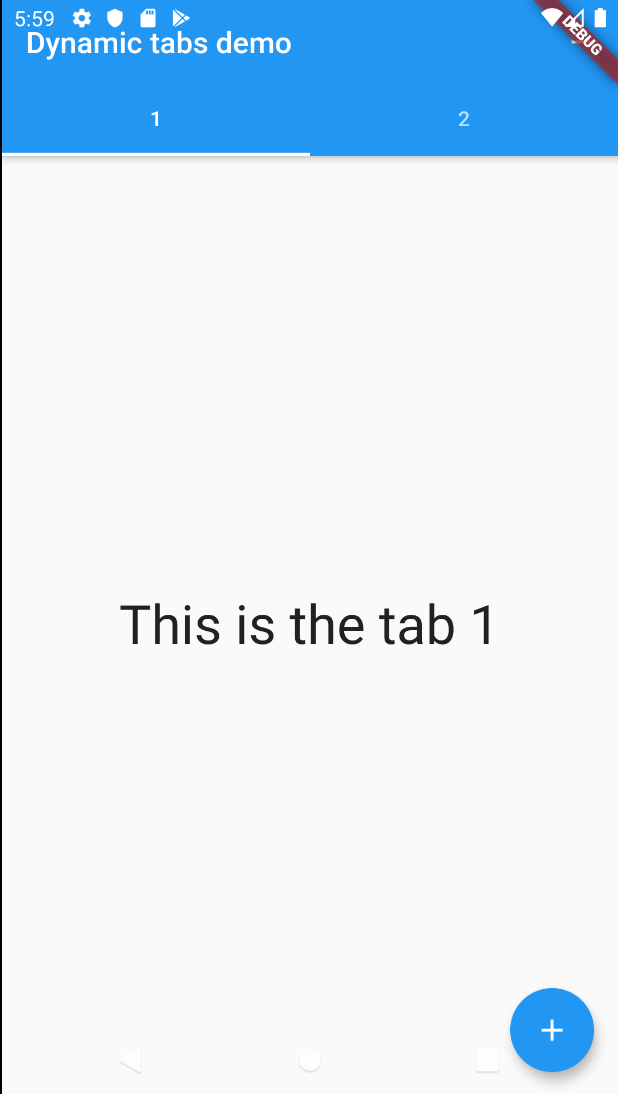
MediaQuery.paddingto be set to zero (which will cause some layout problems with existing widgets). I'll need to figure out if:{path-to-project}/android/app/src/main/java/com/example/{project_name}/MainActivity.java, add the following:Screenshot of achieved effect
escamoteur commentedon Sep 23, 2019
@HansMuller could you please have a look at this if we have an issue here or just mistakes by the users?
sgehrman commentedon Jan 11, 2020
42 remaining items
goderbauer commentedon Feb 4, 2021
I just tried this on my phone. When I run the app from the following gist on the latest master of Flutter it appears to do what I would expect:
https://gist.github.com/goderbauer/e435f9290211b180d2eb98344007b2c1
video.mp4
Is there anything we're still missing?
cachapa commentedon Feb 4, 2021
@goderbauer from my testing in latest master, this works in your case because of the line:
SystemChrome.setEnabledSystemUIOverlays([SystemUiOverlay.top]);The issue is that it also causes the navigation bar to start invisible, and the first tap to be ignored (it exits "overlay mode" and brings the navigation bar back).
Removing that line reverts to the previous behaviour, where the navigation bar isn't transparent.
goderbauer commentedon Feb 4, 2021
@cachapa Thanks for the explanation. I see that now too in my example. As other's have pointed out, as a work around you can call the Andorid API's from the Java/Kotlin side of your Flutter application for now. I've uploaded an example for that here: goderbauer/scratchpad@fb5c97d. But yeah, we should come up with a way to easily configure this from Flutter land.
cachapa commentedon Feb 7, 2021
@goderbauer thanks a lot for your update. I tested it here and your solution seems to work well.
I changed two things though:
window.navigationBarColor = 0but that can be moved to Flutter instead:systemNavigationBarColor: Colors.transparentas you had in your original solution.setDecorFitsSystemWindowsfrom androidx and avoided the hassle.rydmike commentedon Feb 9, 2021
Thanks @goderbauer et co for looking into this. This really is an issue that has been open for a long time and being discussed in a few issues at least. I would love to see a solution that makes it possible to configure this from Flutter land as well.
I'm going to try the solutions mentioned here as well. Previously I followed the setup discussed here: #69999 (comment)
Worked well once I got the Android magic to work, but yes it requires Android tinkering as well and only worked with API 30 and higher, so not so useful yet. Something that works starting with API 28 would be superb, but 29 is much better than 30 already, since 30 is still barely used.
Regarding the experiment in #69999 (comment) the right GIF show a slider adjusting the transparency in a
systemNavigationBarColor: myColor.withOpacity(x)when x hits 0 then we get a translucent scrim applied instead, so the nav bar is no longer fully transparent, whereas a color with an opacity very close to zero, will look fully transparent.goderbauer commentedon Feb 9, 2021
/cc @Piinks, who expressed interest in looking into exposing this from Flutter-land.
Piinks commentedon Apr 1, 2021
I think this can be done without the consumed tap to bring up the navigation bar mentioned in #40974 (comment)
I have found that by explicitly setting the enabledSystemUIOverlays to an empty list, it appears you actually end up in a native full screen mode. When I tried this, a native pop up let me know that I was in full screen mode and could bring up navigation by swiping the edges of the screen.
I have tried this on a Pixel 2 and Pixel 4.
Please let me know if this is the desired effect. :)
flutter doctor -v
LasseRosenow commentedon Apr 1, 2021
@Piinks I think this issue is not about the native fullscreen mode, but about the Edge-To-Edge mode, which is something different.
Your solution completely hides the navigationbar, but the goal was to keep the navigation bar, but make its background transparent. So that the draws behind the navigation bar, but the long horizontal line for gesture navigation would still be visible
See: https://medium.com/androiddevelopers/gesture-navigation-going-edge-to-edge-812f62e4e83e
graycatdeveloper commentedon Apr 11, 2021
try set the navBar Color(0x00010000) instead of Colors.transparent
github-actions commentedon Jul 30, 2021
This thread has been automatically locked since there has not been any recent activity after it was closed. If you are still experiencing a similar issue, please open a new bug, including the output of
flutter doctor -vand a minimal reproduction of the issue.