Repository navigation
High GPU consumption with Rive/Flare Animation #57686
Description

High GPU consumption when playing a Rive/Flare animation.
Tested on Google Nest hub device and saw GPU cost ~50-60%.
The recorded SKP showed lots of drawPath and clipPath.
Minimal reproduction app : https://github.com/jasonch99/testRiveAnimation
The app simply loads and plays the animation.

Activity
liyuqian commentedon May 21, 2020
How did you measure the GPU usage, @jasonch99 ? I'm having a little difficulty in finding an Android tool that can report the GPU usage.
jasonch99 commentedon May 21, 2020
The GPU usage I measured was on Nest Hub device with this command
cat /sys/class/mpgpu/utilization
I am not sure if there is anything similar on Android.
zanderso commentedon Jul 6, 2020
@liyuqian is this issue actionable?
liyuqian commentedon Jul 9, 2020
Yes, the Android team just told me how to measure GPU usage on Android. I'll take some time to investigate and perhaps schedule a meeting with Rive/Flare.
liyuqian commentedon Sep 3, 2020
Remove myself from the assignment as I'm not actively working on this. Will reassign myself once I get some time to work on it.
liyuqian commentedon Nov 13, 2020
I ran
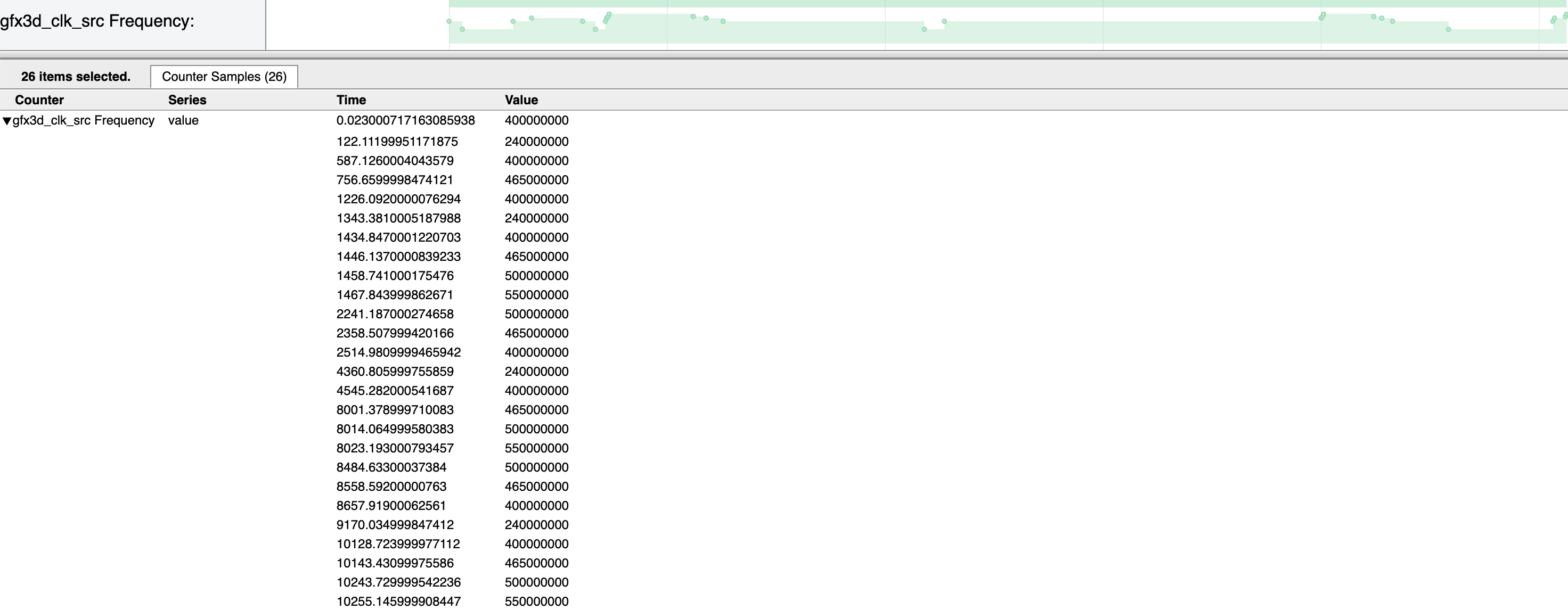
python $ANDROID_SDK_ROOT/platform-tools/systrace/systrace.py -t 10 freqand checked thegfx3d_clk_srcfrequency on my Moto G4. The device has Adreno 405 GPU with a max frequency of 550MHz. The traced frequency is constantly above 400MHz as shown in the screeshot:The frequency would be a good indicator of the GPU usage on Android. So the high usage not only happens on Nest Hub, but also on normal Android devices.
After checking with
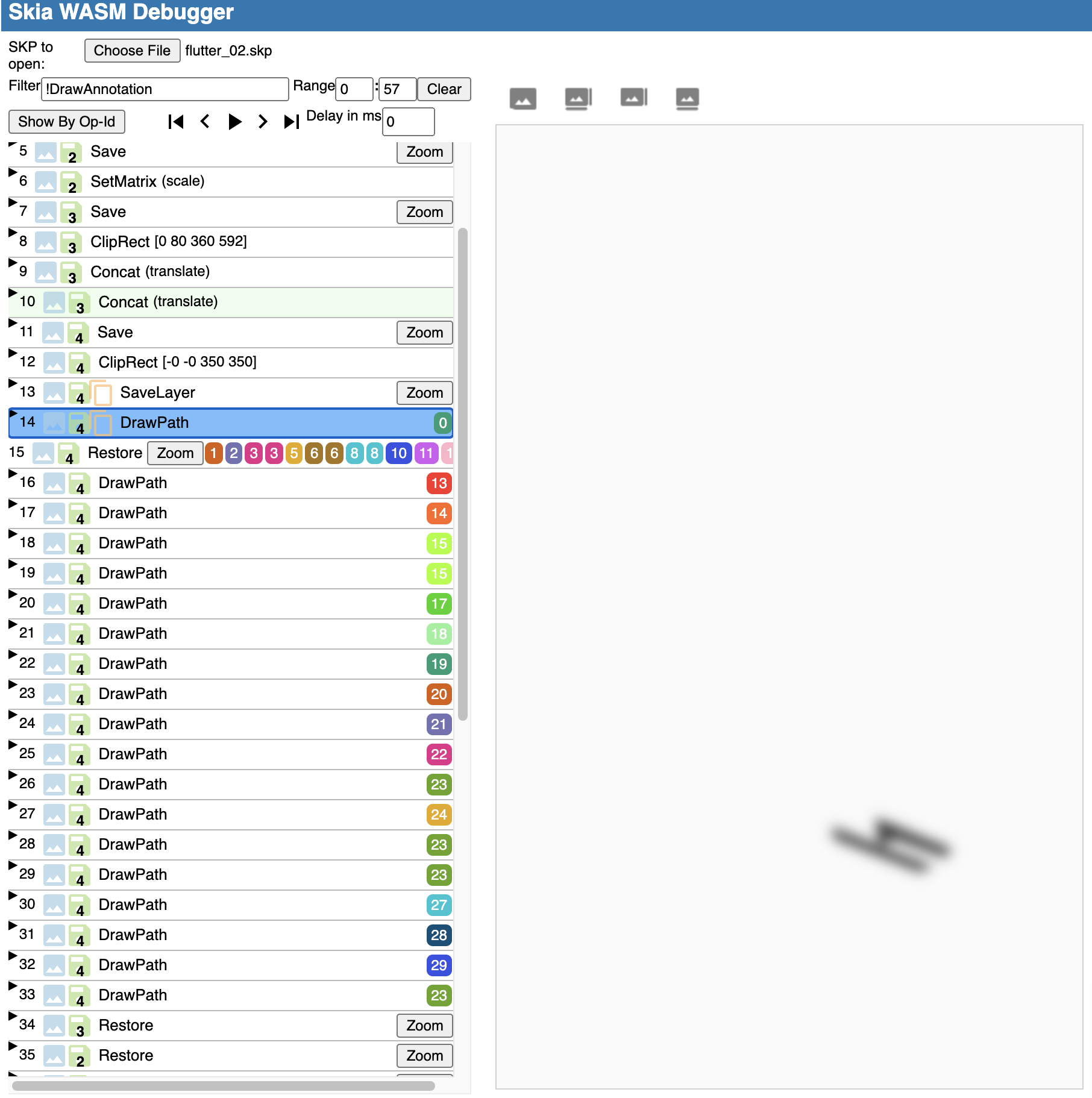
flutter run ... --trace-skia, I found that the frame rasterization time is constantly above 30ms. Two paths take more than 1ms/path to finishSkCanvas::drawPathcall before even callingSkCanvas::flush.I suspect it's related with the path that's either drawn with saveLayer blurs. See the attached SKP and its 14th draw op
DrawPathwhen opened with https://debugger.skia.orgflutter_02.skp.zip
liyuqian commentedon Nov 13, 2020
@jasonch99 : can you please check if the GPU usage can be reduced by removing and tweaking some of those expensive paths in the Rive animation? If those path or effects can't be removed, maybe we need to loop in Skia or Rive team to figure out if there's any optimization to do. One possible optimization is to enable more raster cache on Rive paths (e.g., the blurred path seem to be static to me). CC @luigi-rosso who just discussed the raster cache with us yesterday about Jim's promising work on flutter-team-archive/engine#21943.
jasonch99 commentedon Nov 13, 2020
Is the expensive part the shadow here?
liyuqian commentedon Nov 13, 2020
Yes, that's my guess.
jasonch99 commentedon Nov 30, 2020
I tested the same animation with no blur, it reduced the GPU cost.
I will see if we can remove the shadow or use a shadow without blur.
jasonch99 commentedon Dec 2, 2020
We can remove the shadow blur for our animations.
liyuqian@, assigning this back to you to see if we want to implement the raster cache solution you mentioned earlier in case other animations may need it.
zanderso commentedon Dec 2, 2020
I'm going to close this. It sounds like that current issue is resolved, and if we need to enable more raster caching of Rive paths, we can track that in a separate, new issue. Please feel free to reopen with further details if I'm mistaken.
github-actions commentedon Aug 9, 2021
This thread has been automatically locked since there has not been any recent activity after it was closed. If you are still experiencing a similar issue, please open a new bug, including the output of
flutter doctor -vand a minimal reproduction of the issue.