Repository navigation
Relaunching debug iOS 14 app from home shows white screen in dark mode #66161

Description

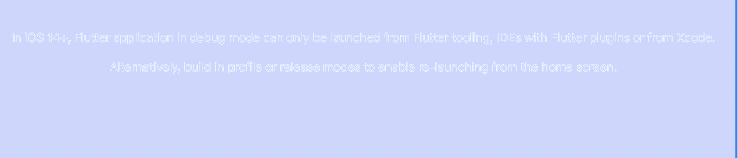
I believe flutter-team-archive/engine#20980 should be displaying a message with a label, but I only see a white screen.
I do see the log in console:
default	17:40:26.438662-0700	Flutter Gallery			Cannot create a FlutterEngine instance in debug mode without Flutter tooling or Xcode.

To launch in debug mode in iOS 14+, run flutter run from Flutter tools, run from an IDE with a Flutter IDE plugin or run the iOS project from Xcode.
Alternatively profile and release mode apps can be launched from the home screen.
[✓] Flutter (Channel master, 1.22.0-10.0.pre.263, on Mac OS X 10.15.5 19F101 x86_64, locale en-US)
    • Flutter version 1.22.0-10.0.pre.263 at /Users/magder/Projects/flutter
    • Framework revision 5c8580360a (2 hours ago), 2020-09-18 15:26:28 -0700
    • Engine revision 2abe69c608
    • Dart version 2.10.0 (build 2.10.0-136.0.dev)

[✓] Android toolchain - develop for Android devices (Android SDK version 29.0.2)
    • Android SDK at /Users/m/Library/Android/sdk
    • Platform android-30, build-tools 29.0.2
    • Java binary at: /Applications/Android Studio.app/Contents/jre/jdk/Contents/Home/bin/java
    • Java version OpenJDK Runtime Environment (build 1.8.0_242-release-1644-b3-6222593)
    • All Android licenses accepted.

[✓] Xcode - develop for iOS and macOS (Xcode 12.0)
    • Xcode at /Users/m/Applications/Xcode 12.app/Contents/Developer
    • Xcode 12.0, Build version 12A7209
    • CocoaPods version 1.9.3

[✓] Chrome - develop for the web
    • Chrome at /Applications/Google Chrome.app/Contents/MacOS/Google Chrome

[✓] Android Studio (version 4.0)
    • Android Studio at /Applications/Android Studio.app/Contents
    • Flutter plugin version 49.0.2
    • Dart plugin version 193.7547
    • Java version OpenJDK Runtime Environment (build 1.8.0_242-release-1644-b3-6222593)

[✓] VS Code (version 1.49.0)
    • VS Code at /Applications/Visual Studio Code.app/Contents
    • Flutter extension version 3.13.2

[✓] Connected device (6 available)
    • Jenn iPad Pro (mobile) • 00008027-001925360106802E                • ios            • iOS 14.0
Activity
jmagman commentedon Sep 19, 2020
\cc @chinmaygarde @xster
jmagman commentedon Sep 19, 2020
Attached to it, the label is there, but it's white because I have dark mode on!
[-]Relaunching debug iOS 14 app from home shows white screen[/-][+]Relaunching debug iOS 14 app from home shows white screen in dark mode[/+]github-actions commentedon Aug 12, 2021
This thread has been automatically locked since there has not been any recent activity after it was closed. If you are still experiencing a similar issue, please open a new bug, including the output of
flutter doctor -vand a minimal reproduction of the issue.