Description
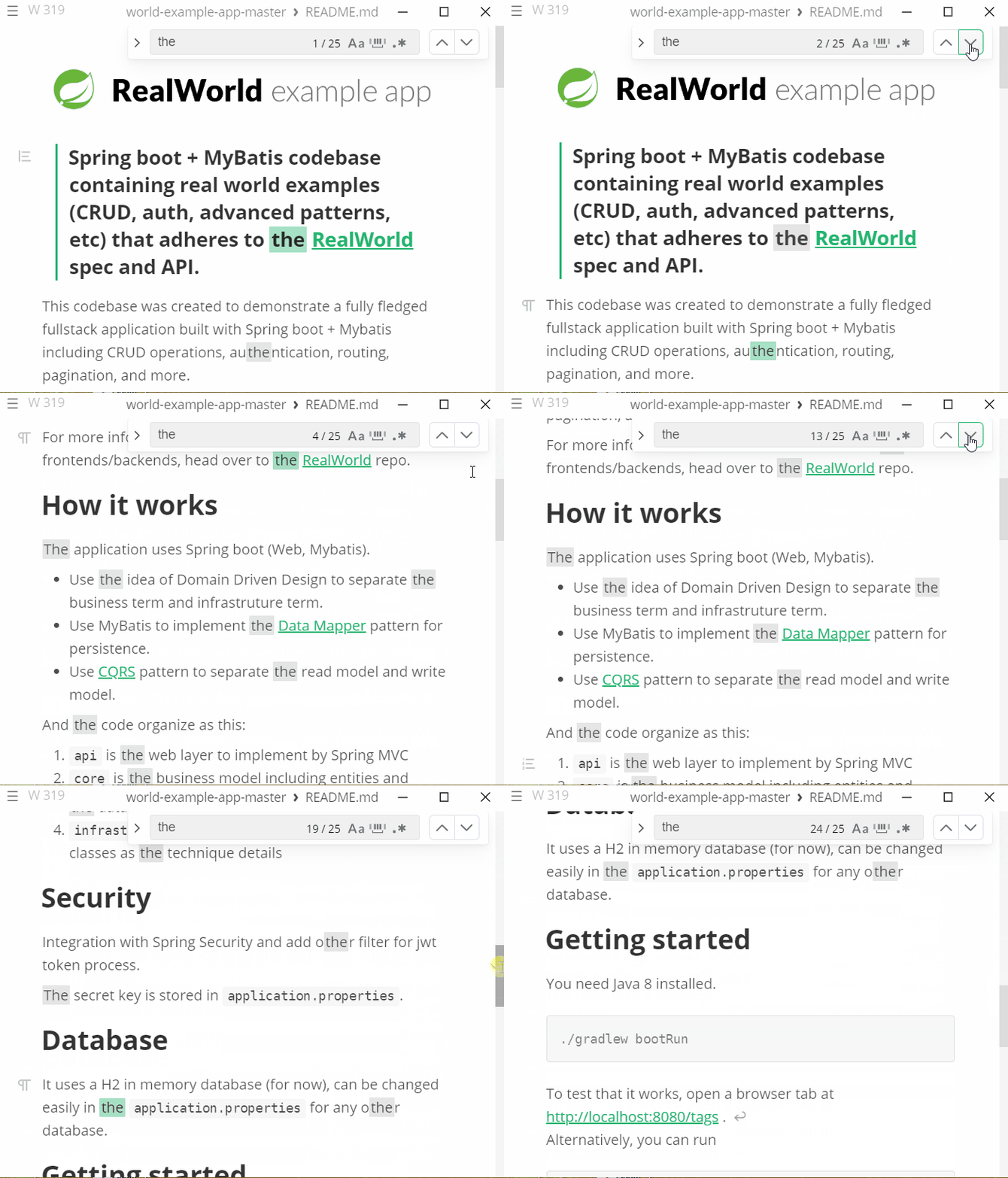
Win10, the display scale of the system is 125%, MarkText version is v0.16.1 when the document content is more than one page, the use of the search function, find the next matching text automatic positioning function failed. If the display scale of the system is adjusted to 100%, the automatic locating function of finding the next matching text will return to normal.
Steps to reproduce
- Set the system display scaling ratio to 125% in Windows 10
- Open the document with marktext
- Ctrl + F, Look for the text that appears on the next page; the document does not automatically scroll to where the text appears
- Set the system display scaling ratio to 100% in Windows 10
- Repeat steps 2 and 3 to find that the function is back to normal
Expected behavior: The find function is also normal at 125% of system display
Actual behavior: The find function is also normal at 125% of system display
Link to an example: [optional] The find function is only normal if the system displays a 100% ratio
gif:
Versions
- Mark Text: v0.16.2
- Operating system: Win10 19042.450
Description
Win10, the display scale of the system is 125%, MarkText version is v0.16.1 when the document content is more than one page, the use of the search function, find the next matching text automatic positioning function failed. If the display scale of the system is adjusted to 100%, the automatic locating function of finding the next matching text will return to normal.
Steps to reproduce
Expected behavior: The find function is also normal at 125% of system display
Actual behavior: The find function is also normal at 125% of system display
Link to an example: [optional] The find function is only normal if the system displays a 100% ratio
gif:
Versions