Skip to content

export as Styled HTML error #40

Description

@ricosmall

Description

When export the document as Styled HTML, then open the exported HTML file in browser, the code part display wrong even couldn't scroll.

Steps to reproduce

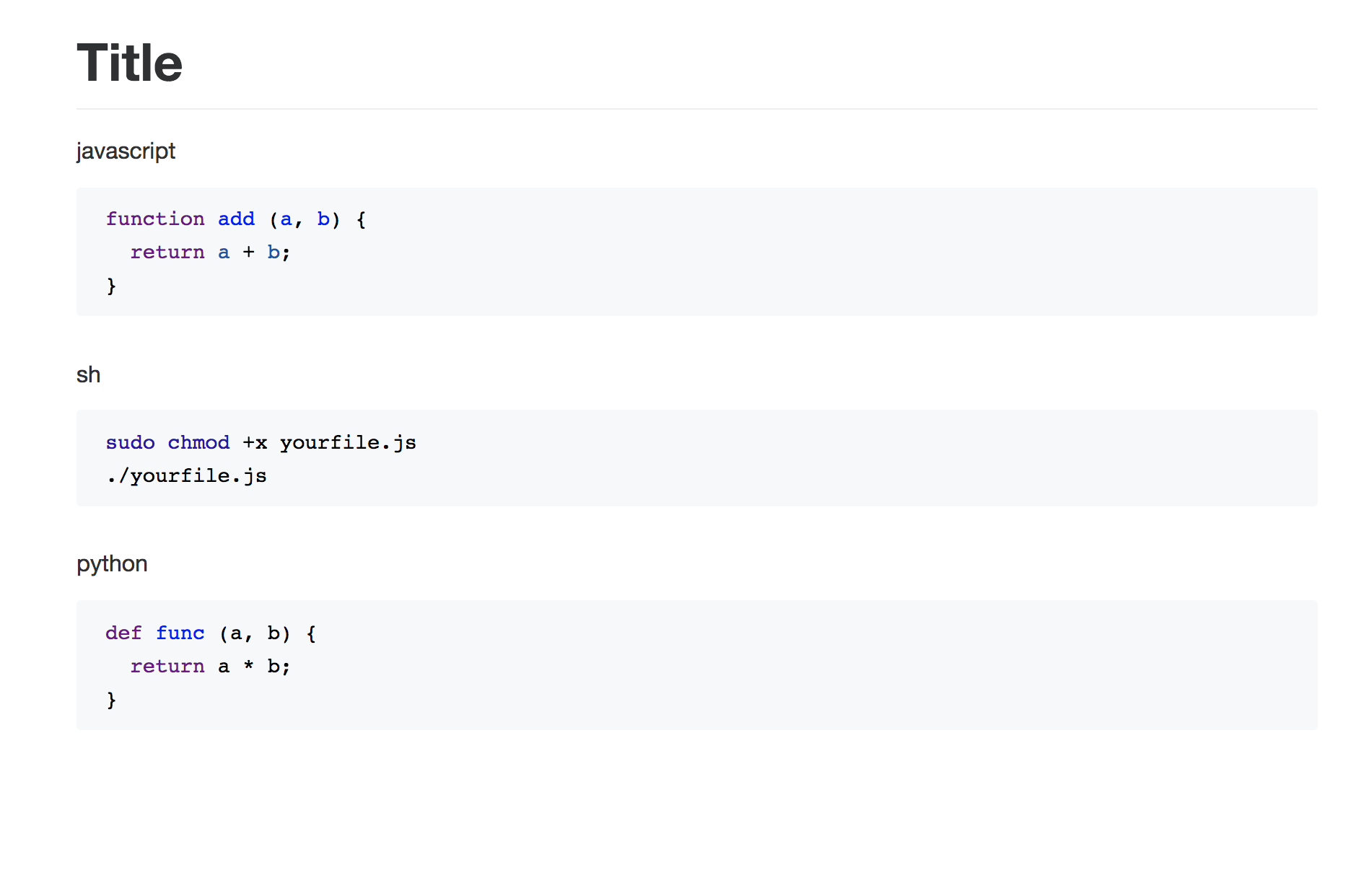
  1. Type some content, insert a piece of code, like below:

image

  1. Export the file as Styled HTML, operate step: file => Export => Styled HTML

image

  1. Open it in browser (Chrome or Safari), will be this:

image

Expected behavior: Display in right way, at least could scroll in code area

Actual behavior: Part of code was hidden and could not scroll in code area

Link to an example: Append my file content below:

# Title

javascript

```javascript
function add (a, b) {
  return a + b;
}
```

sh

```sh
sudo chmod +x yourfile.js
./yourfile.js
```

python

```python
def func (a, b) {
  return a * b;
}
```

Versions

  • Mark Text: 0.6.14.117
  • OS: macOS 10.13.3

Activity

  1. Jocs commented on Mar 20, 2018

    @Jocs
    Member

    This bug report is very clear, Thank you. I'll fix it as soon as possible.

  2. Jocs commented on Mar 20, 2018

    @Jocs
    Member

    @ricosmall I can not reproduce this bug in my development environment, So I will release v0.7.16 recently, And see if it will happen in this version.

  3. ricosmall commented on Mar 20, 2018

    @ricosmall
    Author

    @Jocs I will update to new release version and test again, then write my feedback here.

  4. Jocs commented on Mar 20, 2018

    @Jocs
    Member

    @ricosmall new version has been released, have a try.

  5. ricosmall commented on Mar 23, 2018

    @ricosmall
    Author

    @Jocs I have tested the new version, but got the same consequence like before. I am trying to find the code but not success yet. 🤣

  6. Jocs commented on Mar 25, 2018

    @Jocs
    Member

    @ricosmall I test it in my computer, And this issue didn't happen.
    3

    Can you help figure out this issue?

    Is there any Chrome extensions that affect this code block style?

  7. ricosmall commented on Mar 31, 2018

    @ricosmall
    Author

    @Jocs My Safari has no extension, but I got the same consequence like it in Chrome, just display wrong.

  8. Jocs commented on Mar 31, 2018

    @Jocs
    Member

    @ricosmall Your Mark Text version?

  9. Jocs commented on Apr 11, 2018

    @Jocs
    Member

    I'll close this issue if no more information.

  10. added a commit that references this issue on May 13, 2026
    85607dd
  11. added a commit that references this issue on Jun 21, 2026
    5729066
Sign up for free to join this conversation on GitHub. Already have an account? Sign in to comment

Metadata

Metadata

Assignees

No one assigned

    Labels

    🐤 blocked/need infoNeed more details about this issue or pull request

    Type

    No type

    Projects

    No projects

      Milestone

      No milestone

      Relationships

      None yet

      Development

      No branches or pull requests

      Issue actions