Repository navigation
Ugaritic Unicode block not working? #3047
Description
Activity
To be clear, this is a single character, not something that requires composition and layout from the raqm/harfbuzz/fribidi stack?
What platform are you on? (Mac/Linux/Windows). Are you installing from source or from a wheel/binary package?
This is what I get on macOS / Python 3.6 / Pillow 5.0.0:
Python 3.6.4 (default, Mar  1 2018, 18:36:50)
[GCC 4.2.1 Compatible Apple LLVM 9.0.0 (clang-900.0.39.2)] on darwin
Type "help", "copyright", "credits" or "license" for more information.
>>> from PIL import Image, ImageDraw, ImageFont
>>>
>>> image = Image.new('RGBA', (200, 200))
>>> draw = ImageDraw.Draw(image)
>>>
>>> font = ImageFont.truetype('damase_v.2.ttf', 20, encoding="unic")
>>>
>>> draw.text((0,0), u"\U00010386", font=font, fill=(0, 0, 0, 255))
>>> #alternatively, use line below. Does not work either
... #draw.text((0,0), "𐎆", font=font, fill=(0, 0, 0, 255))
...
>>> #the failed image
... image.save('out.png')
>>>
>>> #test printing the character
... print("𐎆")
𐎆
>>> print(u"\U00010386")
𐎆
>>>

And:
$ python 3047.py 𐎆 𐎆@wiredfool It is a 32bit unicode character. Nothing specific about it. I am on Windows and installed with pip install.
@hugovk do you also see the character when opening 'out.png'? That is the issue for me, it doesn't print it in the image. Screenshot pretty please?
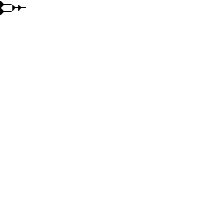
Yes, here's out.png:
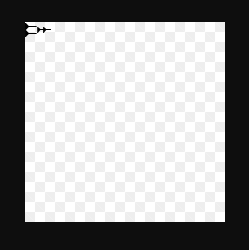
Screenshot from Chrome:
ah. windows. That's not a daily platform for any of the pillow developers that I know of.
This looks like something that could be added to the test suite pretty easily, probably with the fonts in the depends repo similar to test_images. That would give us a check on windows at least.
Nice, thank you both for the help! I have come to the conclusion that this is not PIL related since the fonts load correctly (I get an error when entering a bogus font name) but the fonts don't even work for Ugaritic in text editors and Office.


What did you do?
I wrote python code to print an Ugaritic Unicode Block character to an image using a corresponding ttf font.
What did you expect to happen?
An Ugaritic character should appear in the image. In the python example below, the following character should appear:
http://www.fileformat.info/info/unicode/char/10386/index.htm
Some fonts that support this character block include:
http://www.fileformat.info/info/unicode/char/10386/fontsupport.htm
You can find some for download (the free ones) here:
http://www.wazu.jp/gallery/Fonts_Ugaritic.html
I have tried and used "MPH 2B Damase" many times with plenty of success but it does not seem to work here. I also tried other fonts to no avail. I easily got russian and other characters to work so I do not understand why Ugaritic does not.
What actually happened?
Two squares appear in the image as if it does not recognize the character or font.
Is this to do with the fact it is a 32bit Unicode character?
Example character
http://www.fileformat.info/info/unicode/char/10386/index.htm
"Python source code" gives us u"\U00010386"
What versions of Pillow and Python are you using?
Python 3.6.4
pip show pillow gives version 5.0.0