<?xml version="1.0" encoding="utf-8"?><feed xmlns="http://www.w3.org/2005/Atom" ><generator uri="https://jekyllrb.com/" version="4.4.1">Jekyll</generator><link href="https://hsandt.github.io/feed.xml" rel="self" type="application/atom+xml" /><link href="https://hsandt.github.io/" rel="alternate" type="text/html" /><updated>2026-08-29T15:03:21+00:00</updated><id>https://hsandt.github.io/feed.xml</id><title type="html">Long Nguyen Huu</title><subtitle>The personal website of Long Nguyen Huu aka komehara</subtitle><author><name>Long Nguyen Huu</name><email>n.huu.long@gmail.com</email></author><entry><title type="html">Combat Platformer in Godot 4: June 2024 progress</title><link href="https://hsandt.github.io/devlog/2024/06/18/godot-combat-platformer-progress/" rel="alternate" type="text/html" title="Combat Platformer in Godot 4: June 2024 progress" /><published>2024-06-18T00:00:00+00:00</published><updated>2024-06-18T00:00:00+00:00</updated><id>https://hsandt.github.io/devlog/2024/06/18/godot-combat-platformer-progress</id><content type="html" xml:base="https://hsandt.github.io/devlog/2024/06/18/godot-combat-platformer-progress/"><![CDATA[<h1 id="summary">Summary</h1>

<h2 id="fireball-rain">Fireball Rain</h2>

<p>The big addition is the Fireball Rain, which is a more classic bullet hell platformer move, inspired by <a href="https://www.neoseeker.com/touhou-luna-nights/walkthrough/Boss_Marisa">Marisa’s Energy Bombardment</a> in Touhou Luna Nights. Except instead of spawn a pillar of light, each fireball spawns a fire AOE that stays on the ground/wall it hit for a while.</p>

<p>The move is more regular that the previous homing fireballs, so it encourages the player to learn the pattern and safe spots to get there quickly rather than adapting to each shot very fast. That said, I find it a bit too regular now, maybe I’ll add some randomized offset to force the player to adjust their position a little.</p>

<h2 id="new-moves-and-animations">New moves and animations</h2>

<p>Player character can now Air dodge, and existing moves all got a dedicated animation. The boss is also animated when casting a spell and getting hurt.</p>

<p>Here is a video to recap new animations, all while trying to dodge the new Fireball Rain.</p>

<video controls="">
  <source src="/assets/pictures/blog/devlog/2024-06-18-godot-combat-platformer-progress/2024-06-18 Godot Boss - Fireball Rain, new PC animations and Air Slide.webm" type="video/webm" />
  Your browser does not support the video tag.
</video>

<p>And the player character death animation:</p>

<p><img src="/assets/pictures/blog/devlog/2024-06-18-godot-combat-platformer-progress/paladin_tiny_Death_demo@8x.gif" alt="Player character death animation" /></p>

<h2 id="simpler-level">Simpler level</h2>

<p>I removed all the platforms and re-added two so the player character can still jump high enough to reach the boss who is shooting Fireball Rain from very high above.</p>

<h2 id="first-bgm">First BGM</h2>

<p>I was tired of testing in a silent room so I added the first BGM, some free asset <a href="https://maou.audio/game_lastboss01/">Last Boss 01 (ラストボス01)</a>, by MaouDamashii under <a href="https://creativecommons.org/licenses/by/4.0/">CC BY 4.0</a>.</p>

<h1 id="changelog">Changelog</h1>

<h2 id="gameplay">Gameplay</h2>

<ul>
  <li>Player character: shorter ground Slide, add Air Slide</li>
  <li>Player character: Melee attack: allow changing direction when chaining attacks</li>
  <li>Boss: skill: replaced single fireball shot with new Fireball rain (projectile accelerates)</li>
  <li>Projectile: Fireball damages player character but moves through it</li>
  <li>Projectile: Fireball generates fire AOE for a short time after hitting ground or wall</li>
</ul>

<h2 id="level">Level</h2>

<ul>
  <li>Simplify level with only 2 platforms</li>
</ul>

<h2 id="visual">Visual</h2>

<ul>
  <li>Player character: Slide, Hurt, Death, Jump, Fall, Crouch, DashAttack, AirSlide + transitions</li>
  <li>Boss: new Idle, Hurt, SpellForward, SpellUpward animations and transitions between them (using AnimationTree)</li>
  <li>Projectile: Fireball warm up FX, Fireball Rain round fireball sprite, Fireball explosion on hit</li>
</ul>

<h2 id="audio">Audio</h2>

<ul>
  <li>BGM: Boss theme phase 1 extracted from free BGM “Last Boss ラストボス01” by MaouDamashii</li>
</ul>

<h1 id="godot-threads-opened">Godot threads opened</h1>

<h2 id="issues">Issues</h2>

<ul>
  <li><a href="https://github.com/godotengine/godot/issues/90868">Animation SpriteFrames panel: FPS field is too small, long numbers (e.g. using decimal fraction) are cropped</a></li>
  <li><a href="https://github.com/godotengine/godot/issues/91065">Animation Tree: State machine nodes view does not refresh on Undo/Redo creating new node (until next click)</a></li>
  <li><a href="https://github.com/godotengine/godot/issues/91162">Code editor: hover debug empty String / StringName variable shows nothing</a></li>
</ul>

<h2 id="proposals">Proposals</h2>

<ul>
  <li><a href="https://github.com/godotengine/godot-proposals/issues/9550">Animation SpriteFrames: add keyboard shortcut to rename animation (default F2)</a></li>
</ul>]]></content><author><name>Long Nguyen Huu</name><email>n.huu.long@gmail.com</email></author><category term="devlog" /><category term="godot" /><summary type="html"><![CDATA[Summary]]></summary><media:thumbnail xmlns:media="http://search.yahoo.com/mrss/" url="https://hsandt.github.io/assets/pictures/blog/devlog/2024-06-18-godot-combat-platformer-progress/thumbnail.png" /><media:content medium="image" url="https://hsandt.github.io/assets/pictures/blog/devlog/2024-06-18-godot-combat-platformer-progress/thumbnail.png" xmlns:media="http://search.yahoo.com/mrss/" /></entry><entry><title type="html">Combat Platformer in Godot 4: April 2024 progress</title><link href="https://hsandt.github.io/devlog/2024/04/12/godot-combat-platformer-progress/" rel="alternate" type="text/html" title="Combat Platformer in Godot 4: April 2024 progress" /><published>2024-04-12T00:00:00+00:00</published><updated>2024-04-12T00:00:00+00:00</updated><id>https://hsandt.github.io/devlog/2024/04/12/godot-combat-platformer-progress</id><content type="html" xml:base="https://hsandt.github.io/devlog/2024/04/12/godot-combat-platformer-progress/"><![CDATA[<h1 id="summary">Summary</h1>

<h2 id="visual-revamp">Visual revamp</h2>

<p>Big revamp! I finally switched the whole game to <strong>full custom graphics</strong>. I first worked with a resolution similar to the proto character asset (see <a href="/devlog/2024/01/16/godot-combat-platformer-progress/">previous post</a> 3 months ago), then tried smaller sizes to draw faster. Below, some character scale research:</p>

<p><img src="/assets/pictures/blog/devlog/2024-04-12-godot-combat-platformer-progress/paladin_Idle_sword_demo_all_sizes_2024-03-19_@4x.png" alt="Main character sprite scale research" /></p>

<p>From left to right:</p>

<ol>
  <li><strong>Tiny</strong>: fast to draw, but hard to show details like scars, sword erosion or body limb animations. Instead, it relies a lot on translations and FX.</li>
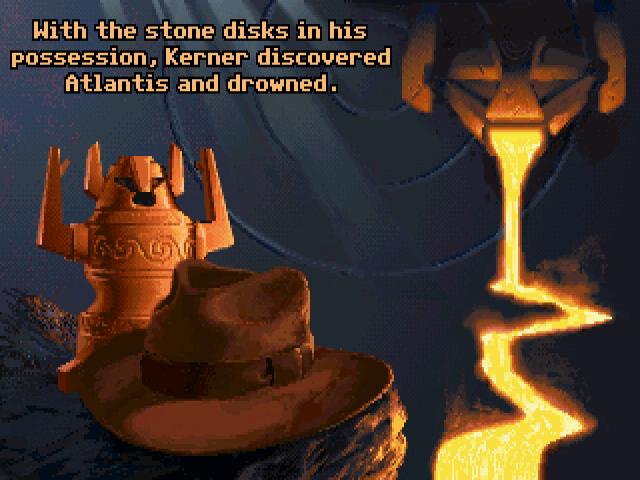
  <li><strong>Chibi</strong>: I don’t like how this one turned out, it was supposed to look like <a href="https://rdein.itch.io/">Momodora I-III</a> but got ugly and now it reminds me of the <a href="https://mixnmojo.com/galleries/full/full20100912100720.png">horned idol statue</a> in <em>Indiana Jones and the Fate of Atlantis</em>.</li>
  <li><strong>Small</strong>: It’s a nice compromise, I’d go with this one if I had more time.</li>
  <li><strong>Normal</strong>: The original sprite I’ve drawn, would take more time to animate, but I’d go with this one if I hired a pixel artist.</li>
  <li><strong>Tall</strong>: A funny experiment with the “thin body - long legs” pixel art style found in indie games like <a href="https://store.steampowered.com/app/204060/Superbrothers_Sword__Sworcery_EP/">Superbrothers: Sword &amp; Sworcery EP</a>.</li>
</ol>

<p>In the end I went for the Tiny art style, using references such as <a href="https://ldjam.com/events/ludum-dare/53/$366108">Time for Lunch</a> (PICO-8 game) and <a href="https://store.steampowered.com/app/607400/Necrosphere/">Necrosphere</a>.</p>

<p>Then I converted the other elements (boss, projectiles and FX) and added new elements (background, HUD) to fit in this style. The ice spike FX is very big so it was quite easy to convert (although the warm up animation needed some tuning), while I had to redo the fireball animation from scratch (and also recolored them).</p>

<h2 id="rebuilt-boss-level">Rebuilt boss level</h2>

<p>I also rebuilt the whole level to something symmetrical with a few platforms. Kudos to the <a href="https://lospec.com/pixel-school/">Lospec Pixel School</a> which helped me tune the color palette! Using Aseprite, it’s quite fast with the Indexed Color Mode + Edit Color button.</p>

<h2 id="first-sfx">First SFX</h2>

<p>Finally, I added fireball spawn SFX. Instead of the usual sfxr (via <a href="https://sfxr.me/">jsfxr</a>), I tried to use audio synthesizer <a href="https://vital.audio/">Vital</a>. I had already tested its free little brother <a href="https://tytel.org/helm/">Helm</a> but was limited by the lack of wave modulation and wanted more features… Well, I got them, there are too many for me to understand now, so I just used a little bit of Vital’s features.</p>

<p>The biggest issue was <a href="https://forum.vital.audio/t/vital-crashing-reaper-linux-clap-and-vst3-versions/13540">Reaper + Vital plugin crashing on Linux</a> which forced me to manually record the SFX from Vital standalone. I may eventually switch back to jsfxr or Helm because of this.</p>

<p>Since I was busy working on new graphics and plugging the HUD behavior, there is no new gameplay features in this update. I will work on improved boss patterns and main character moves next time.</p>

<video controls="">
  <source src="/assets/pictures/blog/devlog/2024-04-12-godot-combat-platformer-progress/2024-04-11 Godot Boss - 5 platforms, MC attack vs Fireballs and Ice spikes.webm" type="video/webm" />
  Your browser does not support the video tag.
</video>

<h1 id="changelog">Changelog</h1>

<h2 id="level">Level</h2>

<ul>
  <li>Rebuilt full level as a small, one-screen room with 5 platforms</li>
</ul>

<h2 id="ui">UI</h2>

<ul>
  <li>HUD: plug main character &amp; boss life gauges to their remaining HP</li>
</ul>

<h2 id="visual">Visual</h2>

<ul>
  <li>Main character sprites: Idle (1 frame), Run cycle (4 frames), Attack (7 frames)</li>
  <li>Boss sprites (Tiny art style): Idle (1 frame)</li>
  <li>Fireball sprites (Tiny art style): Move (4 frames)</li>
  <li>Ice spikes (Tiny art style): Warm up (13 frames), Appear (6 frames), Active (4 frames), Disappear (3 frames)</li>
  <li>HUD: Main character life gauge (discrete cells), Boss life gauge (continuous gauge)</li>
</ul>

<h2 id="audio">Audio</h2>

<ul>
  <li>SFX: Fireball spawn</li>
</ul>

<h1 id="godot-threads-opened">Godot threads opened</h1>

<p>For the first time, I’ll also post the list of Godot issues and proposals I opened since the last devlog. It’s pretty long because they span over 3 months, hopefully next list will be shorter.</p>

<p>I realised I spent a considerable amount of time debugging, isolating MWE (Minimum Working Examples) and posting them on GitHub, so tracking issues I have opened is a good way to motivate me: I’ve not been doing nothing that day!</p>

<p>For now it’s my main way to contribute to Godot, but I hope I’ll be able to send pull requests to contribute to engine code in the near future.</p>

<h2 id="issues">Issues</h2>

<ul>
  <li><a href="https://github.com/godotengine/godot/issues/87254">#87254 Sometimes after saving scene, both instantiated scene and original scene node numerical properties become null, shown as 0 in inspector</a></li>
  <li><a href="https://github.com/godotengine/godot/issues/88067">#88067 Erratic behavior when CharacterBody2D is inside tilemap (or group of small colliders) with collision shapes, is_on_floor returns false</a></li>
  <li><a href="https://github.com/godotengine/godot/issues/88115">#88115 AnimatedSprite2D: Empty Animation name error on ready/instantiation propagates to inherited scenes</a></li>
  <li><a href="https://github.com/godotengine/godot/issues/88303">#88303 Scene editor: Mouse middle click doesn’t always close scene tab</a></li>
  <li><a href="https://github.com/godotengine/godot/issues/88400">#88400 Export: Save a File: Godot doesn’t update Quick Access folders if changed after opening editor, causing offset display or even out-of-bounds error</a></li>
  <li><a href="https://github.com/godotengine/godot/issues/88408">#88408 Linux: Scene editor: Control: Releasing mouse primary button after Alt+drag for centered Control resize will not end resize operation</a></li>
  <li><a href="https://github.com/godotengine/godot/issues/89543">#89543 Linux X11 OpenGL/Vulkan - After changing window size, window content doesn’t immediately refresh to match new size</a></li>
  <li><a href="https://github.com/godotengine/godot/issues/89621">#89621 Linux - Portable installation of Blender not recognized for Blender import with error: Blender Path does not contain a Blender installation</a></li>
  <li><a href="https://github.com/godotengine/godot/issues/89785">#89785 Autocomplete Input.get_axis StringName parameter suddenly switches from action name to symbols while typing</a></li>
  <li><a href="https://github.com/godotengine/godot/issues/89910">#89910 When Import ETC2 ASTC option is disabled, Remote Debug on Android is still allowed but fails Export with empty error message in Project Run popup</a></li>
  <li><a href="https://github.com/godotengine/godot/issues/89923">#89923 TileSet: Leftover patterns after TileSet atlas source removal causes output error spam “No TileSet atlas source with id N”</a></li>
  <li><a href="https://github.com/godotengine/godot/issues/90021">#90021 Instances of inherited scenes are not updated when changing exported var value on base scene if scene containing them was already open, until editor restart</a></li>
  <li><a href="https://github.com/godotengine/godot/issues/90264">#90264 Literal String as int (or float) cast causes Parser Error “Cannot cast a value of type “String” as “int”.” although it works with variable String</a></li>
  <li><a href="https://github.com/godotengine/godot/issues/90537">#90537 Repeated toggle fullscreen increases window size by the window decorations size each time we leave fullscreen</a></li>
</ul>

<h2 id="discussions">Discussions</h2>

<ul>
  <li><a href="https://github.com/godotengine/godot-proposals/discussions/8948">#8948 Add a button/option to build and run directly on plugged Android device</a></li>
  <li><a href="https://github.com/godotengine/godot-proposals/discussions/8958">#8958 Confused by CanvasLayer property follow_viewport_enable / follow_viewport_enabled, sounded like follow_camera_enabled but it’s the opposite</a></li>
  <li><a href="https://github.com/godotengine/godot-proposals/discussions/9096">#9096 Ctrl+Click to go to definition of method name defined as StringName &amp;”my_method”</a></li>
  <li><a href="https://github.com/godotengine/godot-proposals/discussions/9396">#9396 Add Control child class/node that fits own size to children (maximum bounding box) to be used as intermediate parent under HBoxContainer/VBoxContainer</a></li>
  <li><a href="https://github.com/godotengine/godot-proposals/discussions/9400">#9400 Tilemap tile full rect collision shapes are considered independent, causing Raycast to hit individual tiles inside tilemap</a></li>
  <li><a href="https://github.com/godotengine/godot-proposals/discussions/9461">#9461 Add exception methods to CharacterBody2D to ignore specific collision objects during move_and_slide</a></li>
</ul>

<h2 id="proposals">Proposals</h2>

<ul>
  <li><a href="https://github.com/godotengine/godot-proposals/issues/8854">#8854 Hover long editor bell notification text (cut with ellipsis) to see full message and/or allow copying full text with right-click</a></li>
  <li><a href="https://github.com/godotengine/godot-proposals/issues/8947">#8947 Export to Android: improve Invalid package name error message by showing Project name converted to $genname explicitly</a></li>
  <li><a href="https://github.com/godotengine/godot-proposals/issues/9095">#9095 F1 Search Help reused to navigate code: show custom symbols without doc + go to source code of custom class/method (from F1 popup or documentation)</a></li>
  <li><a href="https://github.com/godotengine/godot-proposals/issues/9102">#9102 Debug: Code editor: command to debug content of Object variable under cursor/caret in remote Inspector</a></li>
  <li><a href="https://github.com/godotengine/godot-proposals/issues/9105">#9105 Allow setting Mouse Default Cursor Shape differently when Button is disabled</a></li>
  <li><a href="https://github.com/godotengine/godot-proposals/issues/9107">#9107 Add contextual menu to convert binary resource .res to serialized text .tres (and vice-versa)</a></li>
  <li><a href="https://github.com/godotengine/godot-proposals/issues/9129">#9129 Windows export: Indicate reason for “Invalid file version” and “Invalid product version”</a></li>
  <li><a href="https://github.com/godotengine/godot-proposals/issues/9146">#9146 Project settings: add Debug &gt; GDScript &gt; Warnings parameter to include/exclude specific add-ons</a></li>
  <li><a href="https://github.com/godotengine/godot-proposals/issues/9307">#9307 Add an option to make Wide / Full Rect control anchor presets take Window Stretch Scale project setting into account</a></li>
  <li><a href="https://github.com/godotengine/godot-proposals/issues/9387">#9387 Animation SpriteFrames: do not lose focus when deleting frame</a></li>
</ul>]]></content><author><name>Long Nguyen Huu</name><email>n.huu.long@gmail.com</email></author><category term="devlog" /><category term="godot" /><summary type="html"><![CDATA[Summary]]></summary><media:thumbnail xmlns:media="http://search.yahoo.com/mrss/" url="https://hsandt.github.io/assets/pictures/blog/devlog/2024-04-12-godot-combat-platformer-progress/thumbnail.png" /><media:content medium="image" url="https://hsandt.github.io/assets/pictures/blog/devlog/2024-04-12-godot-combat-platformer-progress/thumbnail.png" xmlns:media="http://search.yahoo.com/mrss/" /></entry><entry><title type="html">Combat Platformer in Godot 4: January 2024 progress</title><link href="https://hsandt.github.io/devlog/2024/01/16/godot-combat-platformer-progress/" rel="alternate" type="text/html" title="Combat Platformer in Godot 4: January 2024 progress" /><published>2024-01-16T00:00:00+00:00</published><updated>2024-01-16T00:00:00+00:00</updated><id>https://hsandt.github.io/devlog/2024/01/16/godot-combat-platformer-progress</id><content type="html" xml:base="https://hsandt.github.io/devlog/2024/01/16/godot-combat-platformer-progress/"><![CDATA[<p>I decided to switch from a combat platformer where you fight many minions to <strong>a single boss fight</strong> where platforming is essentially to dodge boss attacks and find a right angle to counter-attack. I started drawing the first original sprites for the boss, so I could get exactly the character and projectile animations I needed.</p>

<h3 id="gameplay">Gameplay</h3>

<ul>
  <li>Level: added 1 boss: the sorcerer</li>
  <li>Enemy AI: the sorcerer continuously shoots fireballs in the same direction</li>
</ul>

<h3 id="visual">Visual</h3>

<ul>
  <li>Character sprite: Sorcerer 2-frame Idle, 2-frame Hurt, 2-frame Die, 4-frame SpellForward (not used yet)</li>
  <li>Projectile sprite: Fireball 4-frame Move</li>
</ul>

<video controls="">
  <source src="/assets/pictures/blog/devlog/2024-01-16-godot-combat-platformer-progress/2024-01-16 Godot 4 Platformer Combat progress - Boss - Fireball, Hurt and Die 640x360.webm" type="video/webm" />
  Your browser does not support the video tag.
</video>

<p>Assets used:</p>
<ul>
  <li><a href="https://clembod.itch.io/warrior-free-animation-set">Warrior-Free Animation set V1.3 by Clembod</a></li>
  <li><a href="https://untiedgames.itch.io/free-grasslands-tileset">Free Pixel Art Grasslands Tileset by Will Tice / unTied Games</a></li>
</ul>]]></content><author><name>Long Nguyen Huu</name><email>n.huu.long@gmail.com</email></author><category term="devlog" /><category term="godot" /><summary type="html"><![CDATA[I decided to switch from a combat platformer where you fight many minions to a single boss fight where platforming is essentially to dodge boss attacks and find a right angle to counter-attack. I started drawing the first original sprites for the boss, so I could get exactly the character and projectile animations I needed.]]></summary><media:thumbnail xmlns:media="http://search.yahoo.com/mrss/" url="https://hsandt.github.io/assets/pictures/blog/devlog/2024-01-16-godot-combat-platformer-progress/thumbnail.png" /><media:content medium="image" url="https://hsandt.github.io/assets/pictures/blog/devlog/2024-01-16-godot-combat-platformer-progress/thumbnail.png" xmlns:media="http://search.yahoo.com/mrss/" /></entry><entry><title type="html">Snake remake in Godot 4: October 2023 progress</title><link href="https://hsandt.github.io/devlog/2023/10/11/godot-snake-evolved-progress/" rel="alternate" type="text/html" title="Snake remake in Godot 4: October 2023 progress" /><published>2023-10-11T00:00:00+00:00</published><updated>2023-10-11T00:00:00+00:00</updated><id>https://hsandt.github.io/devlog/2023/10/11/godot-snake-evolved-progress</id><content type="html" xml:base="https://hsandt.github.io/devlog/2023/10/11/godot-snake-evolved-progress/"><![CDATA[<p>In July 2023, I started working on a “Snake with a twist” in parallel to my other games. It’s a smaller project that I intend to finish within 100 hours of work, using only geometrical graphics and simple arcade mechanics to avoid artistic and technical difficulties (game design will probably be the most difficult part).</p>

<p><img src="/assets/pictures/blog/devlog/2023-10-11-godot-snake-evolved-progress/Snake Evolved - 2023-08-29 - wrap-around and laddering.gif" alt="Snake Evolved: wrap-around and laddering" height="360" /></p>

<p>My latest addition is moving enemies. They currently move at half the speed of the player snake, but they still make the game significantly harder: new enemies regularly spawn and keep coming at you, and touching them causes instant game over. You can trick them by repeatedly warping to the other side of the arena, but I may eventually fix this by making enemies aware of edge warping to find the real shortest distance to player snake.</p>

<video controls="" width="640" height="360">
  <source src="/assets/pictures/blog/devlog/2023-10-11-godot-snake-evolved-progress/Snake Evolved - 2023-10-10 - Adding moving enemies - Eat and lose 720p.webm" type="video/webm" />
  Your browser does not support the video tag.
</video>

<p>One problem is inherent to snake: you cannot control the tail, so it is very vulnerable, even more as your snake gets longer. I may mitigate this by reducing penalty when a body part other than the head hits an enemy.</p>

<h2 id="dev-status">Dev status</h2>

<p>Total work time: 27h</p>

<h3 id="gameplay">Gameplay</h3>

<ul>
  <li>Player character: move like a classic snake (hold diagonal for laddering)</li>
  <li>Pick-up: eat to extend snake length by 1 and increase Score</li>
</ul>

<h3 id="visual">Visual</h3>

<ul>
  <li>Dark background</li>
  <li>All sprites are colored squares</li>
</ul>

<h3 id="hud">HUD</h3>

<ul>
  <li>Display score in top-left corner</li>
</ul>

<h3 id="known-issues">Known issues</h3>

<ul>
  <li>Pick-up and enemies can spawn anywhere, including near and inside the player snake without warning!</li>
</ul>]]></content><author><name>Long Nguyen Huu</name><email>n.huu.long@gmail.com</email></author><category term="devlog" /><category term="godot" /><summary type="html"><![CDATA[In July 2023, I started working on a “Snake with a twist” in parallel to my other games. It’s a smaller project that I intend to finish within 100 hours of work, using only geometrical graphics and simple arcade mechanics to avoid artistic and technical difficulties (game design will probably be the most difficult part).]]></summary><media:thumbnail xmlns:media="http://search.yahoo.com/mrss/" url="https://hsandt.github.io/assets/pictures/blog/devlog/2023-10-11-godot-snake-evolved-progress/thumbnail.png" /><media:content medium="image" url="https://hsandt.github.io/assets/pictures/blog/devlog/2023-10-11-godot-snake-evolved-progress/thumbnail.png" xmlns:media="http://search.yahoo.com/mrss/" /></entry><entry><title type="html">Combat Platformer in Godot 4: June 2023 progress</title><link href="https://hsandt.github.io/devlog/2023/06/08/godot-combat-platformer-progress/" rel="alternate" type="text/html" title="Combat Platformer in Godot 4: June 2023 progress" /><published>2023-06-08T00:00:00+00:00</published><updated>2023-06-08T00:00:00+00:00</updated><id>https://hsandt.github.io/devlog/2023/06/08/godot-combat-platformer-progress</id><content type="html" xml:base="https://hsandt.github.io/devlog/2023/06/08/godot-combat-platformer-progress/"><![CDATA[<p>I have added a few features to my prototype of combat platformer made in Godot since February, as well as less visible QoL/debug improvements:</p>

<h3 id="gameplay">Gameplay</h3>

<ul>
  <li>Actions: Slide, airborne Attack</li>
  <li>Flow: better action constraints (cannot move while attacking on ground, but can move when attacking airborne, with locked direction)</li>
  <li>Enemy AI: Behaviour Trees with <a href="https://github.com/AdrienQuillet/godot-yet-another-behavior-tree">Yet Another Behavior Tree</a></li>
</ul>

<h3 id="visual">Visual</h3>
<ul>
  <li>Feedback: red hurt color, blue invincible color during Slide</li>
  <li>More robust animation system with base (continuous) animations like Run + override (one-time) animations like Attack</li>
</ul>

<video controls="">
  <source src="/assets/pictures/blog/devlog/2023-06-08-godot-combat-platformer-progress/2023-06-08 Godot 4 Platformer Combat progress.webm" type="video/webm" />
  Your browser does not support the video tag.
</video>

<h3 id="debug">Debug</h3>
<ul>
  <li>Restart all entities immediately when pressing R</li>
  <li>Debug overlay: FPS, current frame, currently pressed input</li>
</ul>

<video controls="">
  <source src="/assets/pictures/blog/devlog/2023-06-08-godot-combat-platformer-progress/2023-06-08 Godot 4 Platformer Combat - Debug overlay demo.webm" type="video/webm" />
  Your browser does not support the video tag.
</video>

<p>Assets used:</p>
<ul>
  <li><a href="https://clembod.itch.io/warrior-free-animation-set">Warrior-Free Animation set V1.3 by Clembod</a></li>
  <li><a href="https://astrobob.itch.io/animated-pixel-art-skeleton">Animated pixel art skeleton by AstroBob</a></li>
  <li><a href="https://untiedgames.itch.io/free-grasslands-tileset">Free Pixel Art Grasslands Tileset by Will Tice / unTied Games</a></li>
</ul>]]></content><author><name>Long Nguyen Huu</name><email>n.huu.long@gmail.com</email></author><category term="devlog" /><category term="godot" /><summary type="html"><![CDATA[I have added a few features to my prototype of combat platformer made in Godot since February, as well as less visible QoL/debug improvements:]]></summary><media:thumbnail xmlns:media="http://search.yahoo.com/mrss/" url="https://hsandt.github.io/assets/pictures/blog/devlog/2023-06-08-godot-combat-platformer-progress/thumbnail.png" /><media:content medium="image" url="https://hsandt.github.io/assets/pictures/blog/devlog/2023-06-08-godot-combat-platformer-progress/thumbnail.png" xmlns:media="http://search.yahoo.com/mrss/" /></entry><entry><title type="html">Combat Platformer in Godot 4: Feb 2023 progress</title><link href="https://hsandt.github.io/devlog/2023/02/12/godot-combat-platformer-progress/" rel="alternate" type="text/html" title="Combat Platformer in Godot 4: Feb 2023 progress" /><published>2023-02-12T00:00:00+00:00</published><updated>2023-02-12T00:00:00+00:00</updated><id>https://hsandt.github.io/devlog/2023/02/12/godot-combat-platformer-progress</id><content type="html" xml:base="https://hsandt.github.io/devlog/2023/02/12/godot-combat-platformer-progress/"><![CDATA[<p>I started working on a side-scrolling combat platformer prototype in Godot 4.
I’m regularly downloading new snapshots of Godot 4 beta which sometimes introduces breaking API changes, but I hope it will be worth it when it finally gets released.</p>

<p><img src="/assets/pictures/blog/devlog/2023-02-12-godot-combat-platformer-progress/2023-02-12-godot-combat-platformer-progress demo features so far.gif" alt="Combat platformer demo: warrior runs, jumps and slashes a slime" /></p>

<p>I managed to port most of my code for character control/animation from an <a href="https://github.com/hsandt/flame-of-hope-godot/tree/master/Scripts">older project</a>. But it was top-view, so I still had to work more to get running and jumping to work.</p>

<p>The biggest issue I had with physics was a regression on <code class="language-plaintext highlighter-rouge">move_and_slide</code> (see <a href="https://github.com/godotengine/godot/issues/71993">this issue</a>). Otherwise, I’d say Godot’s built-in classes made it pretty simple. I don’t have any custom raycasts in my code so far.</p>

<p>So far I implemented the following features for the player character:</p>
<ul>
  <li>move and jump</li>
  <li>melee attack: can chain up to two slashes</li>
  <li>health system: get hurt and die</li>
</ul>

<p>I’d like to make this open source, but as it contains some copyrighted third-party assets (although free).
I may extract the scripts into some public submodule (as with my Unity projects) though, so stay tuned!</p>

<p>Assets used:</p>
<ul>
  <li><a href="https://clembod.itch.io/warrior-free-animation-set">Warrior-Free Animation set V1.3 by Clembod</a></li>
  <li><a href="https://rvros.itch.io/pixel-art-animated-slime">Pixel Slime by rvros (CC0 1.0)</a></li>
  <li><a href="https://untiedgames.itch.io/free-grasslands-tileset">Free Pixel Art Grasslands Tileset by Will Tice / unTied Games</a></li>
</ul>]]></content><author><name>Long Nguyen Huu</name><email>n.huu.long@gmail.com</email></author><category term="devlog" /><category term="godot" /><summary type="html"><![CDATA[I started working on a side-scrolling combat platformer prototype in Godot 4. I’m regularly downloading new snapshots of Godot 4 beta which sometimes introduces breaking API changes, but I hope it will be worth it when it finally gets released.]]></summary><media:thumbnail xmlns:media="http://search.yahoo.com/mrss/" url="https://hsandt.github.io/assets/pictures/blog/devlog/2023-02-12-godot-combat-platformer-progress/thumbnail.png" /><media:content medium="image" url="https://hsandt.github.io/assets/pictures/blog/devlog/2023-02-12-godot-combat-platformer-progress/thumbnail.png" xmlns:media="http://search.yahoo.com/mrss/" /></entry><entry><title type="html">AI Sandbox in Unity</title><link href="https://hsandt.github.io/devlog/2021/06/23/ai-sandbox-in-unity/" rel="alternate" type="text/html" title="AI Sandbox in Unity" /><published>2021-06-23T00:00:00+00:00</published><updated>2021-06-23T00:00:00+00:00</updated><id>https://hsandt.github.io/devlog/2021/06/23/ai-sandbox-in-unity</id><content type="html" xml:base="https://hsandt.github.io/devlog/2021/06/23/ai-sandbox-in-unity/"><![CDATA[<p><em>This post is a draft and may undergo changes over time.</em></p>

<p>I am sometimes working on an AI sandbox game with Unity. I implement various AI techniques I found in books, using Unity as a basic game framework and without using its advanced features.</p>

<p>I implement AI features in C# from <a href="https://www.amazon.com/Game-Engine-Programming-Brian-Schwab/dp/1584505729">AI Game Engine Programming</a> (code samples in C++) and <a href="https://www.amazon.com/Artificial-Intelligence-Games-Ian-Millington/dp/0123747317/ref=dp_ob_title_bk">Artificial Intelligence for Games</a> (pseudocode). Because of the specific features of C# and Unity, I adapt the code as needed while trying to keep the same behavior as described in the books. Sometimes, I am not satisfied with a specific behavior so I have to change the code further.</p>

<p>My project is uses a Git submodule to gather AI scripts that are reusable between games. The submodule repository is available publicly on Bitbucket as <a href="https://bitbucket.org/hsandt/unity-commons-ai/commits/branch/feature/movement">Unity Commons – AI</a> (branch feature/movement). Note that it is a work in progress, but you can read the code to compare your implementation of the AI techniques with mine.</p>

<h1 id="features">Features</h1>

<h2 id="finite-state-machine">Finite-State Machine</h2>

<p>Source: AI Game Engine Programming</p>

<p>Unity implemented Finite-State Machines (FSM) for its Animator, but I recreated my own system for training purpose. It heavily uses generic and is entirely code-based. Currently, it doesn’t support data-driven state programming. For an FSM system that supports transition injection, check out libraries like <a href="https://code.google.com/archive/p/solid-state/">solid-state</a> (made by another developer).</p>

<p>[add video of guard changing state]</p>

<h2 id="movement">Movement</h2>

<p>Source: Artificial Intelligence for Games</p>

<p>I have implemented pseudo-code from the book until Chapter 3.4.2. I have implemented a variety of Steering Movements, which you can see in action below.</p>

<p>[add videos of various guard movements]</p>

<p>I have also implemented some basic ballistic from Chapter 3.5: Predicting Physics.</p>

<video controls="">
  <source src="/assets/pictures/blog/devlog/2021-06-23-ai-sandbox-in-unity/AI4G Physics Prediction Firing Cannon 1 720p.mp4" type="video/mp4" />
  Your browser does not support the video tag.
</video>]]></content><author><name>Long Nguyen Huu</name><email>n.huu.long@gmail.com</email></author><category term="devlog" /><category term="ai" /><summary type="html"><![CDATA[This post is a draft and may undergo changes over time.]]></summary><media:thumbnail xmlns:media="http://search.yahoo.com/mrss/" url="https://hsandt.github.io/assets/pictures/blog/devlog/2021-06-23-ai-sandbox-in-unity/thumbnail.webp" /><media:content medium="image" url="https://hsandt.github.io/assets/pictures/blog/devlog/2021-06-23-ai-sandbox-in-unity/thumbnail.webp" xmlns:media="http://search.yahoo.com/mrss/" /></entry><entry><title type="html">Custom Preferences and Accessibility features in Ren’Py</title><link href="https://hsandt.github.io/how-to/2021/02/20/custom-preferences-and-accessibility-features-in-renpy/" rel="alternate" type="text/html" title="Custom Preferences and Accessibility features in Ren’Py" /><published>2021-02-20T00:00:00+00:00</published><updated>2021-02-20T00:00:00+00:00</updated><id>https://hsandt.github.io/how-to/2021/02/20/custom-preferences-and-accessibility-features-in-renpy</id><content type="html" xml:base="https://hsandt.github.io/how-to/2021/02/20/custom-preferences-and-accessibility-features-in-renpy/"><![CDATA[<p><em>Note: this post has been moved from my old website. The example game was developed with Renpy v7.3.5. However, I upgraded the game to Renpy v8.4.1 and verified that the additional features were still working with minimal changes (changed some xanchor -&gt; xalign in screens.rpy to fix conflicting properties, which you won’t even have to do on a brand new project).</em></p>

<p>I rarely have time to make a nice options screen during game jams, not to mention accessibility features. But for <a href="https://itch.io/jam/nanoreno-2020">NaNoRenO 2020</a>, I worked on them more than usual. In this post, I’ll explain how I customized the Preferences and Accessibility panel of <a href="https://komehara.itch.io/sidetracked">Sidetracked!</a> in <a href="https://www.renpy.org/">Ren’Py</a>.</p>

<h1 id="preferences">Preferences</h1>

<p><img src="/assets/pictures/blog/how-to/2021-02-20-custom-preferences-and-accessibility-features-in-renpy/2020-05-19 v3.5.3+ Preferences.webp" alt="Custom preferences panel with added sections: Resolution, Default Menu, Security" /></p>

<figcaption>Preferences panel in <i>Sidetracked!</i></figcaption>

<p>In this game, the Preferences button is always present in the bottom-right corner (gear icon), so it’s not visible in the left side bar to avoid redundancy. I’m not sure if it was the right idea as the Preferences and Accessibility buttons are now far apart from each other, but at least the Preferences button stays at the same place.</p>

<h2 id="default-menu">Default Menu</h2>

<p>When opening the menu in-game (by pressing Escape or right-clicking), Ren’Py shows the <strong>Save screen</strong> by default. Some players prefer accessing the <strong>Preferences</strong> screen first, then click on Save/Load when needed. Considering that the Save and Load screen are very similar, requiring the player to click on Save or Load to access the respective menus may remove some ambiguity.</p>

<p>I still wanted to preserve the original behavior, so I added a Default Menu option that can be set to either <em>Preferences</em> or <em>Save</em>. Unfortunately, it’s not easy to change the way Ren’Py opens the game menu natively, so I had to rebind the game menu key to a custom Action.</p>

<p><strong>Initialization code</strong></p>

<div class="language-python highlighter-rouge"><div class="highlight"><pre class="highlight"><code><table class="rouge-table"><tbody><tr><td class="rouge-gutter gl"><pre class="lineno">1
2
3
4
5
6
7
</pre></td><td class="rouge-code"><pre><span class="c1"># options.rpy, or any script where you initialize variables and set preferences
# default screen shown when opening in-game menu
</span><span class="n">default</span> <span class="n">preferences</span><span class="p">.</span><span class="n">game_menu_screen</span> <span class="o">=</span> <span class="sh">"</span><span class="s">preferences_screen</span><span class="sh">"</span>
<span class="n">init</span> <span class="o">-</span><span class="mi">110</span> <span class="n">python</span><span class="p">:</span>
    <span class="k">def</span> <span class="nf">show_pref_game_menu</span><span class="p">():</span>
        <span class="nc">ShowMenu</span><span class="p">(</span><span class="n">preferences</span><span class="p">.</span><span class="n">game_menu_screen</span><span class="p">)()</span>
<span class="n">define</span> <span class="n">config</span><span class="p">.</span><span class="n">game_menu_action</span> <span class="o">=</span> <span class="n">show_pref_game_menu</span>
</pre></td></tr></tbody></table></code></pre></div></div>

<p>Source: <a href="https://github.com/hsandt/nanoreno2020-sidetracked/blob/v3.5.3/game/options.rpy#L280">options.rpy</a></p>

<p><strong>Setting</strong></p>

<div class="language-python highlighter-rouge"><div class="highlight"><pre class="highlight"><code><table class="rouge-table"><tbody><tr><td class="rouge-gutter gl"><pre class="lineno">1
2
3
4
5
6
7
8
9
10
</pre></td><td class="rouge-code"><pre><span class="c1"># screens.rpy (add the vbox where it seems fit)
</span><span class="n">screen</span> <span class="nf">preferences</span><span class="p">():</span>
    <span class="n">use</span> <span class="nf">game_menu</span><span class="p">(</span><span class="nf">_</span><span class="p">(</span><span class="sh">"</span><span class="s">Preferences</span><span class="sh">"</span><span class="p">),</span> <span class="n">scroll</span><span class="o">=</span><span class="sh">"</span><span class="s">viewport</span><span class="sh">"</span><span class="p">):</span>
        <span class="c1"># ...
</span>        <span class="n">vbox</span><span class="p">:</span>
            <span class="n">style_prefix</span> <span class="sh">"</span><span class="s">radio</span><span class="sh">"</span>
            <span class="n">label</span> <span class="nf">_</span><span class="p">(</span><span class="sh">"</span><span class="s">Default menu</span><span class="sh">"</span><span class="p">)</span>
            <span class="n">null</span> <span class="n">height</span> <span class="mi">5</span>
            <span class="n">textbutton</span> <span class="nf">_</span><span class="p">(</span><span class="sh">"</span><span class="s">Preferences</span><span class="sh">"</span><span class="p">)</span> <span class="n">action</span> <span class="nc">SetField</span><span class="p">(</span><span class="n">preferences</span><span class="p">,</span> <span class="sh">"</span><span class="s">game_menu_screen</span><span class="sh">"</span><span class="p">,</span> <span class="sh">"</span><span class="s">preferences_screen</span><span class="sh">"</span><span class="p">)</span>
            <span class="n">textbutton</span> <span class="nf">_</span><span class="p">(</span><span class="sh">"</span><span class="s">Save</span><span class="sh">"</span><span class="p">)</span> <span class="n">action</span> <span class="nc">SetField</span><span class="p">(</span><span class="n">preferences</span><span class="p">,</span> <span class="sh">"</span><span class="s">game_menu_screen</span><span class="sh">"</span><span class="p">,</span> <span class="sh">"</span><span class="s">save_screen</span><span class="sh">"</span><span class="p">)</span>
</pre></td></tr></tbody></table></code></pre></div></div>

<p>Source: <a href="https://github.com/hsandt/nanoreno2020-sidetracked/blob/v3.5.3/game/screens.rpy#L856">screens.rpy</a></p>

<p><strong>Result</strong></p>

<p><img src="/assets/pictures/blog/how-to/2021-02-20-custom-preferences-and-accessibility-features-in-renpy/2020-05-19 v3.5.3+ Preferences - Default Menu.webp" alt="Default Menu section has two options: Preferences or Save" /></p>

<h2 id="safe-mode">Safe Mode</h2>

<p>Safe Mode is a joke particular to this game, so I won’t tackle it here. If you’re interested in how it’s done, check the <a href="https://github.com/hsandt/nanoreno2020-sidetracked/blob/v3.5.3/game/screens.rpy#L863">menu item</a> and <a href="https://github.com/hsandt/nanoreno2020-sidetracked/blob/v3.5.3/game/screens.rpy#L1833">Captcha screen</a>, but you should play the game first to understand what it’s about.</p>

<h2 id="slider-reset-button">Slider Reset button</h2>

<p>I noticed that the built-in Accessibility panel (toggled with the A key) had convenient reset buttons for the Text Size Scaling and Line Spacing Scaling settings.</p>

<p><img src="/assets/pictures/blog/how-to/2021-02-20-custom-preferences-and-accessibility-features-in-renpy/Accessibility built-in panel 720p.webp" alt="Renpy's built-in Accessibility panel has sections: Font Override, Self-Voicing, Text Size Scaling, Line Spacing Scaling" /></p>

<figcaption>Ren’Py built-in Accessibility Panel</figcaption>

<p>I decided to put the same buttons for the Text Speed and Auto-Forward Time sliders:</p>

<p><strong>Setting</strong></p>

<div class="language-python highlighter-rouge"><div class="highlight"><pre class="highlight"><code><table class="rouge-table"><tbody><tr><td class="rouge-gutter gl"><pre class="lineno">1
2
3
4
5
6
7
8
9
10
11
12
13
14
15
16
17
18
19
20
</pre></td><td class="rouge-code"><pre><span class="c1"># screens.rpy
</span><span class="n">screen</span> <span class="nf">preferences</span><span class="p">():</span>
    <span class="c1"># ...
</span>    <span class="n">hbox</span><span class="p">:</span>
        <span class="n">style_prefix</span> <span class="sh">"</span><span class="s">slider</span><span class="sh">"</span>
        <span class="n">box_wrap</span> <span class="bp">True</span>
        <span class="n">vbox</span><span class="p">:</span>
            <span class="n">label</span> <span class="nf">_</span><span class="p">(</span><span class="sh">"</span><span class="s">Text Speed</span><span class="sh">"</span><span class="p">)</span>
            <span class="n">hbox</span><span class="p">:</span>
                <span class="n">bar</span> <span class="n">value</span> <span class="nc">Preference</span><span class="p">(</span><span class="sh">"</span><span class="s">text speed</span><span class="sh">"</span><span class="p">)</span>
                <span class="c1"># reset to default value of preferences.text_cps in options.rpy
</span>                <span class="n">textbutton</span> <span class="nf">_</span><span class="p">(</span><span class="sh">"</span><span class="s">Reset</span><span class="sh">"</span><span class="p">):</span>
                    <span class="n">action</span> <span class="nc">Preference</span><span class="p">(</span><span class="sh">"</span><span class="s">text speed</span><span class="sh">"</span><span class="p">,</span> <span class="mi">0</span><span class="p">)</span>
            <span class="n">null</span> <span class="n">height</span> <span class="n">gui</span><span class="p">.</span><span class="n">pref_spacing</span>
            <span class="n">label</span> <span class="nf">_</span><span class="p">(</span><span class="sh">"</span><span class="s">Auto-Forward Time</span><span class="sh">"</span><span class="p">)</span>
            <span class="n">hbox</span><span class="p">:</span>
                <span class="n">bar</span> <span class="n">value</span> <span class="nc">Preference</span><span class="p">(</span><span class="sh">"</span><span class="s">auto-forward time</span><span class="sh">"</span><span class="p">)</span>
                <span class="c1"># reset to default value of preferences.afm_time in options.rpy
</span>                <span class="n">textbutton</span> <span class="nf">_</span><span class="p">(</span><span class="sh">"</span><span class="s">Reset</span><span class="sh">"</span><span class="p">):</span>
                    <span class="n">action</span> <span class="nc">Preference</span><span class="p">(</span><span class="sh">"</span><span class="s">auto-forward time</span><span class="sh">"</span><span class="p">,</span> <span class="mi">15</span><span class="p">)</span>
</pre></td></tr></tbody></table></code></pre></div></div>

<p>Source: <a href="https://github.com/hsandt/nanoreno2020-sidetracked/blob/v3.5.3/game/screens.rpy#L883">screens.rpy</a></p>

<p><strong>Result</strong></p>

<p><img src="/assets/pictures/blog/how-to/2021-02-20-custom-preferences-and-accessibility-features-in-renpy/2020-05-19 v3.5.3+ Preferences - Sliders with Reset.webp" alt="Two sliders with reset button: Text Speed and Auto-Forward Time" /></p>

<p>If you don’t like hard-coded values, define some <code class="language-plaintext highlighter-rouge">config.default_text_cps</code> and <code class="language-plaintext highlighter-rouge">config.default_afm_time</code> values in options.rpy, then replace 0 and 15 with those respective values in both screens.rpy above, and in options.rpy:</p>

<div class="language-python highlighter-rouge"><div class="highlight"><pre class="highlight"><code><table class="rouge-table"><tbody><tr><td class="rouge-gutter gl"><pre class="lineno">1
2
3
</pre></td><td class="rouge-code"><pre><span class="c1"># options.rpy
</span><span class="n">default</span> <span class="n">preferences</span><span class="p">.</span><span class="n">text_cps</span> <span class="o">=</span> <span class="n">config</span><span class="p">.</span><span class="n">default_text_cps</span>
<span class="n">default</span> <span class="n">preferences</span><span class="p">.</span><span class="n">afm_time</span> <span class="o">=</span> <span class="n">config</span><span class="p">.</span><span class="n">default_afm_time</span>
</pre></td></tr></tbody></table></code></pre></div></div>

<p>Note that the <code class="language-plaintext highlighter-rouge">Preference</code> action, like <code class="language-plaintext highlighter-rouge">SetField</code>, detects if the current value is the target value (see <a href="https://github.com/renpy/renpy/blob/7.3.5.606/renpy/common/00action_data.rpy#L78"><code class="language-plaintext highlighter-rouge">SetField.get_selected source</code></a>). This means that the Reset button is stylized differently when the current value is not default. To tweak this, check your <code class="language-plaintext highlighter-rouge">style_prefix</code> and define the properties you want for default, selected, and hover states.</p>

<p>Ex:</p>

<div class="language-python highlighter-rouge"><div class="highlight"><pre class="highlight"><code><table class="rouge-table"><tbody><tr><td class="rouge-gutter gl"><pre class="lineno">1
2
3
4
5
6
7
8
9
</pre></td><td class="rouge-code"><pre><span class="c1"># screens.rpy
</span><span class="n">style</span> <span class="n">slider_button_text</span><span class="p">:</span>
    <span class="n">properties</span> <span class="n">gui</span><span class="p">.</span><span class="nf">button_text_properties</span><span class="p">(</span><span class="sh">"</span><span class="s">slider_button</span><span class="sh">"</span><span class="p">)</span>
    <span class="n">outlines</span> <span class="p">[</span> <span class="p">(</span><span class="nf">absolute</span><span class="p">(</span><span class="mi">1</span><span class="p">),</span> <span class="sh">"</span><span class="s">#ffffff00</span><span class="sh">"</span><span class="p">,</span> <span class="nf">absolute</span><span class="p">(</span><span class="mi">0</span><span class="p">),</span> <span class="nf">absolute</span><span class="p">(</span><span class="mi">0</span><span class="p">))</span> <span class="p">]</span>
    <span class="n">selected_outlines</span> <span class="p">[</span> <span class="p">(</span><span class="nf">absolute</span><span class="p">(</span><span class="mi">1</span><span class="p">),</span> <span class="sh">"</span><span class="s">#744675</span><span class="sh">"</span><span class="p">,</span> <span class="nf">absolute</span><span class="p">(</span><span class="mi">0</span><span class="p">),</span> <span class="nf">absolute</span><span class="p">(</span><span class="mi">0</span><span class="p">))</span> <span class="p">]</span>
    <span class="n">selected_hover_outlines</span> <span class="p">[</span> <span class="p">(</span><span class="nf">absolute</span><span class="p">(</span><span class="mi">1</span><span class="p">),</span> <span class="sh">"</span><span class="s">#f4cfe5</span><span class="sh">"</span><span class="p">,</span> <span class="nf">absolute</span><span class="p">(</span><span class="mi">0</span><span class="p">),</span> <span class="nf">absolute</span><span class="p">(</span><span class="mi">0</span><span class="p">))</span> <span class="p">]</span>
    <span class="n">selected_hover_color</span> <span class="sh">"</span><span class="s">#ffffff</span><span class="sh">"</span>
    <span class="n">hover_color</span> <span class="sh">"</span><span class="s">#f4cfe5</span><span class="sh">"</span>
    <span class="n">hover_outlines</span> <span class="p">[</span> <span class="p">(</span><span class="nf">absolute</span><span class="p">(</span><span class="mi">1</span><span class="p">),</span> <span class="sh">"</span><span class="s">#744675</span><span class="sh">"</span><span class="p">,</span> <span class="nf">absolute</span><span class="p">(</span><span class="mi">0</span><span class="p">),</span> <span class="nf">absolute</span><span class="p">(</span><span class="mi">0</span><span class="p">))</span> <span class="p">]</span>
</pre></td></tr></tbody></table></code></pre></div></div>

<p>Source: <a href="https://github.com/hsandt/nanoreno2020-sidetracked/blob/v3.5.3/game/screens.rpy#L1024">screens.rpy</a></p>

<h1 id="accessibility">Accessibility</h1>

<p><img src="/assets/pictures/blog/how-to/2021-02-20-custom-preferences-and-accessibility-features-in-renpy/2020-05-19 v3.5.3+ Accessibility.webp" alt="Custom accessibility panel with sections: Font override, Font color, Self-voicing, Audio, HUD, Window alpha, Text size scaling, Line spacing scaling" /></p>

<figcaption>Accessibility panel in <i>Sidetracked!</i></figcaption>

<p>Most of the accessibility features in Sidetracked! are based on the Renpy built-in Accessibility Panel (toggled by pressing A) and the <a href="https://minute.itch.io/renpy-accessibility">Ren’Py Accessibility Add-On</a>.</p>

<p>To reuse options from the built-in Accessibility Panel, I had a look at <a href="https://github.com/renpy/renpy/blob/master/renpy/common/00accessibility.rpy">00accessibility.rpy</a> and copied them, adapting the format to my own menu.</p>

<p>The Accessibility menu is available directly from the main menu and in-game menu. In this game, the Preferences button is always present in the bottom-right corner so it’s not visible in the side bar, but otherwise I would have placed Accessibility just below Preferences. Alternatively, Accessibility may be a sub-menu of Preferences/Options, as in <a href="https://npckc.itch.io/tomato-clinic">TOMATO CLINIC</a> by npckc.</p>

<p><img src="/assets/pictures/blog/how-to/2021-02-20-custom-preferences-and-accessibility-features-in-renpy/TOMATO CLINIC Options base.webp" alt="Options panel with custom section Text with link to Language and Accessibility" /></p>

<figcaption>Options panel in TOMATO CLINIC</figcaption>

<p><img src="/assets/pictures/blog/how-to/2021-02-20-custom-preferences-and-accessibility-features-in-renpy/TOMATO CLINIC Options accessibility.webp" alt="Custom accessibility panel with Sound Captions, Image Captions, Text-Based Games, Self-Voicing, Textbox Transparency" /></p>

<figcaption>Accessibility sub-panel under Options in TOMATO CLINIC</figcaption>

<p><strong>UPDATE 2026-08 about the accessibily options listed in the last screenshot</strong></p>

<p>TOMATO CLINIC’s developer has created another plugin, <a href="https://npckc.itch.io/caption-tool-for-renpy">Caption Tool for Ren’Py</a>, which supports Image Captions (extra lines to describe what’s happening visually on the scene). I used it for another game, <a href="https://komehara.itch.io/points-against-authority">Points Against Authority</a>. For the other accessibility options you see in the above panel:</p>
<ul>
  <li>Sound Captions can be used with both the Ren’Py Accessibility Add-On (as “Audio cues”) and Caption Tool.</li>
  <li>Textbox Transparency can be tuned with the Ren’Py Accessibility Add-On.</li>
  <li>Text-based mini-games must be implemented on a per-game basis. I haven’t done it in Sidetracked! but it may be worth it to make the Captcha mini-game accessible for blind, keyboard play.</li>
</ul>

<h2 id="font-override-font-family">Font Override (font family)</h2>

<p>Font Override replaces <em>all</em> font families with the target font. It comes from the built-in Accessibility Panel and is based on <a href="https://www.renpy.org/doc/html/text.html?highlight=fontgroup#FontGroup">FontGroups</a>. FontGroup has a nice fallback system: if some characters are missing from your override font (e.g. Japanese characters), it will fallback to the default font just for those characters.</p>

<p>Because Font Override is applied to all the fonts used in the game, when using it, you cannot differentiate font styles (text, name, button, etc.) when using it. This shows in Sidetracked!, where the menu font is The Bold Font (uppercase bold font), while the font for normal text is DejaVu Sans.</p>

<p>In Sidetracked!, you can apply the font override directly the from Accessibility menu, and it will apply to all kinds of text.</p>

<p><img src="/assets/pictures/blog/how-to/2021-02-20-custom-preferences-and-accessibility-features-in-renpy/2020-05-19 v3.5.3+ Accessibility with OpenDyslexic.webp" alt="Custom Accessibility panel with Open Dyslexic font" /></p>

<p><img src="/assets/pictures/blog/how-to/2021-02-20-custom-preferences-and-accessibility-features-in-renpy/2020-05-19 v3.5.3+ Dialogue and item with normal font.webp" alt="In-game dialogue with default font" /></p>

<figcaption>Before font override</figcaption>

<p><img src="/assets/pictures/blog/how-to/2021-02-20-custom-preferences-and-accessibility-features-in-renpy/2020-05-19 v3.5.3+ Dialogue and item with OpenDyslexic.webp" alt="In-game dialogue with Open Dyslexic font" /></p>

<figcaption>After font override</figcaption>

<p>If you want to allow the user to still distinguish font families between different styles (e.g. menu, character name, dialogue text), I have found 3 (!) methods to let you customize each font individually on a per-usage basis (I only tested the first one).</p>

<h3 id="text-font-attribute">Text font attribute</h3>

<p>Similar to Ren’Py Accessibility Add-On’s approach. Define your own variable for a certain type of text, e.g. <code class="language-plaintext highlighter-rouge">preferences.pref_font_dialogue</code>. In screens.rpy, add the font attribute in front of every text instance that should use this font, e.g. in <code class="language-plaintext highlighter-rouge">screen say</code>, use <code class="language-plaintext highlighter-rouge">text what ... font preferences.pref_font_dialogue</code>. Repeat for every instance of text that should use this font family (e.g. <code class="language-plaintext highlighter-rouge">text who</code> for the character name).</p>

<p>Repeat the process for every type of text that needs a different font family: define <code class="language-plaintext highlighter-rouge">preferences.pref_font_menu</code>, <code class="language-plaintext highlighter-rouge">preferences.pref_font_character_name</code>, etc.</p>

<p>Limitation: it doesn’t scale well with many text instances. It’s fine for character name (<code class="language-plaintext highlighter-rouge">text who</code>) and dialogue (<code class="language-plaintext highlighter-rouge">text what</code>), but as soon as you deal with menus, there will be many more text statements to change.</p>

<h3 id="style-preference-setting">Style preference setting</h3>

<p>From <a href="https://lemmasoft.renai.us/forums/viewtopic.php?t=38235">this thread</a> (not tested myself)</p>

<div class="language-python highlighter-rouge"><div class="highlight"><pre class="highlight"><code><table class="rouge-table"><tbody><tr><td class="rouge-gutter gl"><pre class="lineno">1
2
3
4
</pre></td><td class="rouge-code"><pre><span class="c1"># Style definition
</span><span class="n">renpy</span><span class="p">.</span><span class="nf">register_style_preference</span><span class="p">(</span><span class="sh">"</span><span class="s">text</span><span class="sh">"</span><span class="p">,</span> <span class="sh">"</span><span class="s">Open Dyslexic</span><span class="sh">"</span><span class="p">,</span> <span class="n">style</span><span class="p">.</span><span class="n">say_dialogue</span><span class="p">,</span> <span class="sh">"</span><span class="s">font</span><span class="sh">"</span><span class="p">,</span> <span class="sh">"</span><span class="s">gui/OpenDyslexic-Regular.otf</span><span class="sh">"</span><span class="p">)</span>
<span class="c1"># Setting
</span><span class="n">textbutton</span> <span class="sh">"</span><span class="s">Open Dyslexic</span><span class="sh">"</span> <span class="n">action</span> <span class="nc">StylePreference</span><span class="p">(</span><span class="sh">"</span><span class="s">text</span><span class="sh">"</span><span class="p">,</span> <span class="sh">"</span><span class="s">Open Dyslexic</span><span class="sh">"</span><span class="p">)</span>
</pre></td></tr></tbody></table></code></pre></div></div>

<p>However this uses default styles, so you may end up defining your own styles and putting them in various <code class="language-plaintext highlighter-rouge">text</code>options as in the first method, if you don’t just differentiate interface, character name and dialogue text.</p>

<h3 id="gui-preference-access">GUI preference access</h3>

<p>From <a href="https://lemmasoft.renai.us/forums/viewtopic.php?f=51&amp;t=57895">this thread</a> (not tested myself)</p>

<div class="language-python highlighter-rouge"><div class="highlight"><pre class="highlight"><code><table class="rouge-table"><tbody><tr><td class="rouge-gutter gl"><pre class="lineno">1
2
3
4
5
6
</pre></td><td class="rouge-code"><pre><span class="c1"># Definition
</span><span class="n">define</span> <span class="n">gui</span><span class="p">.</span><span class="n">text_font</span> <span class="o">=</span> <span class="n">gui</span><span class="p">.</span><span class="nf">preference</span><span class="p">(</span><span class="sh">"</span><span class="s">font_1</span><span class="sh">"</span><span class="p">,</span> <span class="sh">"</span><span class="s">DejaVuSans.ttf</span><span class="sh">"</span><span class="p">)</span>
<span class="n">define</span> <span class="n">gui</span><span class="p">.</span><span class="n">name_text_font</span> <span class="o">=</span> <span class="n">gui</span><span class="p">.</span><span class="nf">preference</span><span class="p">(</span><span class="sh">"</span><span class="s">font_2</span><span class="sh">"</span><span class="p">,</span> <span class="sh">"</span><span class="s">DejaVuSans.ttf</span><span class="sh">"</span><span class="p">)</span>
<span class="n">define</span> <span class="n">gui</span><span class="p">.</span><span class="n">interface_text_font</span> <span class="o">=</span> <span class="n">gui</span><span class="p">.</span><span class="nf">preference</span><span class="p">(</span><span class="sh">"</span><span class="s">font_3</span><span class="sh">"</span><span class="p">,</span> <span class="sh">"</span><span class="s">DejaVuSans.ttf</span><span class="sh">"</span><span class="p">)</span>
<span class="c1"># Setting
</span><span class="n">textbutton</span> <span class="nf">_</span><span class="p">(</span><span class="sh">"</span><span class="s">Custom</span><span class="sh">"</span><span class="p">)</span> <span class="n">action</span> <span class="p">[</span> <span class="n">gui</span><span class="p">.</span><span class="nc">SetPreference</span><span class="p">(</span><span class="sh">"</span><span class="s">font_1</span><span class="sh">"</span><span class="p">,</span> <span class="sh">"</span><span class="s">Custom1.otf</span><span class="sh">"</span><span class="p">),</span> <span class="n">gui</span><span class="p">.</span><span class="nc">SetPreference</span><span class="p">(</span><span class="sh">"</span><span class="s">font_2</span><span class="sh">"</span><span class="p">,</span> <span class="sh">"</span><span class="s">Custom2.otf</span><span class="sh">"</span><span class="p">),</span> <span class="n">gui</span><span class="p">.</span><span class="nc">SetPreference</span><span class="p">(</span><span class="sh">"</span><span class="s">font_3</span><span class="sh">"</span><span class="p">,</span> <span class="sh">"</span><span class="s">Custom3.otf</span><span class="sh">"</span><span class="p">)]</span>
</pre></td></tr></tbody></table></code></pre></div></div>

<p>It also uses default styles, so same remark as above.</p>

<h2 id="font-color">Font color</h2>

<p>It is very similar to Font family, although not an override option. Again, there are different ways to set it. I was only interested in changing the font color in dialogue boxes, so I set the <code class="language-plaintext highlighter-rouge">color</code> property on <code class="language-plaintext highlighter-rouge">text what</code> directly. This technique comes directly from the Ren’Py Accessibility Add-On.</p>

<div class="language-python highlighter-rouge"><div class="highlight"><pre class="highlight"><code><table class="rouge-table"><tbody><tr><td class="rouge-gutter gl"><pre class="lineno">1
2
3
4
5
6
7
8
9
10
11
12
13
14
15
16
17
18
19
20
21
22
</pre></td><td class="rouge-code"><pre><span class="c1"># accessibility_setup.rpy
</span><span class="n">init</span> <span class="n">python</span><span class="p">:</span>
    <span class="n">preferences</span><span class="p">.</span><span class="n">pref_text_color</span> <span class="o">=</span> <span class="n">gui</span><span class="p">.</span><span class="n">text_color</span>
<span class="c1"># screens.rpy
</span><span class="n">screen</span> <span class="nf">accessibility</span><span class="p">():</span>
    <span class="c1"># ...
</span>    <span class="n">vbox</span><span class="p">:</span>
        <span class="n">style_prefix</span> <span class="sh">"</span><span class="s">check</span><span class="sh">"</span>
        <span class="n">label</span> <span class="nf">_</span><span class="p">(</span><span class="sh">"</span><span class="s">Font Color</span><span class="sh">"</span><span class="p">)</span>
        <span class="n">null</span> <span class="n">height</span> <span class="mi">5</span>
        <span class="n">textbutton</span> <span class="nf">_</span><span class="p">(</span><span class="sh">"</span><span class="s">Default (Purple)</span><span class="sh">"</span><span class="p">):</span>
            <span class="n">action</span> <span class="nf">changeColor</span><span class="p">(</span><span class="n">gui</span><span class="p">.</span><span class="n">text_color</span><span class="p">)</span>
            <span class="n">style_suffix</span> <span class="sh">"</span><span class="s">radio_button</span><span class="sh">"</span>
        <span class="c1"># I wanted to make that text black, but when selected, it adds a purple
</span>        <span class="c1"># outline and it's ugly. Better use a style to mimic default radio text becoming
</span>        <span class="c1"># white instead when selected, but didn't manage to inject specific style here
</span>        <span class="n">textbutton</span> <span class="nf">_</span><span class="p">(</span><span class="sh">"</span><span class="s">Black</span><span class="sh">"</span><span class="p">):</span>
            <span class="n">action</span> <span class="nf">changeColor</span><span class="p">(</span><span class="sh">"</span><span class="s">#000000</span><span class="sh">"</span><span class="p">)</span>
            <span class="n">style_suffix</span> <span class="sh">"</span><span class="s">radio_button</span><span class="sh">"</span>
<span class="n">screen</span> <span class="nf">say</span><span class="p">(</span><span class="n">who</span><span class="p">,</span> <span class="n">what</span><span class="p">):</span>
   <span class="c1"># ...
</span>        <span class="n">text</span> <span class="n">what</span> <span class="nb">id</span> <span class="sh">"</span><span class="s">what</span><span class="sh">"</span> <span class="n">color</span> <span class="n">preferences</span><span class="p">.</span><span class="n">pref_text_color</span>
</pre></td></tr></tbody></table></code></pre></div></div>

<p>Source: <a href="https://github.com/hsandt/nanoreno2020-sidetracked/blob/v3.5.3/game/screens.rpy#L1076">screens.rpy</a></p>

<h2 id="self-voicing">Self-voicing</h2>

<p>This comes directly from the built-in Accessibility panel. I dropped the Clipboard and Debug options so there are only Off and Text-to-speech. This can also be toggled at any time with the V key.</p>

<div class="language-python highlighter-rouge"><div class="highlight"><pre class="highlight"><code><table class="rouge-table"><tbody><tr><td class="rouge-gutter gl"><pre class="lineno">1
2
3
4
5
6
7
8
9
10
11
12
13
14
</pre></td><td class="rouge-code"><pre><span class="c1"># screens.rpy
</span><span class="n">screen</span> <span class="nf">accessibility</span><span class="p">():</span>
    <span class="c1"># ...
</span>    <span class="n">vbox</span><span class="p">:</span>
        <span class="n">style_prefix</span> <span class="sh">"</span><span class="s">check</span><span class="sh">"</span>
        <span class="c1"># Copied from renpy SDK: 00accessibility.rpy
</span>        <span class="n">label</span> <span class="nf">_</span><span class="p">(</span><span class="sh">"</span><span class="s">Self-Voicing</span><span class="sh">"</span><span class="p">)</span>
        <span class="n">null</span> <span class="n">height</span> <span class="mi">5</span>
        <span class="n">textbutton</span> <span class="nf">_</span><span class="p">(</span><span class="sh">"</span><span class="s">Off</span><span class="sh">"</span><span class="p">):</span>
            <span class="n">action</span> <span class="nc">Preference</span><span class="p">(</span><span class="sh">"</span><span class="s">self voicing</span><span class="sh">"</span><span class="p">,</span> <span class="sh">"</span><span class="s">disable</span><span class="sh">"</span><span class="p">)</span>
            <span class="n">style_suffix</span> <span class="sh">"</span><span class="s">radio_button</span><span class="sh">"</span>
        <span class="n">textbutton</span> <span class="nf">_</span><span class="p">(</span><span class="sh">"</span><span class="s">Text-to-speech</span><span class="sh">"</span><span class="p">):</span>
            <span class="n">action</span> <span class="nc">Preference</span><span class="p">(</span><span class="sh">"</span><span class="s">self voicing</span><span class="sh">"</span><span class="p">,</span> <span class="sh">"</span><span class="s">enable</span><span class="sh">"</span><span class="p">)</span>
            <span class="n">style_suffix</span> <span class="sh">"</span><span class="s">radio_button</span><span class="sh">"</span>
</pre></td></tr></tbody></table></code></pre></div></div>

<p>Unfortunately, the game is not fully playable with self-voicing only, due to other issues. In particular, some options are not voiced correctly (Window Alpha is voiced “Baa-baa”), and the Preferences/Task-Tree button at the bottom-right is not intuitive to reach with the keyboard. This means that it’s very hard to find the Safe Mode option, and furthermore, the captcha at the beginning is simply impossible to solve for blind players as pictures are not commented. There are certainly ways to make it work in my game (e.g. audio captcha). But if your game has a more straightforward UI, it may just work out of the box for you.</p>

<h2 id="audio-cues">Audio cues</h2>

<p>This technique comes directly from the Ren’Py Accessibility Add-On, I just adapted it to my needs. It allows to add notifications when an SFX is played.</p>

<p>First, we define resources with paths to our assets.</p>

<div class="language-python highlighter-rouge"><div class="highlight"><pre class="highlight"><code><table class="rouge-table"><tbody><tr><td class="rouge-gutter gl"><pre class="lineno">1
2
3
4
5
6
7
8
9
10
11
12
13
14
15
16
</pre></td><td class="rouge-code"><pre><span class="c1"># resources.rpy
# Audio
# -1 so it's done just before music_dictionary definition in accessibility_setup.rpy
</span><span class="n">init</span> <span class="o">-</span><span class="mi">1</span><span class="p">:</span>
    <span class="c1">## BGM assets
</span>    <span class="n">define</span> <span class="n">audio</span><span class="p">.</span><span class="n">title_theme</span> <span class="o">=</span> <span class="sh">"</span><span class="s">&lt;to 19.2&gt;audio/bgm/title_theme.ogg</span><span class="sh">"</span>
    <span class="c1">## BGM mapping (so accessibility feature can get BGM notification text from core name
</span>    <span class="c1">## instead of filepath, which contains the &lt;loop&gt; pattern and is not very convenient)
</span>    <span class="n">define</span> <span class="n">music_to_assets</span> <span class="o">=</span> <span class="nf">dict</span><span class="p">(</span>
        <span class="n">title_theme</span> <span class="o">=</span> <span class="n">audio</span><span class="p">.</span><span class="n">title_theme</span><span class="p">,</span> <span class="p">...)</span>
    <span class="c1">## SFX assets
</span>    <span class="n">define</span> <span class="n">audio</span><span class="p">.</span><span class="n">coins_drop</span> <span class="o">=</span> <span class="sh">"</span><span class="s">audio/sfx/coins_drop.ogg</span><span class="sh">"</span>
    <span class="c1">## SFX mapping (to allow to reuse audio assets for actions with different meanings,
</span>    <span class="c1">## and also so accessibility feature can use short name as dict key rather than filepath)
</span>    <span class="n">define</span> <span class="n">sfx_to_assets</span> <span class="o">=</span> <span class="nf">dict</span><span class="p">(</span>
        <span class="n">coins_drop</span> <span class="o">=</span> <span class="n">audio</span><span class="p">.</span><span class="n">coins_drop</span><span class="p">,</span> <span class="p">...)</span>
</pre></td></tr></tbody></table></code></pre></div></div>

<p>Source: <a href="https://github.com/hsandt/nanoreno2020-sidetracked/blob/v3.5.3/game/resources.rpy#L46">resources.rpy</a></p>

<p>Second, we define a preference to enable audio cues, as well as the textual descriptions of sounds.</p>

<div class="language-python highlighter-rouge"><div class="highlight"><pre class="highlight"><code><table class="rouge-table"><tbody><tr><td class="rouge-gutter gl"><pre class="lineno">1
2
3
4
5
6
7
8
9
</pre></td><td class="rouge-code"><pre><span class="c1"># accessibility_setup.rpy
# Audio cues
</span><span class="n">default</span> <span class="n">preferences</span><span class="p">.</span><span class="n">audio_cues</span> <span class="o">=</span> <span class="bp">True</span>
    <span class="c1"># alias : "Song Title",
</span>    <span class="n">music_dictionary</span> <span class="o">=</span> <span class="nf">dict</span><span class="p">(</span>
        <span class="n">title_theme</span> <span class="o">=</span> <span class="sh">"</span><span class="s">Title Theme - Upbeat Music</span><span class="sh">"</span><span class="p">,</span> <span class="p">...)</span>
    <span class="c1"># alias : "Sound description."
</span>    <span class="n">sfx_dictionary</span> <span class="o">=</span> <span class="nf">dict</span><span class="p">(</span>
        <span class="n">coins_drop</span> <span class="o">=</span> <span class="sh">"</span><span class="s">Coins dropped</span><span class="sh">"</span><span class="p">,</span> <span class="p">...)</span>
</pre></td></tr></tbody></table></code></pre></div></div>

<p>Source: <a href="https://github.com/hsandt/nanoreno2020-sidetracked/blob/v3.5.3/game/accessibility_setup.rpy#L16">accessibility_setup.rpy</a></p>

<p>Third, we define functions to play sounds together with the description, if audio cues are enabled.</p>

<div class="language-python highlighter-rouge"><div class="highlight"><pre class="highlight"><code><table class="rouge-table"><tbody><tr><td class="rouge-gutter gl"><pre class="lineno">1
2
3
4
5
6
7
8
9
10
11
12
13
14
15
16
</pre></td><td class="rouge-code"><pre><span class="c1"># accessibility_functions.rpy
</span>    <span class="k">def</span> <span class="nf">play_sfx</span><span class="p">(</span><span class="n">sound_name</span><span class="p">,</span> <span class="o">**</span><span class="n">kwargs</span><span class="p">):</span>
        <span class="c1"># slightly modified to allow passing a string, so you can reuse the same SFX
</span>        <span class="c1"># with different meanings, hence different notification texts (currently not used,
</span>        <span class="c1"># since only queued sounds with custom notification reuse sounds; but more flexible anyway)
</span>        <span class="c1"># also removed "{i}{/i}" which for some reason shows at "[i][/i]"
</span>        <span class="n">renpy</span><span class="p">.</span><span class="n">sound</span><span class="p">.</span><span class="nf">play</span><span class="p">(</span><span class="n">sfx_to_assets</span><span class="p">[</span><span class="n">sound_name</span><span class="p">],</span> <span class="o">**</span><span class="n">kwargs</span><span class="p">)</span>
        <span class="nf">notify_sfx</span><span class="p">(</span><span class="n">sound_name</span><span class="p">)</span>
    <span class="k">def</span> <span class="nf">notify_sfx</span><span class="p">(</span><span class="n">sound_name</span><span class="p">):</span>
        <span class="k">if</span> <span class="n">preferences</span><span class="p">.</span><span class="n">audio_cues</span><span class="p">:</span>
            <span class="n">renpy</span><span class="p">.</span><span class="nf">notify</span><span class="p">(</span><span class="sh">"</span><span class="s">SFX: </span><span class="sh">"</span> <span class="o">+</span> <span class="n">sfx_dictionary</span><span class="p">[</span><span class="n">sound_name</span><span class="p">])</span>
    <span class="k">def</span> <span class="nf">play_music</span><span class="p">(</span><span class="n">music_name</span><span class="p">,</span> <span class="o">**</span><span class="n">kwargs</span><span class="p">):</span>
        <span class="c1"># same modification as in SFX
</span>        <span class="n">renpy</span><span class="p">.</span><span class="n">music</span><span class="p">.</span><span class="nf">play</span><span class="p">(</span><span class="n">music_to_assets</span><span class="p">[</span><span class="n">music_name</span><span class="p">],</span> <span class="o">**</span><span class="n">kwargs</span><span class="p">)</span>
        <span class="k">if</span> <span class="n">preferences</span><span class="p">.</span><span class="n">audio_cues</span><span class="p">:</span>
            <span class="n">renpy</span><span class="p">.</span><span class="nf">notify</span><span class="p">(</span><span class="sh">"</span><span class="s">Now Playing: </span><span class="sh">"</span> <span class="o">+</span> <span class="n">music_dictionary</span><span class="p">[</span><span class="n">music_name</span><span class="p">])</span>
</pre></td></tr></tbody></table></code></pre></div></div>

<p>Source: <a href="https://github.com/hsandt/nanoreno2020-sidetracked/blob/v3.5.3/game/accessibility_functions.rpy#L16">accessibility_functions.rpy</a></p>

<p>I modified the code slightly above:</p>

<ul>
  <li>for some reason, “{i}{/i}” shows at “[i][/i]” in the notification message in recent versions of Ren’Py, so I removed them</li>
  <li>I prefer using an audio asset representative name than a full path as dict key. One reason is that filepaths, esp. with music info, can be very long and harder to debug, the other is that it allows me to reuse the same sound with different audio cues, by mapping different sound aliases to different descriptions but to the same audio asset.</li>
</ul>

<p>Finally, we add a checkbox in the Accessibility panel to toggle Audio Cues.</p>

<div class="language-python highlighter-rouge"><div class="highlight"><pre class="highlight"><code><table class="rouge-table"><tbody><tr><td class="rouge-gutter gl"><pre class="lineno">1
2
3
4
5
6
7
8
9
10
</pre></td><td class="rouge-code"><pre><span class="c1"># screens.rpy
</span><span class="n">screen</span> <span class="nf">accessibility</span><span class="p">():</span>
    <span class="c1"># ...
</span>    <span class="n">vbox</span><span class="p">:</span>
        <span class="n">style_prefix</span> <span class="sh">"</span><span class="s">check</span><span class="sh">"</span>
        <span class="c1"># Copied from Ren'Py Accessibility Add-On: screens replacements.rpy
</span>        <span class="n">label</span> <span class="nf">_</span><span class="p">(</span><span class="sh">"</span><span class="s">Audio</span><span class="sh">"</span><span class="p">)</span>
        <span class="n">null</span> <span class="n">height</span> <span class="mi">5</span>
        <span class="c1"># Toggle Audio Cues
</span>        <span class="n">textbutton</span> <span class="nf">_</span><span class="p">(</span><span class="sh">"</span><span class="s">Audio Cues</span><span class="sh">"</span><span class="p">)</span> <span class="n">action</span> <span class="nc">ToggleField</span><span class="p">(</span><span class="n">preferences</span><span class="p">,</span> <span class="sh">"</span><span class="s">audio_cues</span><span class="sh">"</span><span class="p">)</span>
</pre></td></tr></tbody></table></code></pre></div></div>

<p>Source: <a href="https://github.com/hsandt/nanoreno2020-sidetracked/blob/v3.5.3/game/screens.rpy#L1110">screens.rpy</a></p>

<h2 id="quick-menu-keys">Quick menu keys</h2>

<p>I created this option just for this game, which shows the key shortcuts that can be used to open the Preferences and Task Tree menus (P and T resp.).</p>

<p><img src="/assets/pictures/blog/how-to/2021-02-20-custom-preferences-and-accessibility-features-in-renpy/2020-05-19 v3.5.3+ Quick menu with shortcut hints.webp" alt="In-game HUD with Quick Menu Keys" /></p>

<figcaption>When Quick Menu Keys are ON, Todo list and Preferences buttons show letters T and P</figcaption>

<p>I noticed that Self-Voicing ALWAYS pronounced “T” and “P” at the end of <em>every</em> dialogue line. This was very annoying so I added an option to hide those hints. I wish Ren’Py allowed to customize how buttons and labels are read (e.g. “Task Tree” instead of T), including disabling self-voicing completely.</p>

<div class="language-python highlighter-rouge"><div class="highlight"><pre class="highlight"><code><table class="rouge-table"><tbody><tr><td class="rouge-gutter gl"><pre class="lineno">1
2
3
4
5
6
7
8
9
10
11
</pre></td><td class="rouge-code"><pre><span class="c1"># screens.rpy
</span><span class="n">screen</span> <span class="nf">accessibility</span><span class="p">():</span>
    <span class="c1"># ...
</span>    <span class="n">vbox</span><span class="p">:</span>
        <span class="n">style_prefix</span> <span class="sh">"</span><span class="s">check</span><span class="sh">"</span>
        <span class="n">xsize</span> <span class="mi">950</span>
        <span class="c1"># Copied from Ren'Py Accessibility Add-On: screens replacements.rpy
</span>        <span class="n">label</span> <span class="nf">_</span><span class="p">(</span><span class="sh">"</span><span class="s">HUD</span><span class="sh">"</span><span class="p">)</span>
        <span class="n">null</span> <span class="n">height</span> <span class="mi">5</span>
        <span class="c1"># Toggle Quick Menu Key Hints
</span>        <span class="n">textbutton</span> <span class="nf">_</span><span class="p">(</span><span class="sh">"</span><span class="s">Quick Menu Keys (unselect when using self-voicing)</span><span class="sh">"</span><span class="p">)</span> <span class="n">action</span> <span class="nc">ToggleField</span><span class="p">(</span><span class="n">preferences</span><span class="p">,</span> <span class="sh">"</span><span class="s">show_quick_menu_keyboard_hints</span><span class="sh">"</span><span class="p">)</span>
</pre></td></tr></tbody></table></code></pre></div></div>

<p>Source: <a href="https://github.com/hsandt/nanoreno2020-sidetracked/blob/v3.5.3/game/screens.rpy#L1121">screens.rpy</a></p>

<h2 id="window-alpha">Window Alpha</h2>

<p>This technique comes directly from the Ren’Py Accessibility Add-On.
It allows the user to change the text box transparency.</p>

<div class="language-python highlighter-rouge"><div class="highlight"><pre class="highlight"><code><table class="rouge-table"><tbody><tr><td class="rouge-gutter gl"><pre class="lineno">1
2
3
4
5
6
7
8
9
10
11
12
13
14
15
16
17
18
</pre></td><td class="rouge-code"><pre><span class="c1"># screens.rpy
</span><span class="n">screen</span> <span class="nf">accessibility</span><span class="p">():</span>
    <span class="c1"># ...
</span>    <span class="n">vbox</span><span class="p">:</span>
        <span class="n">style_prefix</span> <span class="sh">"</span><span class="s">slider</span><span class="sh">"</span>
        <span class="c1"># Set Textbox Opacity
</span>        <span class="n">label</span> <span class="nf">_</span><span class="p">(</span><span class="sh">"</span><span class="s">Window Alpha</span><span class="sh">"</span><span class="p">)</span>
        <span class="n">null</span> <span class="n">height</span> <span class="mi">5</span>
        <span class="n">hbox</span><span class="p">:</span>
            <span class="n">bar</span> <span class="n">value</span> <span class="nc">FieldValue</span><span class="p">(</span><span class="n">preferences</span><span class="p">,</span> <span class="sh">'</span><span class="s">say_window_alpha</span><span class="sh">'</span><span class="p">,</span> <span class="mf">1.0</span><span class="p">,</span> <span class="n">max_is_zero</span><span class="o">=</span><span class="bp">False</span><span class="p">,</span> <span class="n">offset</span><span class="o">=</span><span class="mi">0</span><span class="p">,</span> <span class="n">step</span><span class="o">=</span><span class="p">.</span><span class="mi">2</span><span class="p">)</span>
            <span class="n">textbutton</span> <span class="nf">_</span><span class="p">(</span><span class="sh">"</span><span class="s">Reset</span><span class="sh">"</span><span class="p">):</span>
                <span class="n">action</span> <span class="nc">SetField</span><span class="p">(</span><span class="n">preferences</span><span class="p">,</span> <span class="sh">"</span><span class="s">say_window_alpha</span><span class="sh">"</span><span class="p">,</span> <span class="mf">1.0</span><span class="p">)</span>
<span class="c1"># ...
</span><span class="n">screen</span> <span class="nf">say</span><span class="p">(</span><span class="n">who</span><span class="p">,</span> <span class="n">what</span><span class="p">):</span>
    <span class="n">style_prefix</span> <span class="sh">"</span><span class="s">say</span><span class="sh">"</span>
    <span class="n">window</span><span class="p">:</span>
        <span class="nb">id</span> <span class="sh">"</span><span class="s">window</span><span class="sh">"</span>
        <span class="n">background</span> <span class="nc">Transform</span><span class="p">(</span><span class="n">style</span><span class="p">.</span><span class="n">window</span><span class="p">.</span><span class="n">background</span><span class="p">,</span> <span class="n">alpha</span><span class="o">=</span><span class="n">preferences</span><span class="p">.</span><span class="n">say_window_alpha</span><span class="p">)</span>
</pre></td></tr></tbody></table></code></pre></div></div>

<p>Source: <a href="https://github.com/hsandt/nanoreno2020-sidetracked/blob/v3.5.3/game/screens.rpy#L1133">screens.rpy</a></p>

<h2 id="windows-fullscreen-mode-and-resolution">Windows fullscreen mode and resolution</h2>

<p>I added the resolution setting much later than the rest (v3.5.3). It’s working fine on 1080p and allows the user to toggle fullscreen while preserving the last resolution, or force resolution to 720p. However, on 4K screens it will capture at 3200×1800. I considered fixing that bug and making a separate post for this feature, but as I won’t have time to, I prefer dropping the code for the setting right now:</p>

<div class="language-python highlighter-rouge"><div class="highlight"><pre class="highlight"><code><table class="rouge-table"><tbody><tr><td class="rouge-gutter gl"><pre class="lineno">1
2
3
4
5
6
7
8
9
10
11
12
13
14
15
16
17
18
19
20
21
22
23
24
</pre></td><td class="rouge-code"><pre><span class="c1"># screens.rpy
</span><span class="n">screen</span> <span class="nf">preferences</span><span class="p">():</span>
    <span class="c1"># ...
</span>    <span class="n">vbox</span><span class="p">:</span>
        <span class="n">style_prefix</span> <span class="sh">"</span><span class="s">radio</span><span class="sh">"</span>
        <span class="n">label</span> <span class="nf">_</span><span class="p">(</span><span class="sh">"</span><span class="s">Display</span><span class="sh">"</span><span class="p">)</span>
        <span class="n">null</span> <span class="n">height</span> <span class="mi">5</span>
        <span class="n">textbutton</span> <span class="nf">_</span><span class="p">(</span><span class="sh">"</span><span class="s">Fullscreen</span><span class="sh">"</span><span class="p">)</span> <span class="n">action</span> <span class="nc">Preference</span><span class="p">(</span><span class="sh">"</span><span class="s">display</span><span class="sh">"</span><span class="p">,</span> <span class="sh">"</span><span class="s">toggle</span><span class="sh">"</span><span class="p">)</span>
    <span class="n">vbox</span><span class="p">:</span>
        <span class="n">style_prefix</span> <span class="sh">"</span><span class="s">radio</span><span class="sh">"</span>
        <span class="n">label</span> <span class="nf">_</span><span class="p">(</span><span class="sh">"</span><span class="s">Resolution</span><span class="sh">"</span><span class="p">)</span>
        <span class="n">null</span> <span class="n">height</span> <span class="mi">5</span>
        <span class="c1"># pass ratio of native resolution, which is 1080p
</span>        <span class="n">python</span><span class="p">:</span>
            <span class="c1"># for monitors of 1080p and less (actually checking width of 1920),
</span>            <span class="c1"># the default size is clamped to max_window_size, so we label "Default" slightly differently
</span>            <span class="k">if</span> <span class="n">renpy</span><span class="p">.</span><span class="nf">get_renderer_info</span><span class="p">().</span><span class="nf">get</span><span class="p">(</span><span class="sh">"</span><span class="s">max_window_size</span><span class="sh">"</span><span class="p">,</span> <span class="p">(</span><span class="mi">9999</span><span class="p">,</span> <span class="mi">9999</span><span class="p">))[</span><span class="mi">0</span><span class="p">]</span> <span class="o">&gt;</span> <span class="mi">1920</span><span class="p">:</span>
                <span class="c1"># e.g. on hi-dpi
</span>                <span class="n">default_res_text</span> <span class="o">=</span> <span class="nf">_</span><span class="p">(</span><span class="sh">"</span><span class="s">Default (1080p)</span><span class="sh">"</span><span class="p">)</span>
            <span class="k">else</span><span class="p">:</span>
                <span class="c1"># e.g. on 1080p
</span>                <span class="n">default_res_text</span> <span class="o">=</span> <span class="nf">_</span><span class="p">(</span><span class="sh">"</span><span class="s">Default</span><span class="sh">"</span><span class="p">)</span>
        <span class="n">textbutton</span> <span class="n">default_res_text</span> <span class="n">action</span> <span class="nc">Preference</span><span class="p">(</span><span class="sh">"</span><span class="s">display</span><span class="sh">"</span><span class="p">,</span> <span class="mf">1.0</span><span class="p">)</span> <span class="c1"># or "window", it also uses __DisplayAction(1.0)
</span>        <span class="n">textbutton</span> <span class="nf">_</span><span class="p">(</span><span class="sh">"</span><span class="s">720p</span><span class="sh">"</span><span class="p">)</span> <span class="n">action</span> <span class="nc">Preference</span><span class="p">(</span><span class="sh">"</span><span class="s">display</span><span class="sh">"</span><span class="p">,</span> <span class="mf">2.</span> <span class="o">/</span> <span class="mf">3.</span><span class="p">)</span>    <span class="c1"># 0.666... because 2/3*1080 = 720
</span></pre></td></tr></tbody></table></code></pre></div></div>

<p>Source: <a href="https://github.com/hsandt/nanoreno2020-sidetracked/blob/v3.5.3/game/screens.rpy#L814">screens.rpy</a></p>]]></content><author><name>Long Nguyen Huu</name><email>n.huu.long@gmail.com</email></author><category term="how-to" /><category term="accessibility" /><category term="renpy" /><category term="ui" /><summary type="html"><![CDATA[Note: this post has been moved from my old website. The example game was developed with Renpy v7.3.5. However, I upgraded the game to Renpy v8.4.1 and verified that the additional features were still working with minimal changes (changed some xanchor -&gt; xalign in screens.rpy to fix conflicting properties, which you won’t even have to do on a brand new project).]]></summary><media:thumbnail xmlns:media="http://search.yahoo.com/mrss/" url="https://hsandt.github.io/assets/pictures/blog/how-to/2021-02-20-custom-preferences-and-accessibility-features-in-renpy/thumbnail.webp" /><media:content medium="image" url="https://hsandt.github.io/assets/pictures/blog/how-to/2021-02-20-custom-preferences-and-accessibility-features-in-renpy/thumbnail.webp" xmlns:media="http://search.yahoo.com/mrss/" /></entry><entry><title type="html">C++ 2D Game Engine – Postmortem</title><link href="https://hsandt.github.io/devlog/2019/05/24/c++-2d-game-engine-postmortem/" rel="alternate" type="text/html" title="C++ 2D Game Engine – Postmortem" /><published>2019-05-24T00:00:00+00:00</published><updated>2019-05-24T00:00:00+00:00</updated><id>https://hsandt.github.io/devlog/2019/05/24/c++-2d-game-engine-postmortem</id><content type="html" xml:base="https://hsandt.github.io/devlog/2019/05/24/c++-2d-game-engine-postmortem/"><![CDATA[<p>4 years ago, I started working on a custom 2D game engine in C++. At the beginning, I needed a simple game to experiment AI techniques with, but I ended up working on a small engine (I still wanted to train AI to I moved that project to Unity).</p>

<p>The main features I am aiming at are:</p>

<ul>
  <li>Entity-component system</li>
  <li>Fixed update and input/render update loops</li>
  <li>Game window with OpenGL with <a href="https://glew.sourceforge.net/" target="_blank">GLEW</a> + <a href="https://www.glfw.org/" target="_blank">GLFW</a></li>
  <li>Keyboard/mouse input</li>
  <li>Primitive 2D shapes rendering</li>
  <li>Basic shaders</li>
  <li>2D physics (<a href="https://box2d.org/" target="_blank">Box2D</a>)</li>
  <li>Scene-Entity system</li>
  <li>Scene editor and basic scene serialization</li>
  <li>AI helpers</li>
  <li>Unit tests (<a href="https://github.com/catchorg/Catch2" target="_blank">Catch2</a>)</li>
  <li>Sample game</li>
</ul>

<p>At first I used <a href="https://www.libsdl.org/index.php" target="_blank">SDL2</a> for window management and rendering, before switching to OpenGL with GLFW for more flexibility (e.g. zooming in and out with the camera). Now, I know that SDL2 supports OpenGL rendering too, so looking back at it, SDL2 wasn’t a bad choice at all (plus I’m still only rendering simple shapes like squares right now).</p>

<p>That said, I like GLFW’s window API better and I need some OpenGL training anyway, so why not start with simple shapes. Next time, I’ll also have a look at <a href="https://www.sfml-dev.org/" target="_blank">SFML</a>, but for now I want to focus on the engine systems (modules).</p>

<h2 id="progress">Progress</h2>

<p>I have implemented the <strong>game application window</strong>, basic <strong>keyboard input</strong> and basic <strong>rendering</strong> systems, as well as a simple <strong>entity-component</strong> system with a base Actor class for game objects, a base Component class for components and their respective <strong>factories</strong>. Input and rendering is done via Components, but the developer can also add custom behavior by subclassing the Actor class for all game, as in Unreal Engine (and Godot with <em>Nodes</em>).</p>

<p><strong>Advantage</strong>: you can implement behavior specific to one entity directly inside the Actor subclass, without using components</p>

<p><strong>Disadvantage</strong>: all game objects don’t have the same exact type and have different sizes, so you cannot put them in an array/vector of GameObjects (Unity-style) combined with <a href="https://gamesfromwithin.com/managing-data-relationships" target="_blank">handles</a> for maximum cache efficiency (see <a href="https://gameprogrammingpatterns.com/data-locality.html" target="_blank">Data Locality</a>). If you still want data contiguity, you’ll need a custom container that supports variable object size.</p>

<p>For now, I have something like this:</p>

<p><img src="/assets/pictures/blog/devlog/2019-05-24-c++-2d-game-engine-postmortem/Red-squares.png" alt="Three red squares drawn on a dark blue background" /></p>

<figcaption>Primitive rendering with Stealth Engine</figcaption>

<p><img src="/assets/pictures/blog/devlog/2019-05-24-c++-2d-game-engine-postmortem/Box2D-box-collision-demo.gif" alt="A red square controlled by the player is pushing another one" /></p>

<figcaption>Demonstration of Box2D collision in Stealth Engine (player controls right square)</figcaption>

<p>The last thing I have done is refactoring the engine structure with a lot of interfaces to allow unit testing.</p>

<p>You can check the code on my GitHub repos:</p>

<ul>
  <li><a href="https://github.com/hsandt/Stealth-Engine/tree/develop">Engine</a></li>
  <li><a href="https://github.com/hsandt/Stealth-Engine-sample-game/tree/develop">Sample “game”</a> (it uses the engine as submodule)</li>
</ul>

<h2 id="next-step">Next step</h2>

<p>I’m not working on this project right now, but I’ll have to go back to it at some point, especially if I want to make an engine in a different language (e.g. Rust). This would be an opportunity to learn from my past mistakes and clean things up before I step onto a cleaner architecture.</p>]]></content><author><name>Long Nguyen Huu</name><email>n.huu.long@gmail.com</email></author><category term="devlog" /><category term="c++" /><category term="game-engine" /><summary type="html"><![CDATA[4 years ago, I started working on a custom 2D game engine in C++. At the beginning, I needed a simple game to experiment AI techniques with, but I ended up working on a small engine (I still wanted to train AI to I moved that project to Unity).]]></summary><media:thumbnail xmlns:media="http://search.yahoo.com/mrss/" url="https://hsandt.github.io/assets/pictures/blog/devlog/2019-05-24-c++-2d-game-engine-postmortem/thumbnail.png" /><media:content medium="image" url="https://hsandt.github.io/assets/pictures/blog/devlog/2019-05-24-c++-2d-game-engine-postmortem/thumbnail.png" xmlns:media="http://search.yahoo.com/mrss/" /></entry><entry><title type="html">Blueprint-defined behavior with dynamic multicast delegates in Unreal Engine</title><link href="https://hsandt.github.io/how-to/2017/02/14/blueprint-defined-behavior-with-dynamic-multicast-delegates-in-unreal-engine/" rel="alternate" type="text/html" title="Blueprint-defined behavior with dynamic multicast delegates in Unreal Engine" /><published>2017-02-14T00:00:00+00:00</published><updated>2017-02-14T00:00:00+00:00</updated><id>https://hsandt.github.io/how-to/2017/02/14/blueprint-defined-behavior-with-dynamic-multicast-delegates-in-unreal-engine</id><content type="html" xml:base="https://hsandt.github.io/how-to/2017/02/14/blueprint-defined-behavior-with-dynamic-multicast-delegates-in-unreal-engine/"><![CDATA[<p><em>Note: this post has been moved from my old website. It is about UE4 and has not been tested for UE5, however UE5 documentation shows that delegate macro names have not changed. Content has been adjusted to fix dead links and update links to their redirection, such as UE4 doc -&gt; UE5 doc.</em></p>

<p>Quite often, gameplay programmers need to hand over the task of creating scripted events to level designers. In Unreal, a common workflow is to define shared features in C++ and level-specific behaviors with Blueprints.</p>

<p>While it is possible to implement C++ Actor methods via Blueprints using either <a href="https://wiki.unrealengine.com/Blueprints,_Empower_Your_Entire_Team_With_BlueprintImplementableEvent"><code class="language-plaintext highlighter-rouge">BlueprintImplementableEvent</code></a> or <code class="language-plaintext highlighter-rouge">BlueprintNativeEvent</code>, in this post, I’ll talk about <strong>dynamic multicast delegates</strong>.</p>

<h1 id="concept">Concept</h1>

<p>Delegates allow you to handle functions as objects, pass them around and execute them later with the appropriate context. There are various ways to implement them in C++ (see <a href="http://stackoverflow.com/questions/9568150/what-is-a-c-delegate">this discussion on stack overflow</a> and <a href="https://nikitablack.github.io/post/generic_c++_delegates/">this proposition of Generic C++ delegates</a>), and Unreal provides its own implementation (see <a href="https://docs.unrealengine.com/5.2/en-US/delegates-and-lamba-functions-in-unreal-engine/">Delegates</a> in UE documentation). I won’t try to explain how they work in UE (getting myself lost among all the macros in the source code) but I’ll show you how to use them in a very specific case.</p>

<p>Imagine we have several Actors that share the same behaviors via <strong>Actor Components</strong>. Both Actors and Actor Components are initially defined in C++, but only Actors are extended via Blueprints (to reduce the number of Blueprints). Behaviors are defined as C++ methods in the Actor Components’ classes, but since those are not derived into Blueprints, we cannot use <code class="language-plaintext highlighter-rouge">BlueprintImplementableEvent</code> nor <code class="language-plaintext highlighter-rouge">BlueprintNativeEvent</code> <code class="language-plaintext highlighter-rouge">UFUNCTION</code>s to move the implementation to a Blueprint event graph.</p>

<p>Instead, we declare a <strong>dynamic multicast delegate member</strong> in the Actor Component (called <code class="language-plaintext highlighter-rouge">SwitchableComponent</code>) and bind a function (actually a Blueprint graph) to that delegate in the <strong>Actor’s Blueprint</strong>.</p>

<h1 id="code">Code</h1>

<h2 id="actor-component">Actor Component</h2>

<p>Below is an example on how to do that with a switch and a delegate for functions that takes 1 boolean parameter (<code class="language-plaintext highlighter-rouge">true</code> to switch on).</p>

<div class="language-cpp highlighter-rouge"><div class="highlight"><pre class="highlight"><code><table class="rouge-table"><tbody><tr><td class="rouge-gutter gl"><pre class="lineno">1
2
3
4
5
6
7
8
9
10
11
12
13
14
15
16
17
18
19
20
21
22
23
24
25
26
27
28
29
30
31
32
33
34
35
36
37
38
39
40
41
42
43
44
45
46
47
48
49
50
51
52
53
54
55
56
57
58
59
</pre></td><td class="rouge-code"><pre><span class="c1">// SwitchableComponent.h</span>

<span class="cp">#pragma once
</span>
<span class="cp">#include</span> <span class="cpf">"Item/InteractableComponent.h"</span><span class="cp">
#include</span> <span class="cpf">"SwitchableComponent.generated.h"</span><span class="cp">
</span>
<span class="c1">// This macro will generate a declaration for a delegate that supports functions receiving</span>
<span class="c1">// one boolean parameter. Check the documentation for parameter variants.</span>
<span class="n">DECLARE_DYNAMIC_MULTICAST_DELEGATE_OneParam</span><span class="p">(</span><span class="n">FSwitchableComponentSwitchSignature</span><span class="p">,</span> <span class="kt">bool</span><span class="p">,</span> <span class="n">bOn</span><span class="p">);</span>

<span class="c1">// In my game, UInteractableComponent allows interaction from the player character,</span>
<span class="c1">// but you can derive directly from UActorComponent instead</span>
<span class="n">UCLASS</span><span class="p">(</span><span class="n">BlueprintType</span><span class="p">,</span> <span class="n">ClassGroup</span> <span class="o">=</span> <span class="p">(</span><span class="n">Interaction</span><span class="p">),</span> <span class="n">meta</span> <span class="o">=</span> <span class="p">(</span><span class="n">BlueprintSpawnableComponent</span><span class="p">))</span>
<span class="k">class</span> <span class="nc">MYGAME_API</span> <span class="n">USwitchableComponent</span> <span class="o">:</span> <span class="k">public</span> <span class="n">UInteractableComponent</span>
<span class="p">{</span>
    <span class="n">GENERATED_BODY</span><span class="p">()</span>

<span class="nl">public:</span>

    <span class="n">USwitchableComponent</span><span class="p">();</span>

    <span class="n">UPROPERTY</span><span class="p">(</span><span class="n">Transient</span><span class="p">,</span> <span class="n">Category</span> <span class="o">=</span> <span class="s">"State"</span><span class="p">)</span>
    <span class="kt">bool</span> <span class="n">bIsOn</span><span class="p">;</span>

    <span class="cm">/** Toggle switch */</span>
    <span class="kt">void</span> <span class="n">Switch</span><span class="p">();</span>

<span class="nl">protected:</span>

    <span class="c1">// Here is the delegate we'll bind the behavior to in the Actor Blueprint</span>
    <span class="cm">/** Callback on switch on / off (passed boolean argument is true if switching on) */</span>
    <span class="n">UPROPERTY</span><span class="p">(</span><span class="n">BlueprintAssignable</span><span class="p">,</span> <span class="n">Category</span> <span class="o">=</span> <span class="s">"Interaction"</span><span class="p">)</span>
    <span class="n">FSwitchableComponentSwitchSignature</span> <span class="n">OnSwitch</span><span class="p">;</span>

<span class="p">};</span>

<span class="c1">// SwitchableComponent.cpp</span>

<span class="cp">#include</span> <span class="cpf">"StairlessTower.h"</span><span class="cp">
#include</span> <span class="cpf">"SwitchableComponent.h"</span><span class="cp">
</span>
<span class="n">USwitchableComponent</span><span class="o">::</span><span class="n">USwitchableComponent</span><span class="p">()</span> <span class="o">:</span> <span class="n">UInteractableComponent</span><span class="p">()</span>
<span class="p">{</span>
    <span class="n">bIsOn</span> <span class="o">=</span> <span class="nb">false</span><span class="p">;</span>
<span class="p">}</span>

<span class="kt">void</span> <span class="n">USwitchableComponent</span><span class="o">::</span><span class="n">Switch</span><span class="p">()</span>
<span class="p">{</span>
    <span class="c1">// Toggle</span>
    <span class="n">bIsOn</span> <span class="o">=</span> <span class="o">!</span><span class="n">bIsOn</span><span class="p">;</span>

    <span class="c1">// The IsBound() check is optional for multi-cast delegates, but let you know if</span>
    <span class="c1">// at least one function is bound to the delegate</span>
    <span class="k">if</span> <span class="p">(</span><span class="n">OnSwitch</span><span class="p">.</span><span class="n">IsBound</span><span class="p">())</span>
    <span class="p">{</span>
        <span class="n">OnSwitch</span><span class="p">.</span><span class="n">Broadcast</span><span class="p">(</span><span class="n">bIsOn</span><span class="p">);</span>
    <span class="p">}</span>
<span class="p">}</span>
</pre></td></tr></tbody></table></code></pre></div></div>

<p>Note that we need a <strong>dynamic</strong> delegate because dynamic delegates are serializable, which allows them to be saved in the Blueprints. I’m not sure why <strong>multicasts</strong> delegates are required, maybe it’s because they support multiple function bindings or because they don’t have return values. Anyway, if you try to use <code class="language-plaintext highlighter-rouge">DECLARE_DYNAMIC_DELEGATE_OneParam</code> you’ll get the following error: <em>‘BlueprintAssignable’ is only allowed on multicast delegate properties.</em></p>

<h2 id="actor">Actor</h2>

<p>Now, we create a <code class="language-plaintext highlighter-rouge">WallSwitch</code> Actor that uses <code class="language-plaintext highlighter-rouge">SwitchableComponent</code>:</p>

<div class="language-cpp highlighter-rouge"><div class="highlight"><pre class="highlight"><code><table class="rouge-table"><tbody><tr><td class="rouge-gutter gl"><pre class="lineno">1
2
3
4
5
6
7
8
9
10
11
12
13
14
15
16
17
18
19
20
21
22
23
24
25
26
27
28
29
30
31
32
33
34
35
36
37
38
39
40
41
42
43
44
45
46
</pre></td><td class="rouge-code"><pre><span class="c1">// WallSwitch.h</span>

<span class="cp">#pragma once
</span>
<span class="cp">#include</span> <span class="cpf">"GameFramework/Actor.h"</span><span class="cp">
#include</span> <span class="cpf">"WallSwitch.generated.h"</span><span class="cp">
</span>
<span class="c1">// We'll need to derive a Blueprint from this Actor, so we make it Blueprintable</span>
<span class="n">UCLASS</span><span class="p">(</span><span class="n">Blueprintable</span><span class="p">)</span>
<span class="k">class</span> <span class="nc">MYGAME_API</span> <span class="n">AWallSwitch</span> <span class="o">:</span> <span class="k">public</span> <span class="n">AActor</span>
<span class="p">{</span>
    <span class="n">GENERATED_BODY</span><span class="p">()</span>

    <span class="c1">// Make the switchable component accessible in the Blueprint editor for later</span>
    <span class="cm">/** Switchable component */</span>
    <span class="n">UPROPERTY</span><span class="p">(</span><span class="n">VisibleAnywhere</span><span class="p">,</span> <span class="n">BlueprintReadOnly</span><span class="p">,</span> <span class="n">Category</span> <span class="o">=</span> <span class="s">"Interaction"</span><span class="p">,</span> <span class="n">meta</span> <span class="o">=</span> <span class="p">(</span><span class="n">AllowPrivateAccess</span> <span class="o">=</span> <span class="s">"true"</span><span class="p">))</span>
    <span class="k">class</span> <span class="nc">USwitchableComponent</span><span class="o">*</span> <span class="n">SwitchableComponent</span><span class="p">;</span>

<span class="nl">public:</span>
    <span class="c1">// Sets default values for this component's properties</span>
    <span class="n">AWallSwitch</span><span class="p">();</span>

    <span class="c1">// Called when the game starts</span>
    <span class="k">virtual</span> <span class="kt">void</span> <span class="n">BeginPlay</span><span class="p">()</span> <span class="k">override</span><span class="p">;</span>

    <span class="c1">// Called every frame</span>
    <span class="c1">// virtual void Tick( float DeltaSeconds ) override;</span>

<span class="p">};</span>


<span class="c1">// WallSwitch.cpp</span>

<span class="cp">#include</span> <span class="cpf">"StairlessTower.h"</span><span class="cp">
#include</span> <span class="cpf">"WallSwitch.h"</span><span class="cp">
</span>
<span class="cp">#include</span> <span class="cpf">"Item/SwitchableComponent.h"</span><span class="cp">
</span>
<span class="c1">// Sets default values for this component's properties</span>
<span class="n">AWallSwitch</span><span class="o">::</span><span class="n">AWallSwitch</span><span class="p">()</span>
<span class="p">{</span>
    <span class="n">PrimaryActorTick</span><span class="p">.</span><span class="n">bCanEverTick</span> <span class="o">=</span> <span class="nb">false</span><span class="p">;</span>

    <span class="c1">// Create and attach a SwitchableComponent</span>
    <span class="n">SwitchableComponent</span> <span class="o">=</span> <span class="n">CreateDefaultSubobject</span><span class="o">&lt;</span><span class="n">USwitchableComponent</span><span class="o">&gt;</span><span class="p">(</span><span class="n">TEXT</span><span class="p">(</span><span class="s">"SwitchableComponent"</span><span class="p">));</span>
<span class="p">}</span>
</pre></td></tr></tbody></table></code></pre></div></div>

<h1 id="blueprint">Blueprint</h1>

<h2 id="actor-blueprint">Actor Blueprint</h2>

<p>We create an Actor Blueprint <code class="language-plaintext highlighter-rouge">BP_WallSwitch</code> derived from <code class="language-plaintext highlighter-rouge">WallSwitch</code>. The Components panel shows:</p>

<p><img src="/assets/pictures/blog/how-to/2017-02-14-blueprint-defined-behavior-with-dynamic-multicast-delegates-in-unreal-engine/UE4-delegate-blueprint-BP_WallSwitch-components.png" alt="WallSwitch Actor blueprint with SwitchableComponent" /></p>

<p>When we select the Switchable Component, the Details panel shows:</p>

<p><img src="/assets/pictures/blog/how-to/2017-02-14-blueprint-defined-behavior-with-dynamic-multicast-delegates-in-unreal-engine/UE4-delegate-blueprint-BP_WallSwitch-details.png" alt="Switchable Component details panel with OnSwitch event View button" /></p>

<h2 id="binding">Binding</h2>

<p>At first, the buttons in the Events section should all show a “+”. We click on the button next to <em>On Switch</em> to create the event node below (from then on, the button will show “View” as on the screenshot above):</p>

<p><img src="/assets/pictures/blog/how-to/2017-02-14-blueprint-defined-behavior-with-dynamic-multicast-delegates-in-unreal-engine/UE4-delegate-blueprint-BP_WallSwitch-Event-Graph-no-binding.png" alt="On Switch event, no binding" /></p>

<p>Alternatively, you may right-click in the Event Graph area and type “Add On Switch” in the search field (ensuring SwitchableComponent is still selected and Context Sensitive is checked).</p>

<p>From here, we can bind a Blueprint graph to the OnSwitch delegate (represented by an event node) defined earlier in C++. In this example, we play a Sequence from a Sequence Actor reference we added directly as a Variable in the Actor Blueprint.</p>

<p><img src="/assets/pictures/blog/how-to/2017-02-14-blueprint-defined-behavior-with-dynamic-multicast-delegates-in-unreal-engine/UE4-delegate-blueprint-BP_WallSwitch-Event-Graph.png" alt="Binding for Switchable Component OnSwitch event on Wall Switch actor" /></p>

<h1 id="result">Result</h1>

<p>When the player character tries to interact with the Wall Switch, the level sequence plays:</p>

<p><img src="/assets/pictures/blog/how-to/2017-02-14-blueprint-defined-behavior-with-dynamic-multicast-delegates-in-unreal-engine/UE4-Blueprint-delegates-On-Switch-action.gif" alt="Player Character uses Switch to move Wall" /></p>

<p>The red/green box you see is a Box Trace with visual debug that the Player Character uses to detect interactables. It’s quite easy to do with Blueprints but may be tricky in C++, I’ll explain how this works in another post.</p>

<h1 id="notes">Notes</h1>

<p>The OnSwitch event node that appeared seems to be a convenience node provided by the Event Graph when handling a delegate on an Actor Component (BlueprintImplementableEvents also show such nodes). But in general, you can bind events to delegates by creating a Custom Event with its own subgraph and assigning it to the Event input pin of the <em>Bind Event to …</em> node (type “Assign” in the Blueprint search box and you’ll find an action that generates both the Custom Event and the Bind Event node for the delegate you want, provided it is accessible from the current Blueprint or you have selected it in the World Viewport).</p>

<p>For instance, I selected a Wall Switch instance in the Viewport, then in the Level Blueprint editor I right-clicked &gt; Assign to OnSwitch. This allowed me to add an extra logging event when the Wall Switch was pressed (the multi-cast delegates will trigger <strong>all</strong> bounds functions/events on Broadcast).</p>

<p><img src="/assets/pictures/blog/how-to/2017-02-14-blueprint-defined-behavior-with-dynamic-multicast-delegates-in-unreal-engine/UE4-delegate-blueprint-Switch-level-event.png" alt="Level Blueprint binding action to On Switch delegate" /></p>

<p>For examples on how to bind functions from raw C++, check out <a href="https://unrealcommunity.wiki/delegates-in-ue4-raw-cpp-and-bp-exposed-xifmcmq5">Rama’s article on Delegates</a>.</p>]]></content><author><name>Long Nguyen Huu</name><email>n.huu.long@gmail.com</email></author><category term="how-to" /><category term="ue4" /><category term="blueprints" /><summary type="html"><![CDATA[Note: this post has been moved from my old website. It is about UE4 and has not been tested for UE5, however UE5 documentation shows that delegate macro names have not changed. Content has been adjusted to fix dead links and update links to their redirection, such as UE4 doc -&gt; UE5 doc.]]></summary><media:thumbnail xmlns:media="http://search.yahoo.com/mrss/" url="https://hsandt.github.io/assets/pictures/blog/how-to/2017-02-14-blueprint-defined-behavior-with-dynamic-multicast-delegates-in-unreal-engine/thumbnail.png" /><media:content medium="image" url="https://hsandt.github.io/assets/pictures/blog/how-to/2017-02-14-blueprint-defined-behavior-with-dynamic-multicast-delegates-in-unreal-engine/thumbnail.png" xmlns:media="http://search.yahoo.com/mrss/" /></entry></feed>