
Summary: in this tutorial, you will learn how to use the MySQL LEFT() function to return the left part of a string with a specified length.
Introduction to MySQL LEFT function #
In MySQL, the LEFT function allows you to extract the left part of a string with a specified length.
The following shows the syntax of the LEFT function.
LEFT(str,length);The LEFT function accepts two arguments:
- The
stris the string that you want to extract the substring. - The
lengthis a positive integer that specifies the number of characters that will be returned.
The LEFT function returns the leftmost length characters from the str string. It returns a NULL value if either str or length argument is NULL.
If the length is zero or negative, the LEFT function returns an empty string. If the length is greater than the length of the str string, the LEFT function returns the entire str string.
Notice that the SUBSTRING (or SUBSTR) function also provides the same functionality as the LEFT function.
MySQL LEFT() function examples #
Let’s take some examples of using the LEFT() function
1) Using MySQL LEFT() function with literal strings example #
The following statement uses the LEFT function to return the 5 leftmost characters of the string MySQL LEFT.
SELECT LEFT('MySQL LEFT', 5);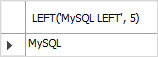
The following statement returns the entire string because the length exceeds the length of the string.
SELECT LEFT('MySQL LEFT', 9999);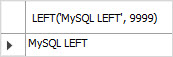
The following statements return an empty string because the length is zero or negative.
SELECT LEFT('MySQL LEFT', 0);
SELECT LEFT('MySQL LEFT', -2);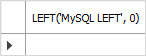
The following statement returns a NULL value because the length is NULL:
SELECT LEFT('MySQL LEFT', NULL);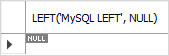
2) Using MySQL LEFT() function with table data #
Let’s take a look at the products table in the sample database:

Suppose you want to display the product name and product description in a catalog. The product description is long, therefore, you want to take just the first 50 characters for displaying.
The following statement uses the LEFT() function to return the first 50 characters of the product description.
SELECT
productname, LEFT(productDescription, 50) summary
FROM
products;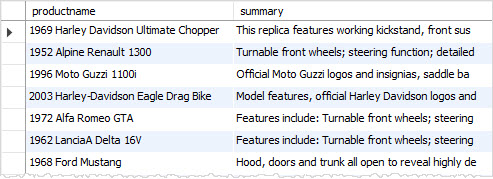
The LEFT function returns the first 50 characters. It does not care about words.
You want to get the first 50 characters without cutting the word in the middle. To achieve this, you use the following steps:
1) Take the leftmost 50 characters of the productDescription column.
SELECT
LEFT(productdescription, 50)
FROM
products;2) Reverse the substring using the REVERSE function.
SELECT
REVERSE(LEFT(productdescription, 50))
FROM
products;3) Get the first space’s position in the reversed substring using the LOCATE function.
SELECT
LOCATE(' ',REVERSE(LEFT(productdescription, 50))) first_space_pos
FROM
products;4) Minus 1 from the position. In case you don’t find any space, keep the position zero.
SELECT
IFNULL(NULLIF(LOCATE(' ', REVERSE(LEFT(productDescription, 50))), 0) - 1, 0)
FROM
products;5) Minus the position from the 50, you got the position. Let’s call it as last_space_pos.
SELECT
productDescription,
(50 - IFNULL(NULLIF(LOCATE(' ', REVERSE(LEFT(productDescription, 50))), 0) - 1, 0)) last_space_pos
FROM
products;6) Take the leftmost last_space_pos characters of the product description.
SELECT
productDescription, LEFT(productDescription, last_space_pos)
FROM
(SELECT
productDescription,
(50 - IFNULL(NULLIF(LOCATE(' ', REVERSE(LEFT(productDescription, 50))), 0) - 1, 0)) last_space_pos
FROM
products) AS t;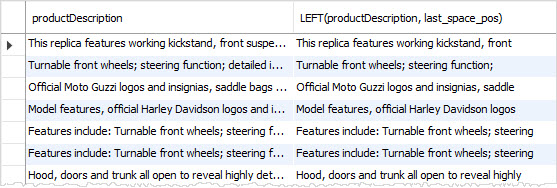
Summary #
- Use the MySQL
LEFT()function to return the left part of a string with a specified length.
Thank you for your feedback!