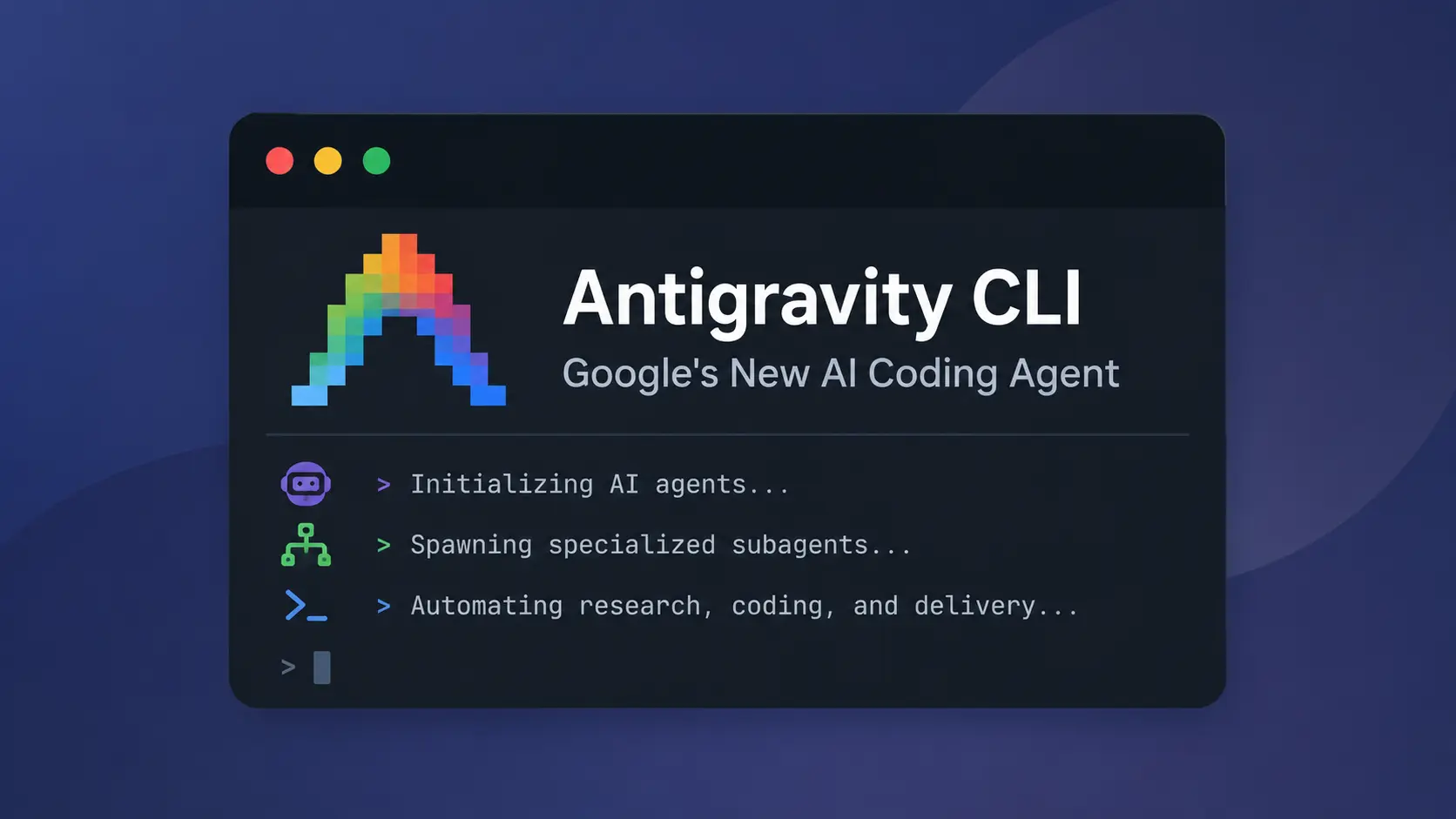
Antigravity CLI is Google’s command-line AI coding agent that runs inside your terminal and works directly with the repository you have open. Start agy in a project folder, describe the task in plain language, and the agent reads the codebase before it begins working through the relevant files, commands, and edits.
Default mode presents each edit as a line-level diff before it touches the files. You can approve it, reject it, or leave a comment. Bigger jobs can continue through nested subagents or background tasks. For scripts and CI jobs, -p runs the prompt non-interactively and returns text or structured JSON.
Features
- Search workspace code with regex, literal text, and file globs.
- Review file writes as line-level diffs.
- Switch among default, accept-edits, and plan modes.
- Track nested subagents, background commands, timers, and recurring jobs in the task panels.
- Install bundles of skills, rules, hooks, subagents, and MCP servers from the official plugin marketplace or a local directory.
- Resume saved SQLite conversations from
/resume. - Keep subagent sessions out of the main
/resumelist. - Browse Git, Mercurial, and Jujutsu history.
- Open artifacts and edit confirmations in a full-screen viewer.
- Return text, JSON, or stream-JSON from print mode.
- Keep one scripted conversation open for newline-delimited prompts.
- Read clipboard images and files on Windows, macOS, X11, Wayland, and tmux.
- Edit prompts and review comments in optional Vim mode.
- Manage stdio and HTTP MCP servers from the CLI.
- Connect a running terminal session to Remote Control, or register a background service for browser access to your development machine.
Use cases
- Understand an unfamiliar repository before changing code.
- Locate symbols, error strings, and patterns across a large workspace.
- Draft a fix and inspect every changed line.
- Divide a large investigation among several subagents.
- Run repeatable coding tasks from scripts or CI jobs.
How to install Antigravity CLI
Antigravity CLI has Windows, macOS, and Linux packages for x64 and ARM64 hardware. Native Android binaries also run directly in Termux. Choose the installer for your desktop terminal. On Android, download the Android binary from the GitHub releases page.
macOS or Linux:
curl -fsSL https://antigravity.google/cli/install.sh | bashWindows PowerShell:
irm https://antigravity.google/cli/install.ps1 | iexWindows Command Prompt:
curl -fsSL https://antigravity.google/cli/install.cmd -o install.cmd && install.cmd && del install.cmdCheck the installation with agy --version. For an existing installation, run agy update.
Run agy after installation. Your first local session opens a browser for Google sign-in; later sessions reuse valid saved credentials. Remote and SSH sessions print an authorization URL. Open it in a browser, sign in, and paste the returned authorization code into the terminal. Enterprise access is configured with a Google Cloud project during onboarding.
To connect directly to the Gemini API, add "modelProvider": "gemini" to the CLI settings and set the GEMINI_API_KEY environment variable before starting agy. Set GOOGLE_GEMINI_BASE_URL only for a custom endpoint. Setting GEMINI_API_KEY alone does not activate API access. Model requests go directly to the Gemini API when this provider is selected.
How to use Antigravity CLI
Open a terminal in the repository and set any Gemini API credentials before launch. Then start an interactive session:
agy- Complete the Google or Google Cloud authentication flow if it appears.
- Describe the task and name any files, commands, or limits that matter.
- Press Shift+Tab to select default, accept-edits, or plan mode.
- Review each proposed diff and terminal permission request.
- Open
/tasksor/agentswhen the job starts background work. - Use
/resumeto continue a saved conversation.
Use /model to choose a model and /effort to set a supported reasoning level. A base model name works with its default effort; you do not need to supply --effort for every model selection. Run agy models from your shell to see the available choices.
Open /config to adjust the conversation display. Medium verbosity groups tool activity and thoughts while keeping commands and responses visible; high verbosity displays each step in full. Under Queued Messages, select Queue to hold follow-ups until the turn ends or Send Immediately to deliver them during the active turn. Check /agents for a subagent’s error reason and /tasks for background commands, timers, and recurring jobs.
Run Antigravity CLI with Remote Control
To continue an active terminal conversation from another device, run /remote-control inside the session or launch agy --remote-control. Open the printed link in a browser signed in to the same Google account. You can send prompts and approve actions from either interface. Run /remote-control off to disconnect; closing the terminal also ends this connection.
Antigravity CLI can run as a background Remote Control service on your development machine. Start the service with agy remote-control start, check it with agy remote-control status, and stop it with agy remote-control stop. Use --name <label> to assign a machine label or --session to limit the service to the active login session.
agy remote-control start
agy remote-control status
agy remote-control stop
The background service keeps the machine accessible while it is on. On Linux hosts that lack a systemd service manager, it runs as a background process and does not restart automatically after a crash or at boot. On Windows, registering it to start at boot requires an Administrator prompt; a normal installation resumes after you log in.
The browser Settings panel exposes the CLI settings for permissions, queued messages, AI credits, telemetry, and artifact review. Sessions started with agy remote-control serve load settings.json and save browser changes back to that file. Remote Control does not support Application Default Credentials (AGY_ADC_AUTH). Account or organization policy also controls whether you can enable it.
Install and manage plugins
Open /plugin to browse the official marketplace or choose + Install from local directory.... A plugin bundles reusable instructions and integrations, such as skills, MCP servers, subagents, rules, and hooks. Complete any required configuration fields before enabling it. A manually placed plugin whose MCP server needs configuration starts disabled until you enable it.
From your shell, replace <plugin-name> with a marketplace entry and run:
agy plugin install <plugin-name>@antigravity-plugins-official
agy plugin list
agy plugin list --json
The JSON listing reports installed plugins, their versions, and enabled state. Inside a session, use /plugin enable <plugin-name>, /plugin disable <plugin-name>, or /plugin uninstall <plugin-name>. Plugin subagents can access their plugin’s MCP servers; plugin authors can declare agents in an agents/ folder or a root-level agents.json.
Example prompts
- “Explain this repository’s architecture and identify the main entry points.”
- “Find the failing tests, propose a fix, and wait for approval before editing files.”
- “Create a migration plan for this project. Do not edit any files.”
- “Ask separate subagents to inspect the API, database, and test suite.”
Antigravity CLI commands and settings
For the full command, flag, keyboard shortcut, permissions, settings, and MCP reference, see the Antigravity CLI Cheatsheet.
| Command or setting | Purpose |
|---|---|
agy | Starts an interactive CLI session. |
-p, --print | Runs a prompt in non-interactive print mode. |
--input-format stream-json | Reads newline-delimited JSON prompts from standard input and runs one turn per message in one conversation. |
--output-format | Chooses text, json, or stream-json output for scripts and CI. |
--json-schema | Applies an inline JSON schema or schema file with an object root to structured output. |
-c, --continue | Resumes the most recent conversation for the current workspace. |
--conversation <id> | Resumes a specific conversation by ID. |
--agent, agent, agents | Selects a custom agent or lists available agents. |
--mode | Starts the CLI in default, accept-edits, or plan mode. |
--model, models | Selects a model or lists available models. A base model name uses its default reasoning effort. |
--effort, /effort | Selects or changes the model’s reasoning-effort level. |
--project | Opens a specified project. |
--new-project | Creates a project during launch. |
agy remote-control start/status/stop | Registers, checks, or stops the Remote Control background service. |
agy update, agy --version | Updates the CLI or checks the installed version. |
/plugin, agy plugin list --json | Manages marketplace and local plugins or exports installed plugin details. |
/remote-control, --remote-control | Connects the active terminal session to the browser. |
--print-timeout | Sets an explicit deadline for an automated run. |
/usage | Shows quota usage and reset times. |
--sandbox | Applies the terminal sandbox to interactive or print mode. |
/codesearch, /cs, /search | Searches workspace code. Regex is the default; -F or --literal selects exact text. f: and file: globs limit paths. |
agy mcp add/remove/list/enable/disable | Manages MCP servers in your CLI configuration. Server options include type, environment values, and headers. |
/agents, /tasks | Opens subagent status and background task panels, including timers and recurring jobs. |
/resume, /rewind | Continues a saved session or returns to an earlier point. |
/permissions, /settings, /config | Edits permission rules and persistent CLI settings. |
/model, /mcp, /skills, /hooks | Manages models and customization sources. |
/open, /add-dir | Opens a path or adds another workspace directory. |
/diff, /artifact | Opens code changes or artifact review. |
/goal, /btw | Runs a persistent goal or a side question. |
/keybindings, /help, /changelog, /feedback, /logout | Opens customization, reference, release, feedback, and account controls. |
AGY_CLI_CMD_OUTPUT_PERCENTAGE | Sets the maximum command output height as a terminal percentage. |
AGY_CLI_DISABLE_LATEX | Turns off terminal LaTeX rendering. |
stack_with_default | Stacks a custom status line above or below the default line. |
Configuration files
| File or directory | Purpose |
|---|---|
~/.gemini/antigravity-cli/settings.json | Stores CLI settings, permission rules, and the Gemini API provider setting. |
~/.gemini/config/projects/ | Stores project settings with higher permission priority. |
~/.gemini/config/hooks.json | Stores hooks shared across Antigravity sessions. |
<workspace>/.agents/hooks.json | Stores hooks for one workspace. |
mcp_config.json | Stores MCP commands, URLs, launch timeouts, and server settings. |
keybindings.json | Stores custom key mappings after /keybindings runs. |
<workspace>/.agents/ | Stores workspace customizations. Manifests load from each .agents directory between your working directory and the project root. |
~/.gemini/antigravity-cli/cache/ | Stores project mappings and conversation metadata caches. |
Permissions, sandboxing, and headless use
Request-review is the default mode. Before a file write, the CLI displays the proposed line changes and waits for your decision. New files receive an addition-only preview. The full-screen diff viewer also accepts line comments.
Permission rules can come from the project, shared Antigravity settings, or the CLI settings file. File access outside the active workspace follows the applicable permission rules. Review those grants separately from the file-edit mode
Enable the terminal sandbox with --sandbox or enableTerminalSandbox in settings.json. Sandboxed commands have restricted filesystem and network access. Native Windows sandboxed commands run without administrator rights, and common executables such as Python, Git, and npm work inside it. On macOS, sandboxed commands cannot read ~/Library/Application Support unless you explicitly allow that directory.
Tool permissions and artifact review are separate controls. The --dangerously-skip-permissions flag approves tool calls, including file writes and commands. It does not approve an implementation plan in plan mode. Configure Artifact Review in /config for plan and artifact decisions.
Print mode reads the saved policies for permissions, file access, sandboxing, auto-execution, and artifact review. If an action needs an unavailable approval, it is denied, and standard error identifies the required allow rule. A denied tool call can leave the run with exit code 0. Check the response and diagnostics before treating an automated task as complete. Confirmation requests from nested subagents are relayed to the root conversation.
MCP connections, tool discovery, and tool calls have timeouts. Custom launch timeouts accept -1 when a server needs an unlimited startup window. The agy mcp commands add, remove, list, enable, or disable servers in your account configuration.
Use structured output in scripts
For a read-only repository summary, run:
agy -p "Summarize this repository's architecture" --output-format json --print-timeout 10mThe response goes to standard output and diagnostics go to standard error. With --json-schema, provide a JSON object schema inline or as a file. The root must declare "type": "object"; plain type names, missing files, and other root types fail at startup. For a persistent multi-turn process, pair --input-format stream-json with --output-format stream-json and send one prompt object per line through standard input.
Antigravity CLI vs. Claude Code
Both CLIs inspect repositories, edit files, run commands, load reusable instructions, and connect MCP servers. Antigravity CLI accepts Google account, Google Cloud, and Gemini API key credentials. Both agents support nested delegation. Claude Code connects through Anthropic and supported enterprise cloud providers.
| Antigravity CLI | Claude Code | |
|---|---|---|
| Agent service | Google’s Antigravity agent system, with Google sign-in, Google Cloud, or Gemini API key credentials. | Claude through a Claude account, Anthropic Console, or an enterprise cloud provider. |
| Model access | Availability and quotas vary across Individual, Google AI Pro, Google AI Ultra, Google Cloud, and direct Gemini API access. | Claude models through Anthropic, Amazon Bedrock, Google Cloud, or Microsoft Foundry. |
| Platform support | Windows, macOS, and Linux packages for x64 and ARM64, plus native Android binaries for Termux. | Windows, macOS, and Linux packages for x64 and ARM64. Alpine Linux is also supported. |
| File review | Default mode pauses before each file write and displays a line-level diff. | Default permissions request approval for protected actions. Accept Edits and Plan modes change file access behavior. |
| Sandbox | The --sandbox flag applies to interactive and print sessions, including native Windows builds. | Sandboxing runs on macOS, Linux, and WSL 2. Native Windows sessions do not use the sandbox. |
| Automation | -p returns text, JSON, or stream-JSON and accepts stream-JSON input. Protected actions need matching allow rules. | -p returns text, JSON, or streaming JSON, with turn and tool limits. |
| Subagents | Nested subagents with permission requests relayed from deeper levels. | Foreground or background subagents. Subagents can delegate to further subagents, with a configurable nesting limit. |
| Team coordination | Nested subagents and background tasks inside the Antigravity task system. | Experimental Agent Teams with independent teammates and direct messaging. |
| Extensions | Official plugin marketplace, skills, rules, hooks, custom agents, and MCP servers. | Plugins, skills, hooks, custom subagents, and MCP servers. |
| Other interfaces | The agent system and settings are shared with Antigravity 2.0. | Claude desktop, web sessions, and agent view. |
| Access cost | The Individual plan starts at $0 per month with basic weekly rate limits. | Pro, Max, Team, Enterprise, Console billing, or a supported cloud provider. |
Pros
- Line-level edit review.
- Nested subagent trees.
- Native Windows sandboxing.
- JSON and stream-JSON output.
- Direct Gemini API access.
- Built-in MCP management.
Cons
- Account-based quota limits.
- Separate tool and artifact approval controls.
- Protected headless actions need allow rules.
Alternatives and related tools
- 10 Best CLI AI Coding Agents: Open-Source & Commercial
- Antigravity CLI Cheatsheet: Commands, Setup, Shortcuts, and Workflows
- Automate Anything: 10 Best & Open-source AI Agents
- Google Antigravity 2: Agent-First Dev Platform
FAQs
Q: Is Antigravity CLI free?
A: The Individual plan costs $0 per month and has basic weekly rate limits. Google AI Pro and Ultra provide higher limits and an AI credit pool. Google Cloud and direct Gemini API access follow their own billing terms. In Gemini API sessions, an exhausted daily quota, billing cap, or prepaid balance stops the request immediately; short per-minute limits are retried.
Q: Which Antigravity CLI mode is safest for a new project?
A: Start with default mode for edit review, or plan mode for investigation before implementation. Accept-edits reduces file review prompts. To inspect proposed changes in /diff, use the left and right arrows to switch files and n/N to move between change blocks. Review the diff before accepting a completed task.
Q: Can Antigravity CLI run in CI?
A: Yes. Authenticate in an interactive session first or configure the Gemini API provider and key in the job environment. A CI process configured for account sign-in exits with an authentication error when cached credentials are missing. In a stream-JSON driver, wait for the current prompt’s result event before sending the next prompt, then close standard input to end the session.
Q: Why does Antigravity CLI keep asking me to sign in on Linux?
A: Headless hosts and containers can lack the D-Bus session required by the OS keyring. The CLI bypasses the keyring in that environment. For a Gemini API session, /logout does not clear the environment credential. Remove modelProvider from the settings and restart the CLI to return to Google account sign-in.
Q: Can a stuck MCP server freeze the agent?
A: MCP connections, tool discovery, and individual calls have timeouts. Use /mcp to restart a server after a timeout and inspect its logs. On Windows, if plugin maintenance reports that another Antigravity process has the plugin folder open, close the named CLI session, Hub, or Remote Control daemon and retry.
Last Updated: October 13, 2026