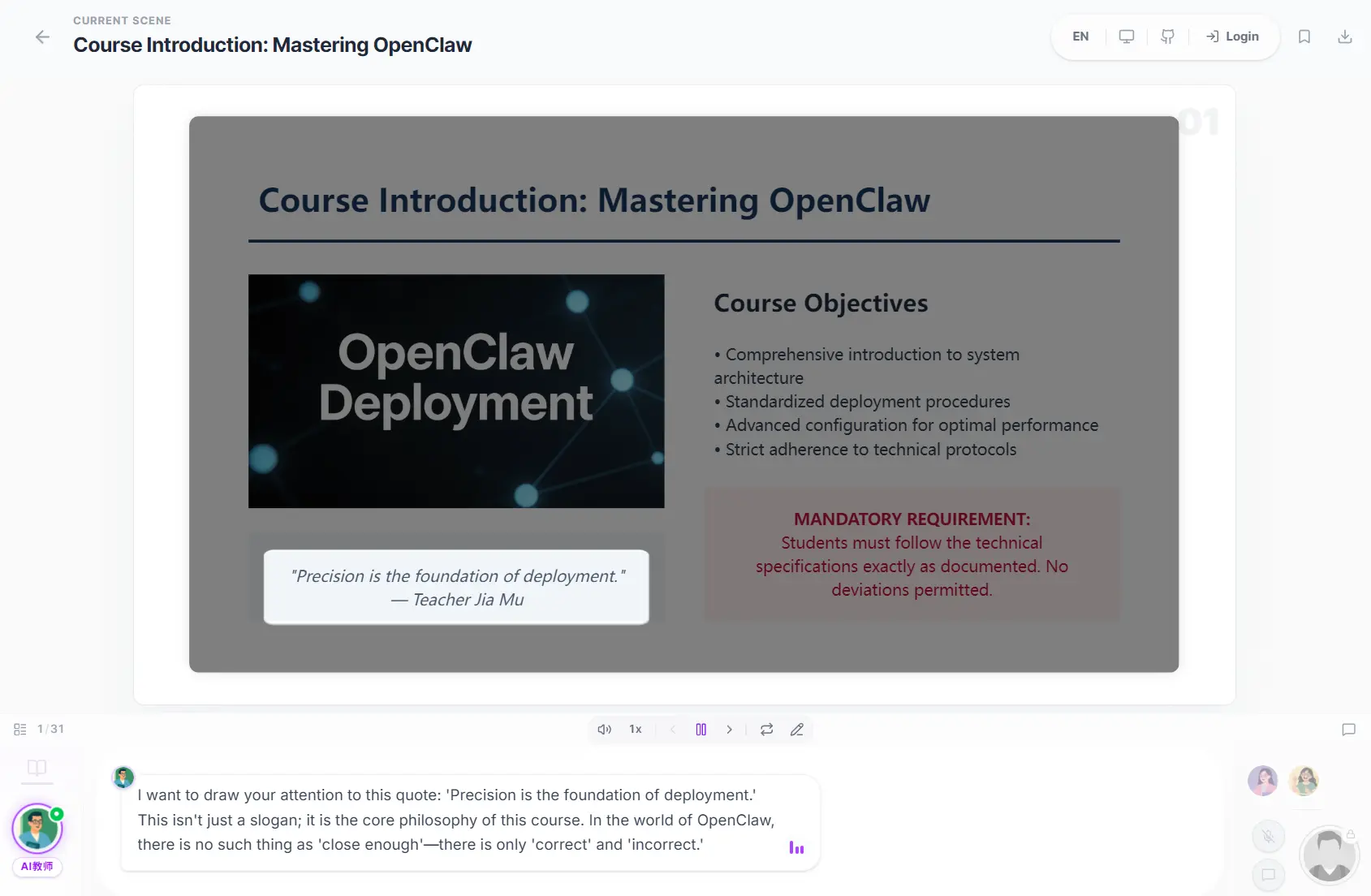
OpenMAIC (Open Multi-Agent Interactive Classroom) is a free, open-source AI classroom generator that turns a topic or course materials into lessons taught by AI teachers and classmates.
It creates slides, quizzes, simulations, and other interactive learning activities. During a lesson, AI characters can explain concepts aloud, discuss questions, and draw on a shared whiteboard.
You can generate a classroom from a short prompt, upload reference materials, or use the Agent Workbench to build and revise a course through chat.
Lessons are editable, and the finished classroom can be played in a browser or exported as PowerPoint slides, interactive HTML, and other formats.
Features
- Generate classroom lessons from a topic, prompt, or uploaded course materials.
- Review and edit the lesson outline before creating slides and activities.
- Learn with AI teachers and classmates through narration, discussions, and whiteboard explanations.
- Ask the AI teacher questions about the current lesson and interactive experiments.
- Build simulations, quizzes, games, mind maps, coding exercises, and project-based activities.
- Plan and revise entire courses through a chat-based Agent Workbench.
- Edit slide elements directly or request changes with Edit with AI.
- Export editable PowerPoint slides, interactive HTML, classroom ZIP files, and optional MP4 videos.
- Connect cloud or local AI models, document parsers, speech services, and external agents.
How OpenMAIC Works
Generate a Lesson From a Topic or Your Own Materials
Enter a topic or attach course materials to generate an editable lesson outline. OpenMAIC creates classroom scenes with slides, explanations, questions, and interactive activities. You can revise the outline and edit slides before presenting the course.
The interactive activities extend beyond ordinary presentation slides. A lesson can include a physics simulation, an HTML game, an online coding exercise, a mind map, or a project that the learner completes as the class progresses.
Learn With AI Teachers and Classmates
During playback, AI teachers explain the lesson through voice narration and whiteboard work. AI classmates participate in conversations, and you can ask follow-up questions at any point. The classroom chat can consult lesson content and the current state of compatible interactive activities to answer questions about what is happening on screen.
An optional reference control lets you select a specific slide element, interactive component, or whiteboard drawing when asking a question. This control requires an opt-in build setting on v1.1.x installations.
Build and Revise Courses With the Agent Workbench
The Pro Mode Agent Workbench gives you a chat-based way to create and edit a course. Ask the agent to plan a curriculum, generate particular scenes, revise existing slides, or work from uploaded documents and media. Session materials, reusable skills, and course tools help the agent carry out multi-step requests.
Workbench sessions are stored on the server and can be interrupted and resumed. This is useful when a course needs several rounds of revisions or new material after its initial generation.
Official Examples
How to Use OpenMAIC
Try the Online Demo
The OpenMAIC Chat demo provides browser access to classroom generation and playback. Enter a topic, review the lesson, and interact with the AI teacher. Access and available model features depend on the hosted service.
Install OpenMAIC Locally
To install the latest stable release, use Node.js 22.19 or newer, pnpm 10 or newer, and a configured LLM provider.
git clone https://github.com/THU-MAIC/OpenMAIC.git
cd OpenMAIC
git checkout v1.1.3
pnpm install
cp .env.example .env.local
Enter an API key for the model provider you plan to use in .env.local. For example, with OpenAI:
OPENAI_API_KEY=your-api-keyLaunch the app and open http://localhost:3000 in your browser.
pnpm devDocker, Vercel, and Server Hosting
For a self-hosted installation, Docker provides an alternative to running the development server directly. After configuring your provider credentials in .env.local, use the Compose setup supplied with the release:
docker compose up --buildModels, Course Materials, and Exports
AI Model Providers
Choose a cloud AI provider, a compatible API endpoint, or a local model service. Settings can assign different models to tasks such as course outlines, slide generation, interactive scenes, and classroom chat. Supported Token Plan connections can handle eligible text-model requests, with media generation configured through other services when required.
| Provider Type | Options |
|---|---|
| Hosted LLMs | OpenAI, Anthropic, Google Gemini, DeepSeek, Qwen, Kimi, MiniMax, GLM and others |
| Cloud gateways | Azure OpenAI, Amazon Bedrock, OpenRouter, SiliconFlow and other configured providers |
| Local models | Ollama and Lemonade |
| Custom services | OpenAI-compatible API endpoints |
Upload Documents and Media
OpenMAIC can use text files, Office documents, images, and selected audio or video as course materials. TXT and Markdown have a local parser.
Other files need a configured document or media parsing provider, with actual input formats depending on that provider.
| Parser | Typical Materials |
|---|---|
| Built-in text parser | TXT, Markdown |
| MinerU / MinerU Cloud | PDF, Office documents, images |
| AliDocMind | Documents, images, selected audio and video |
Export Slides, Classrooms, and Video
Finished courses can be exported as editable PowerPoint files, interactive HTML pages, classroom ZIP files, and lesson resources.
MP4 export uses an optional render service with Chromium and FFmpeg. Its standard CPU setup calls for at least 8 GiB of memory, and a low-memory capture option calls for at least 4 GiB.
When the renderer is unavailable, a rendering project ZIP can be processed locally.
Optional Voice and Agent Integrations
Speech Recognition and Voice Cloning
For locally hosted voice features, OpenMAIC works with FunASR speech recognition and VoxCPM2 text-to-speech or voice-cloning services. FunASR configurations include SenseVoiceSmall, Paraformer, and Fun-ASR-Nano. VoxCPM2 can create a voice from a written prompt or a reference audio clip.
OpenClaw and Coding Agent Integration
The OpenMAIC skill works with OpenClaw and compatible agent workbenches. You can request a classroom from a connected messaging app, including Slack, Telegram, or Feishu, or from a supported coding-agent environment. The skill can use the hosted service or guide a self-hosted setup.
To install the OpenMAIC skill in OpenClaw:
clawhub install openmaicPros
- Open-source project under the MIT license
- Interactive AI lessons with teachers, classmates, and hands-on activities
- Chat-based course creation and editing through the Agent Workbench
- Editable slides and multiple classroom export formats
- Cloud and local model-provider options
Cons
- Model APIs and optional media services can incur usage charges
- Self-hosting requires development tools and model configuration
- Advanced document, speech, and video features need extra services
FAQs
Is OpenMAIC free to use?
OpenMAIC is free, open-source software under the MIT license. Hosted model APIs, document parsing, narration, and video services can have their own charges. The online demo has separate access conditions.
Can I use OpenMAIC with a local LLM?
Yes. OpenMAIC supports Ollama, Lemonade, and OpenAI-compatible endpoints. Classroom generation quality and available features depend on the models and other configured services.
Can I run OpenMAIC for a class or a group of students?
A shared deployment needs appropriate authentication and access controls. The optional development persistence token in the stable 1.1.x series is not a substitute for per-user authorization. The v1.2 preview introduces new identity and server-storage options.
Do I need a GPU for MP4 video export?
The optional rendering service has CPU-based profiles and does not require a host GPU. It does need Chromium, FFmpeg, and enough memory for the selected rendering profile.
Alternatives & Related Resources
- DeepTutor: Open-Source, Multi-agent AI Learning Assistant
- OpenClaw: Self-Hosted Personal AI Assistant for Chat & Automation
- Free AI Education Tools for Students and Teachers
Last updated: Oct 09, 2026