Repository navigation
Parentheses/Bracket/Braces pair height looks slightly off at certain font sizes #297

Description
Activity
Can confirm, it's the same for me in latest stable VSCode on Windows 10 2004 (19546). Seems dependent on font weight too - i.e. at a given size, some weights look okay (regarding brackets/braces/parenthesis), others - not.
Thanks, @krish-r & @kamenminkov! Good eyes on this.
Can you please try the static fonts in v1.034, and let me know whether you still have the same issue?
https://github.com/arrowtype/recursive/tree/e882954365d4fafdf2fb43abeff99a28d615f32e/fonts_1.034
These should be activated with font names like:
RecursiveMonoLnr-RegularandRecursiveMonoCsl-Regular(With no version number in the name, this time).
Hi @arrowtype , I was able to activate Recursive after specifying editor.fontFamily as 'Recursive Mono Casual'/'Recursive Mono Linear'
Windows 10, Recursive Version info:

Unfortunately, I'm still seeing difference in the heights.


Okay, thanks for trying that out! I’ll take a closer look and give it a try on Windows.
My guess is, the right brackets are using components of left brackets, and Windows is either pixel-aliasing those a bit differently because they are components, or because perhaps they are just aligned slightly lower and the difference is being magnified.
I’ll update this when I know more, hopefully within the coming week or so.
Thanks @thundernixon .
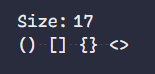
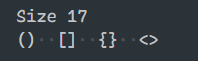
And, I'm sorry, this completely unrelated question, was there any change to how the "tittle" looks on lowercase "i"? Because I could see that it's slightly different between my original & current screenshots - Size 17, for ex..
PS. Happy to (re)move this comment if you feel this is hijacking the issue.
We have added an autohinting step to the static build process, which should hopefully, mostly help with rendering in Windows, but may have some trade offs. That’s also why I thought the brackets might be different, though. I’ll also take a look at the i dot and diacritics in general. Thanks!
Reacted by KrishanJust wanted to mention I'm still seeing this at v1.052 on Windows, using VS Code.
Okay, finally trying to work through this. I am trying out adding a step into the build that decomposes opening/closing punctuation like these, and that may help.
Just as an extra note, I’ve noticed that parentheses are slightly shorter in the bolder Sans styles:
side issues (Click to expand)
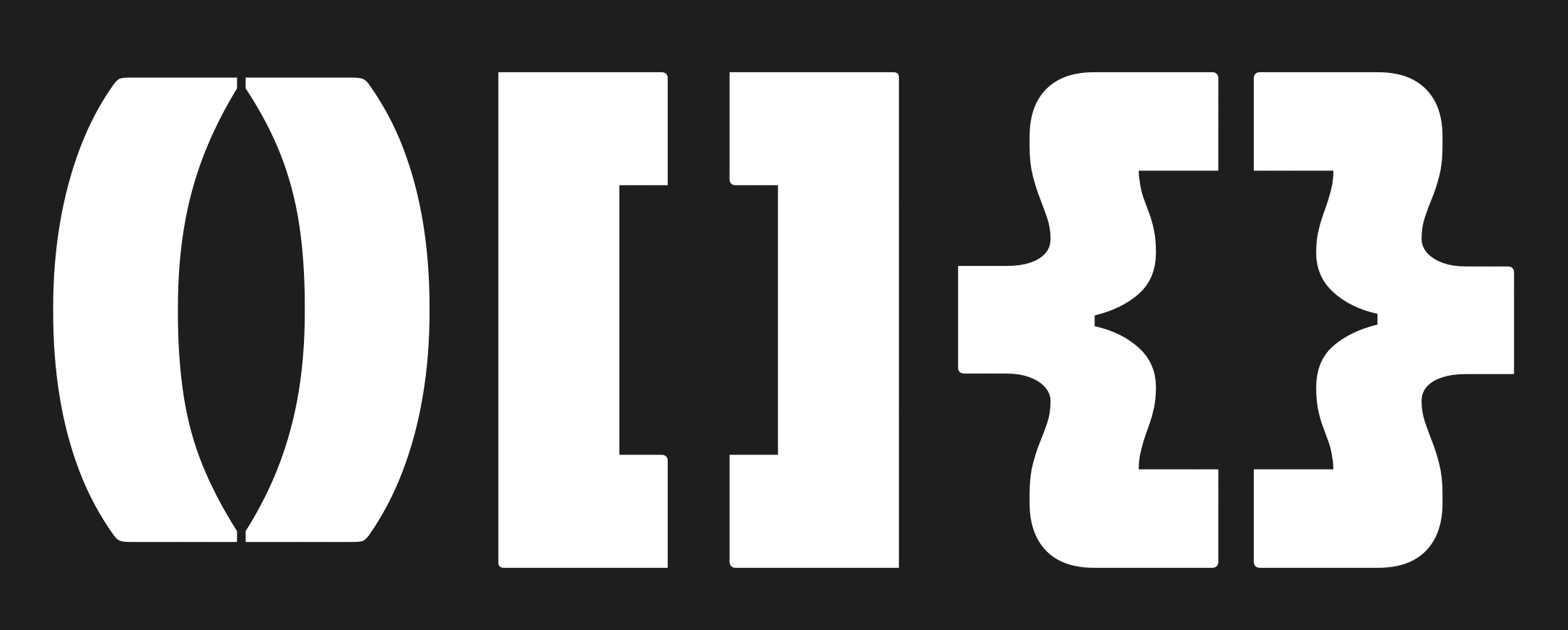
...and the () and [] are shorter in the bolder Mono styles:

So, I’ll go through and make sure these are the same height.
Adjustments:
- Making
( ) [ ]the same height as{ } - [x ] Making sure the blue zones cover these
- Making sure the
.caseversions are also aligned & matching heights
- Making
I’ve rebuilt fonts with the fixes, and the new ones are here:
https://github.com/arrowtype/recursive/tree/4b59fd2f5ce78c342418c894d3a7e620819cac23/fonts_1.067
Would someone who has had this issue be willing to try these new fonts out on your system? @krish-r, @kamenminkov, @@jkyeung, or @jwortmann? I am hopefully it might work, but not totally certain. 🤞
Reacted by KrishanThe parentheses/brackets/braces look perfect for me now 👍 , but there is still a misalignment between the "less than" and "greater than" symbols
<>on all font sizes.
Tested with
RecursiveMonoLnrSt-Regular.ttf+ italic & bold variants on Windows 10 v2004, Sublime Text 3.2.2.Hello,
Editor & OS:
VS Code v1.51.1, Windows 10 v20H2Static font
As @jwortmann mentioned, I could see misalignment only with the angle bracket, rest of them looks perfect.RecursiveMonoLnrSt-Regular.ttf- angle bracket is misaligned for most of the font sizes
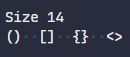
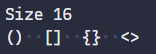
RecursiveMonoCslSt-Regular.ttf- angle bracket is misaligned for size 16 & 17 (Matches for other sizes ex. 14)
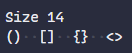
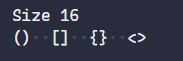
Variable font
And when I tried the variable font, everything (including angle bracket) aligns perfectly for me.Recursive_VF_1.067.ttf
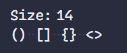


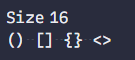 (Linear)
Hey @jwortmann & @krish-r, thanks so much for such quick tests & responses!
I’m partially noting this down so I remember when I circle back to fix this soon, but...
My guess is, the height differences come from the angle brackets being vertically asymmetrical. They mimic brush strokes, which would tend to be asymmetrical. But, this means that even when they are visually vertically aligned, Windows rendering probably sees the difference in coordinate heights and snaps them to vertical pixels differently. This happens when hinting is present, which means that the static fonts (which have autohinting) show this, while the variable font (which doesn’t have hinting) doesn’t produce the difference. So, I should edit these to have shapes that are more symmetrical, somewhat similar to how I’ve treated arrows.
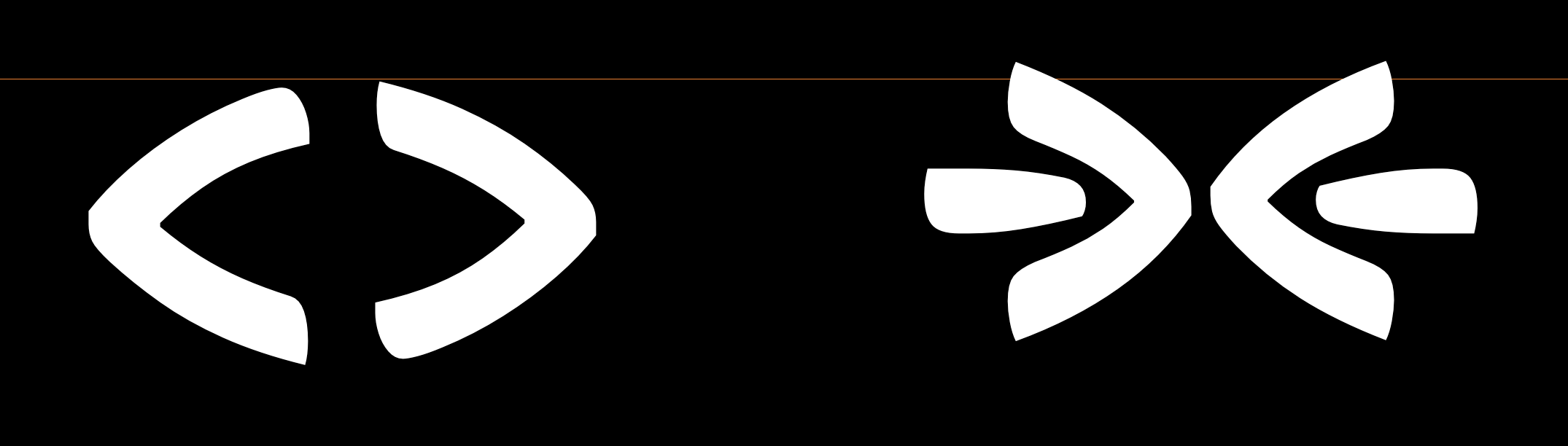
I will hopefully be able to get to this early next week. I’ll update this ASAP!
- added a commit that references this issue
on Dec 7, 2020 Hey @jwortmann & @krish-r, if you get the chance, could one of you please confirm that the latest fonts (in release 1.068) fixes the issue for you? If so, we can close the issue. Thank you!
Reacted by KrishanHello @arrowtype,
Thanks, Tried v1.068, the Angle brackets are now aligned properly. Unfortunately, I could see some slight misalignments in rest of the brackets at certain font sizes.
Editor & OS:
VS Code v1.52.0, Windows 10 v20H2Recursive_Code:
Rec Mono Linear:
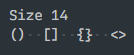
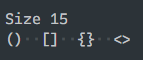
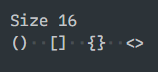

Rec Mono Casual:
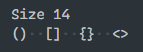
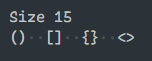
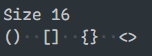
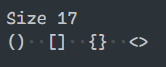
@krish-r thank you so much for helping test with this! Hmm, two things:
- facepalm I had made the earlier fixes in a branch, then didn’t merge them into the main branch before working on new issues. Specifically, I had decomposed the closing punctuation, and (I think) adjusted vertical heights slightly. So, I’ll go bring those fixes in and make another new release as soon as possible.
- It looks like you used the "Code" fonts, which have a new ligature for
<>– so those are now just showing a single glyph, which may be throwing off the result. To get an accurate result, we’ll have to test that combo with a space between them.
I was over-confident here, thinking I had nailed it with the new release. 😅 Sorry! I’ll specifically test this in a Windows VM before making a new release and asking for confirmation.
Reacted by KrishanAlways happy to test! And yeah, you were correct, I forgot to turn-off the ligatures.
Tried them with again with"editor.fontLigatures": false.Rec Mono Linear:
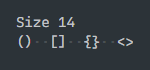
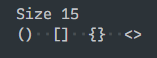

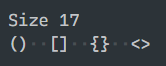
Rec Mono Casual:

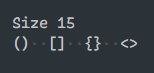
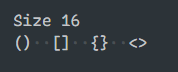

Nice! Yeah, as I was testing, I remembered that VS Code makes it easy to deactivate code ligatures. But thanks also for pointing that out here!
In my tests, the punctuation wasn’t completely perfectly symmetrical, but seems to avoid the whole-pixel-off problem.
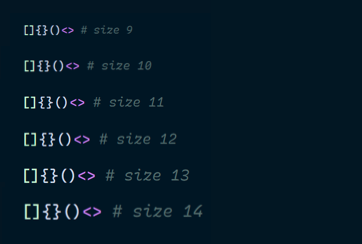
If you have time, @krish-r, could you try out the latest release, https://github.com/arrowtype/recursive/releases/tag/1.069? It adds the decomposition step that seemed to help in the earlier tests.
Tried v1.069. And, the brackets are looking aligned to me as well! 👌
Thanks @arrowtype!
Rec Mono Linear
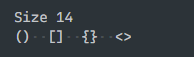
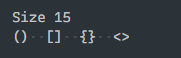
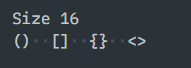
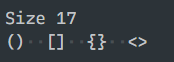
Rec Mono Casual
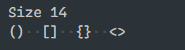

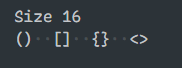
 Reacted by Stephen Nixon
Awesome, thank you so much for all your help in testing this out!
Happy we got this sorted.
I can confirm that with version 1.069 all types of brackets and the
<and>symbols are aligned correctly for me as well. Thanks a lot for the update!Reacted by Stephen NixonThanks for confirming, @jwortmann!


Hello,
Parentheses/Bracket/Braces pair height looks slightly off at certain font sizes.
Attached samples from Casual version. (Could see the observation in Linear version as well).
References where heights look equal:
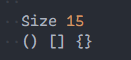
Observations where the pair looks slightly-off:

Thanks! :)