Correct CupertinoAlertDialog divider colors #20469
Description

After #18381 is merged in and is dedup'd against the similar Action Sheet work, figure out the right colors for the dividers when using the iOS barrier color (initially the dialog work was done against the material barrier color).
Activity
matthew-carroll commentedon Aug 14, 2018
Related issue:
Cupertino dialog barrier should be #66000000 #18285
frey1esm commentedon Dec 5, 2018
The divider should be drawn on first rendering. Currently it's not added until the dialog display has reached the end of the show animation. This adds a little flicker.
Native iOS dialogs resize (shrink) slightly during the show animation, so we're missing that piece.
In addition, once the divider is shown the white background of the dialog darkens a bit, adding another little flicker.
kerberjg commentedon Feb 13, 2019
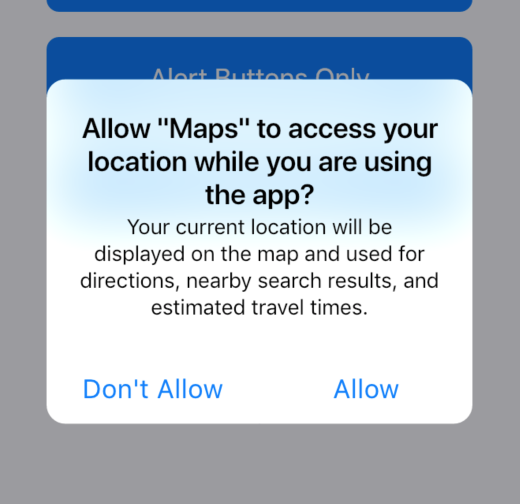
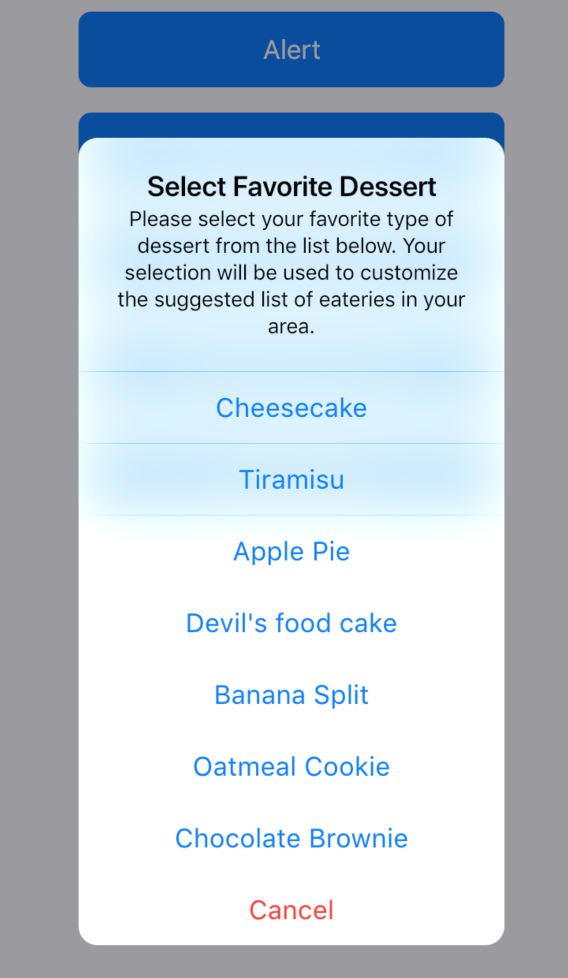
Currently I'm unable to see the dividers in CupertinoAlertDialog at all, except for some instances. Seems like something's wrong with blending, looks like the dividers are drawn in additive mode.
The following screenshots are from the Flutter Gallery in Flutter v1.2.0, iOS 12.1.3
Usual white background, dividers not showing:
Dividers seem to render in additive, partially blue background:
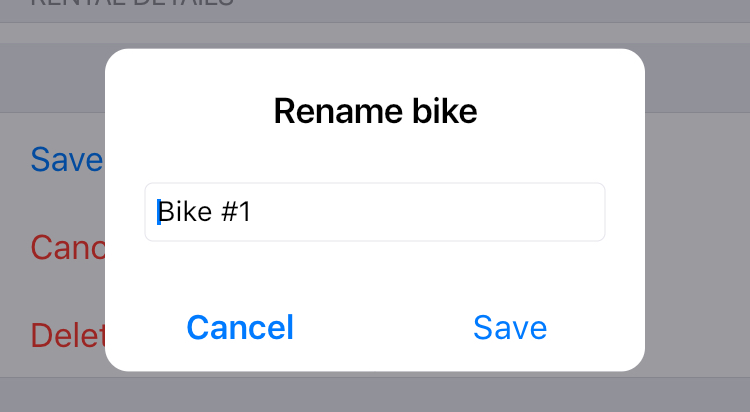
While attempting to implement dialogs on my own, I've encountered a similar issue:
aleor commentedon May 30, 2019
Having the same issue as @kerberjg, am I doing something wrong? Is there any workaround for the issue?
seasonyuu commentedon Jul 15, 2019
Same as @kerberjg here
wezzle commentedon Aug 16, 2019
Any update on a fix for this? I have the same problem as @kerberjg
Weird thing though, I did get them to display a few times but can't seem to reproduce this.
jlnr commentedon Aug 25, 2019
The Cupertino dialog buttons have no pressed/highlighted state either, which makes dialogs feel more like static images right now.
I think even an inaccurate hotfix like changing _kButtonDividerColor in cupertino/dialog.dart from
Color(0x40FFFFFF)to something likeColor(0xFFBBBBBB)would be better than the current state where the dividers are only visible on top of dark backgrounds.kerberjg commentedon Aug 27, 2019
Could be related to #39215 (?)
jlnr commentedon Sep 5, 2019
@kerberjg That PR has been merged, but I still see no dividers on the master channel.
github-actions commentedon Aug 15, 2021
This thread has been automatically locked since there has not been any recent activity after it was closed. If you are still experiencing a similar issue, please open a new bug, including the output of
flutter doctor -vand a minimal reproduction of the issue.