Repository navigation
TextField should support apple pencil input by default. #61278

Description

related: #38135
not the complex implementation for pressure, tilt, etc.
but textfield should support apple pencil input by default.
figure 1 - text recignition on default text inputs.
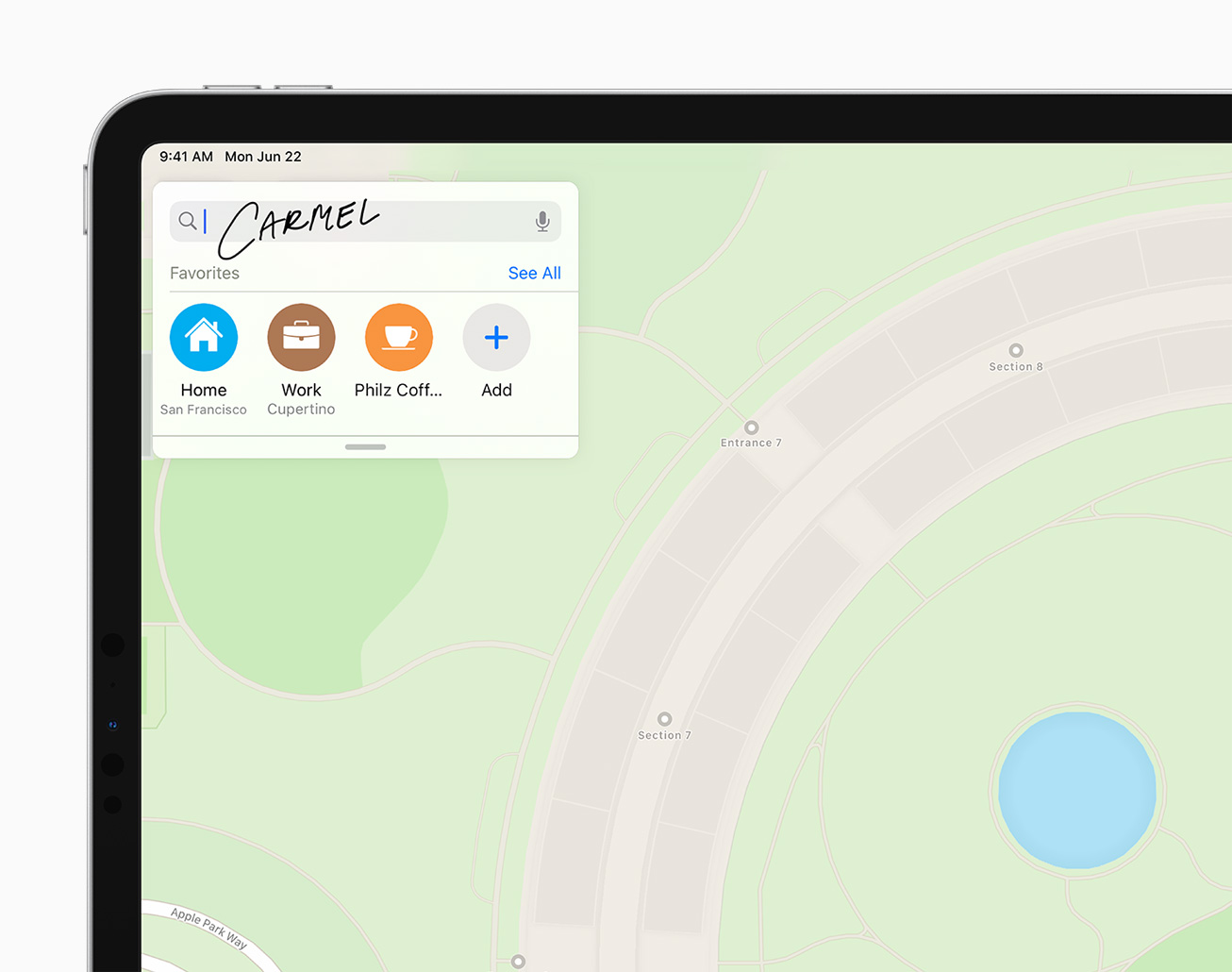
apple pencil text input works on web html inputs by default, i think it just needs to be recognized as input from ios.
Great thanks to the flutter team.
Metadata
Metadata
Assignees
Labels
Issues that are less important to the Flutter projectEntering text in a text field or keyboard related problemsNothing broken; request for a new capabilityA detailed proposal for a change to FlutterAffects or could affect many people, though not necessarily a specific customer.flutter/engine related. See also e: labels.flutter/packages/flutter repository. See also f: labels.material_ui package in flutter/packagesiOS applications specifically
Activity
fbcouch commentedon Nov 19, 2020
Does anyone have any thoughts and/or direction on this?
I took a crack at implementing
UIIndirectScribbleInteractionDelegateto see how that might work. The upshot is, I can get text that users write, but it doesn't support all of the scribble interactions like scratching out text to erase it since I'm not giving the iPadOS an actual representation of the text in order for it to know what word(s) to erase.I'm imagining that we will need some kind of custom UITextField-ish representation of the EditableText from flutter.
fbcouch commentedon Dec 16, 2020
@cbracken Your name is all over some TODOs in the fields I've been messing with trying to figure out how to implement this, so figured I would tag you to see if you have any thoughts.
I have been playing around in
FlutterTextInputPlugin.mm:twinsunllc/engine@c5664a8
So far, it seems that listening for the
TextInput.setEditableSizeAndTransformmethod call and setting the frame of the_activeViewand implementing- (CGRect)firstRectForRange:(UITextRange*)rangeso that it returns a rect roughly in the area of the given range are the minimum needed.There are still some funny issues (and you can't start scribbling till the field is focused), but that seems like a starting point. Do you have any thoughts on the right way to go about implementing
firstRectForRange? I imagine that needs to accurately transform the given range into a rectangle matching where that text is on the screen.Tagging @justinmc and @LongCatIsLooong as well since you have recent commits in that file.
justinmc commentedon Dec 29, 2020
CC @xster in case you have any existing plans for Apple Pencil support.
Do we have any existing text code that would help like this?https://github.com/flutter/engine/blob/63a78df571e88e5bf715645afb2a6b0fbf510706/lib/ui/text/paragraph.cc#L118
It would be pretty cool if we could get this working. Thanks @fbcouch for investigating.
fbcouch commentedon Jan 26, 2021
@justinmc Thanks for pointing out that code. That actually helped me make a little more progress on this.
I couldn't figure out how to get access to the Paragraph objects from FlutterTextInput, so what I've done is add some glue code on the flutter side (meaning, in the flutter/flutter repo, not sure how you refer to this): twinsunllc@7b39621
That sends the selection boxes through the channel, and then used those on the engine side to implement some of the relevant methods: https://github.com/twinsunllc/engine/tree/feature/scribble
This kinda works, but there are still a few issues that I may need some help figuring out:
I'm going to ask about this on the discord channel, but figured it would be good to have my findings recorded here as well.
justinmc commentedon Jan 26, 2021
Sounds like you're getting somewhere. +1 to asking on Discord. You also might consider opening a draft PR to make it easier to take a look at your code.
LongCatIsLooong commentedon Jan 26, 2021
iirc currently
FlutterTextInputViewisn't expecting any touch events. Touch events are forwarded in theFlutterViewController: https://github.com/flutter/engine/blob/1411cb671be8ddf4f16f8d3bd96d7a86a43b6fd3/shell/platform/darwin/ios/framework/Source/FlutterViewController.mm#L934-L948I think
- [FlutterTextInputView setMarkedText:(NSString*)markedText selectedRange:(NSRange)]does this so multistage input replaces the current selection:
https://github.com/flutter/engine/blob/1411cb671be8ddf4f16f8d3bd96d7a86a43b6fd3/shell/platform/darwin/ios/framework/Source/FlutterTextInputPlugin.mm#L759-L767
That might be because we try to keep as few
FlutterTextInputs around as possible. iirc if a text field gets unfocus and it has nothing to do with username or password (for autofill) then the correspondingFlutterTextInputgets removed from the view hierarchy, to prevent leaks.fbcouch commentedon Jan 27, 2021
Thanks @LongCatIsLooong that is helpful – I pushed a couple of commits to that PR using
UIScribbleInteractionDelegateto disablesetMarkedTextduring scribbling, and pass a reference to theFlutterViewControllerto theFlutterTextInputto forward touch events. That seems to have fixed the issues with touch events and scribble-to-select replacing the current selection. Disabling theshowAutocorrectionPromptRectForStartwithinfirstRectForRangewhile scribble is in progress also got rid of the issue where the last character was already selected.So, I think the remaining issues here are:
fbcouch commentedon Jan 27, 2021
Between twinsunllc/engine#1 and twinsunllc#1 I have the selection handles working properly now, so the last thing is starting the interaction without having focus already. I think the right thing to do will be using
UIIndirectScribbleInteractionDelegateand trying to pass focus to the correct element...fortunatelyfunc indirectScribbleInteraction(UIInteraction, focusElementIfNeeded: Self.ElementIdentifier, referencePoint: CGPoint, completion: ((UIResponder & UITextInput)?) -> Void)has thatcompletionhandler, so I assume it is not on the UI thread and I could wait for a response to a message over a flutter channel. We will see, anyway.fbcouch commentedon Feb 1, 2021
Yep, that approach seems to have worked. I have updated the draft PRs – I'm going to ask in discord to see if I can get some kind of preliminary review of the approach before rebasing onto master/adding tests (which I assume is necessary to open a real PR)
justinmc commentedon Nov 18, 2021
The engine PR has been merged and the framework PR is waiting for final review, then we can ship this.
github-actions commentedon Feb 11, 2022
This thread has been automatically locked since there has not been any recent activity after it was closed. If you are still experiencing a similar issue, please open a new bug, including the output of
flutter doctor -vand a minimal reproduction of the issue.