Repository navigation
Node Vision SDK underperforming in simple case when compared to the GCloud Vision demo #2490

Description
Activity
- changed the title
[-]Vision SDK underperforming as compared to the GCloud Vision demo[/-][+]Node Vision SDK underperforming in simple case when compared to the GCloud Vision demo[/+]on Jul 25, 2017 This is interesting, indeed. Thanks for reporting.
Here is the request and response payload:
// request [ { "image": { "source": { "imageUri": "https://user-images.githubusercontent.com/3056582/28569874-fe84c01c-713b-11e7-8cb7-dce5e0cb10f0.png" } }, "features": [ { "type": "TEXT_DETECTION" } ] } ] // response { "responses": [ { "faceAnnotations": [], "landmarkAnnotations": [], "logoAnnotations": [], "labelAnnotations": [], "textAnnotations": [], "fullTextAnnotation": null, "safeSearchAnnotation": null, "imagePropertiesAnnotation": null, "cropHintsAnnotation": null, "webDetection": null, "error": null } ] }
@lukesneeringer any ideas?
Thank you for verifying this @stephenplusplus.
@lukesneeringer Looking forward to ideas on how to overcome the issue.Poking to say I have seen this and want to look at it ASAP.
Reacted by Marius MischieHey @maephisto,
I went to troubleshoot this just now, and realized you are on an old version. We actually changed this API pretty drastically in 0.12.0; can you try it and see if you still have this problem?Thanks for the tip @lukesneeringer did not know that 0.12 is already available!
I've upgraded and re-tested.
UsingtextDetectionhas the same empty result.
But now, usingdocumentTextDetectionsuccessfully detects the textM\nBelow is the tested code:
'use strict'; const vision = require('@google-cloud/vision')({}); vision.documentTextDetection({ source: {filename: 'sample.png' }}).then((result) => { // the character "M" shows up correctly }); vision.textDetection({ source: {filename: 'sample.png' }}).then((result) => { // Result is still empty });
@maephisto Thanks. We will look at it again!
@lukesneeringer thank you! any updates yet?
Okay, I finally had some time to do some investigation on this.
I can confirm that it is not a problem with the client library, because API explorer does the same thing:I am sending this issue over to the Vision team to hopefully get a resolution.
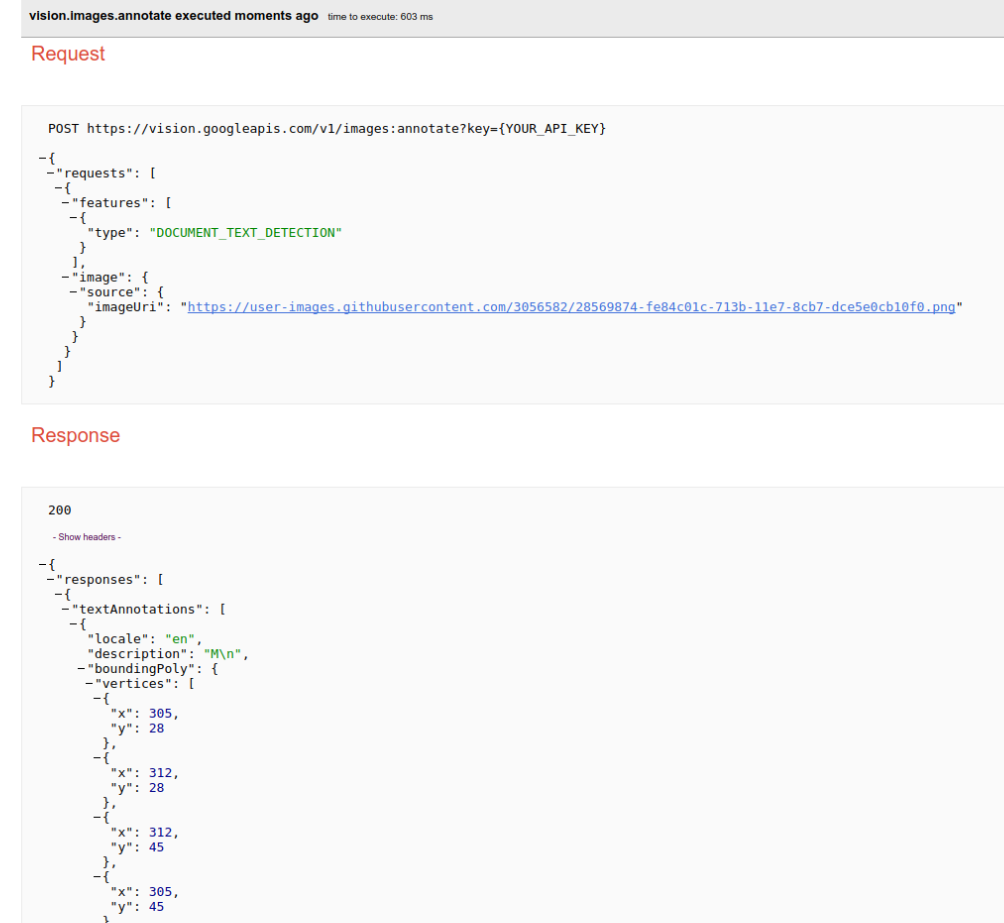
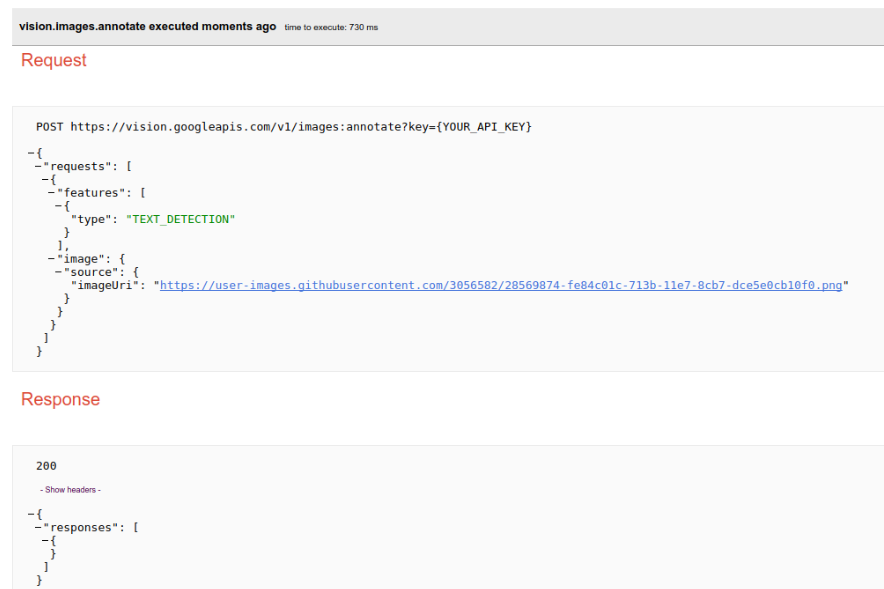
Okay, I got a reply back from the backend team. However, the bad news is that they basically said, "It is machine learning; not much we can do." :-/
I recommend using DOCUMENT_TEXT_DETECTION.
Hitting this in 2024. The demo on https://cloud.google.com/vision?hl=en#demo performs much better than the SDK.
We are using the
DOCUMENT_TEXT_DETECTION+builtin/latestmodel. It seems there is no much we can do 🤔Any help or suggestion would be appreciated


Environment details
Steps to reproduce
As it is pretty clear, you'd expect it to return the capital letter "M" in the text detection field.
Now the result looks like this:
[
   [

   ],
   {
      "responses":[
         {
            "faceAnnotations":[],
            "landmarkAnnotations":[],
            "logoAnnotations":[],
            "labelAnnotations":[],
            "textAnnotations":[],
            "fullTextAnnotation":null,
            "safeSearchAnnotation":null,
            "imagePropertiesAnnotation":null,
            "cropHintsAnnotation":null,
            "webDetection":null,
            "error":null
         }
      ]
   }
]
If i test the same sample image on GCloud Vision landing page demo, the result is correct: the letter
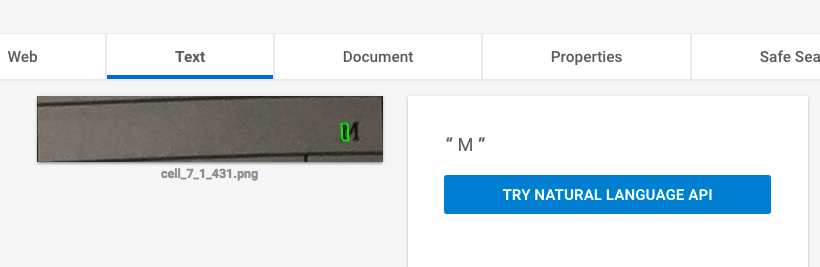
Mhttps://cloud.google.com/vision/
Since this is a pretty clear image and 1 single character, I'm having trouble understanding why does the accuracy differ.
I noticed this issue also on other sample images - they work in the demo but not using the Node SDK.