Repository navigation
Outline view of headings for quick navigation (table of contents) #107

Description
Activity
I was just looking around for an issue mentioning a better overview of headlines and stumbled over this. Great idea!
like this too!
- changed the title
[-]Outline view of headings for quick navigation[/-][+]Outline view of headings for quick navigation (table of contents)[/+]on Sep 10, 2020 Any idea if this still considered and how one can try to help?
I would love seeing this feature implemented. I use nextcloud text a lot and this would help declutter long notes.
78 remaining items
- added 6 commits that reference this issue
on Aug 17, 2022 Was this implemented? It would be such a useful feature to have an outline view to be able to easily navigate through long documents using the headings, as you can do in MS Word and Google Docs. I see it was marked done but I can't seem to find the option to display the outline view anywhere?
@ElaineCBaker yes it was implemented. You find the toggle to turn it on and off in the headings menu in the editor menubar.
Thanks, I don't seem to see a "headings" menu and not sure what the editor menu bar is? This is what I see

Sorry I am new to Next Cloud just finding my way around.
@ElaineCBaker what you show is not the Text application which this issue is about but rather Nextcloud Office.
In Text toggling the table of contents is done as @mejo writes in one step :

After that you get something like that:

Oh sorry I didn't realise I am in the wrong place so. Do you know if this feature is in NextCloud office - RichDocuments app? I can't seem to find this feature there, and I also can't seem to find a github issue for it?
It's ok I found it with help from someone with Next Cloud experience. Posting here in case others also have trouble finding it. You click sidebar icon
 and then navigator icon
Is it possible to show the outline mode (TOC) all the time?
Reacted by IchKG


Metadata
Metadata
Assignees
Type
Projects
- Status
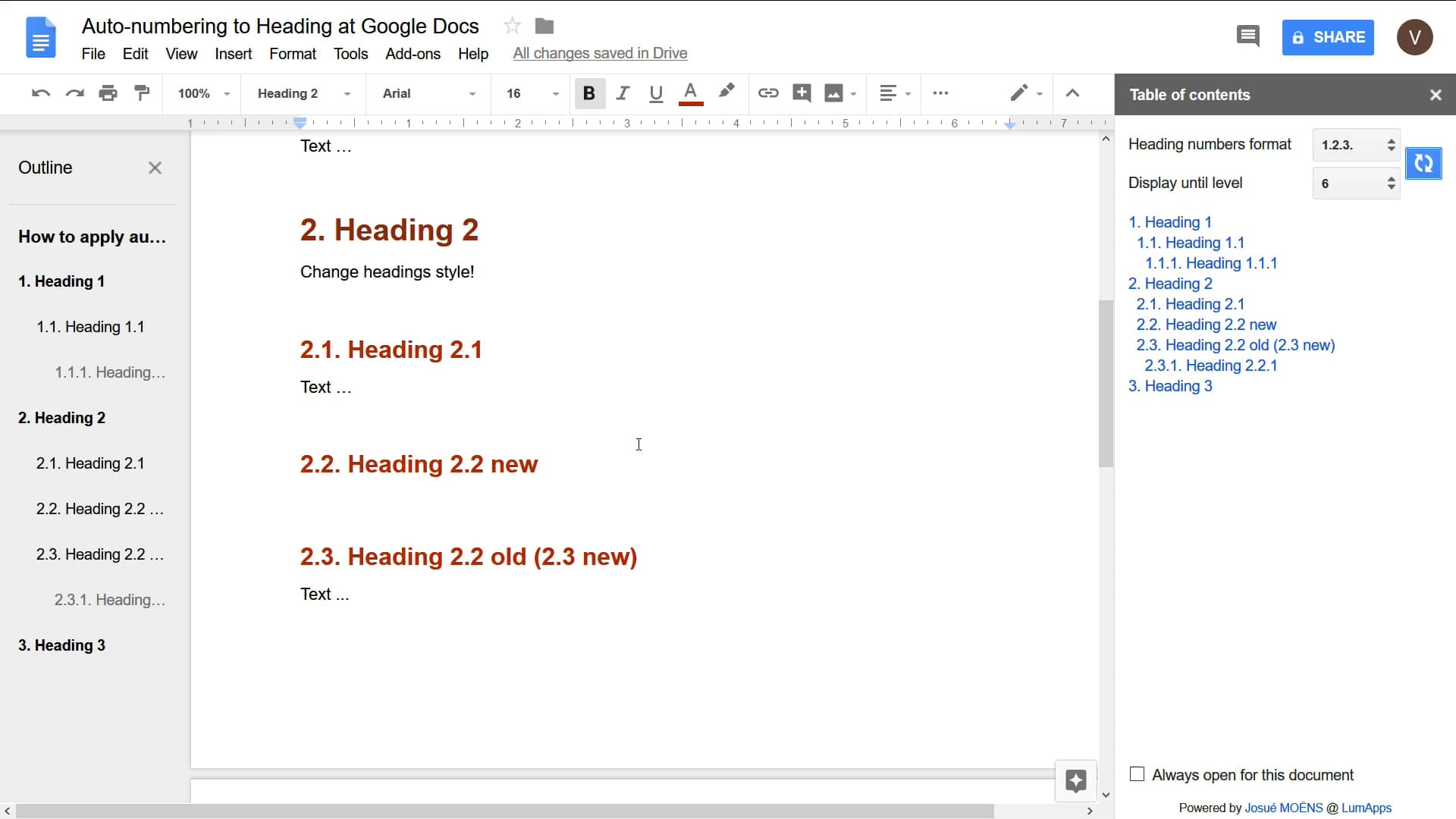
Here’s some examples of how other apps use headings to automatically create an outline for quick navigation. This is always shown on the left and we could do that too.
Dropbox Paper
Very nicely designed, non-obtrusive by default, with h1 and h2 levels highlighted on the left:
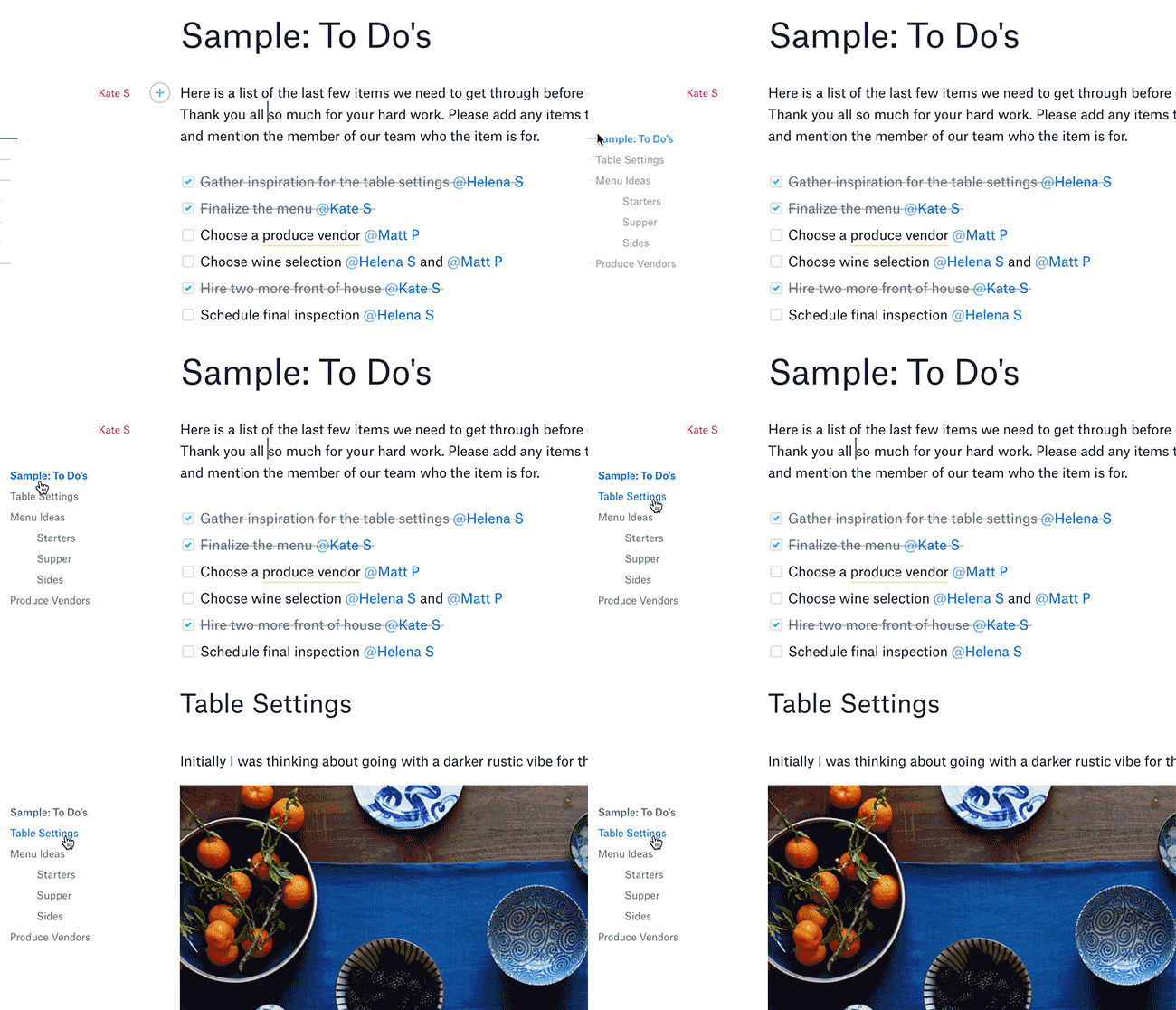
https://blog.dropbox.com/topics/product-tips/paper-hidden-gems
Google Drive
h1 and h2 are shown normally, and it seems starting with h3 they are indented:
FoldingText