
HappyMod APK Download (Official & Latest) Version

| Application Name | HappyMod |
|---|---|
| Latest Version | v3.4.1 |
| Compatibility | Android 5.0 or higher |
| File Size | 20 MB |
| Developer | HappyMod Team |
| Mod Features | Mod Games & Apps |
| Rating | 4.5+ |
| Last Update | Today |
If you’ve spent any time looking for free game mods or unlocked premium apps, you’ve probably run into HappyMod. It shows up constantly in forums, comment sections, and “best mod sites” roundups, and it has built a reputation as one of the largest hubs for modified Android software.
This guide takes a closer look at what HappyMod actually is, how the platform works behind the scenes, what it offers users, and just as importantly what it costs in terms of security, privacy, and legality. Most articles on this topic stick to marketing language borrowed straight from the platform itself. This one doesn’t. The goal here is to give you a complete, accurate picture so you can make an informed decision, not a persuaded one.
What Is HappyMod?
HappyMod is a third-party platform, available as both a website and a standalone APK app, that hosts modified versions of Android games and apps. The word “modified” is doing a lot of work here: it means the original app’s code has been altered by someone outside the official development team, usually to unlock premium features, strip out advertisements, or grant unlimited in-game resources such as coins, gems, or extra lives.
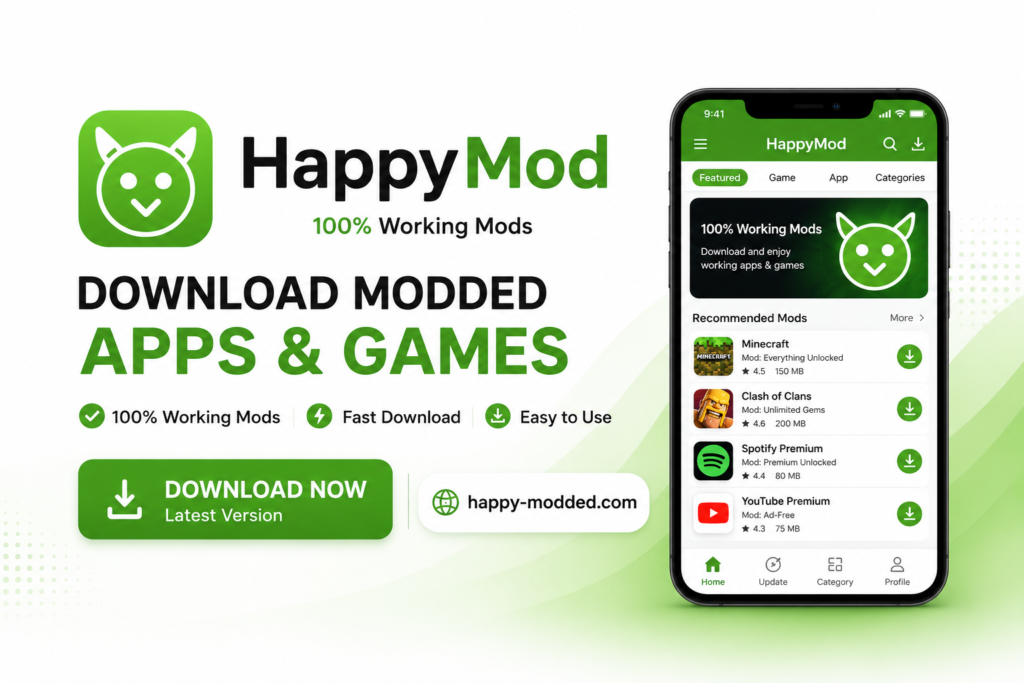
HappyMod has no affiliation with Google, and none of the apps or games listed on it go through the Google Play Store’s review pipeline. It operates entirely as an independent distribution channel, relying on community submissions rather than a centralized development team producing every mod in-house.
How HappyMod Works?
It’s easy to assume a platform this large builds its own mods, but that’s not really how it functions. HappyMod itself is closer to an aggregator or a hosting service: independent modders individuals or small groups scattered around the internet create altered APK files and submit them to the platform. HappyMod then hosts these files, organizes them into a searchable catalog, and layers a rating and comment system on top so users can browse and evaluate what’s available.
This structure gives HappyMod an app-store-like feel. There’s a search bar, categories, star ratings, and user comments, all of which mimic the experience of browsing an official marketplace. But that surface-level resemblance is where the similarity ends nothing in this pipeline is reviewed, signed, or verified by the original app developers, and nothing goes through the kind of automated malware scanning that the Play Store applies to every submission.
Who Should Use HappyMod?
Search interest in Happy Mod comes primarily from two overlapping groups. The larger group is mobile gamers looking for unlimited or boosted in-game resources, extra currency, unlocked levels, removed energy timers without spending money on in-app purchases. The second group consists of users trying to access paid utility or productivity apps for free, sidestepping a one-time purchase or subscription fee.
A smaller segment of users search for HappyMod specifically to find older versions of apps that have since been redesigned or had features removed in a newer update, since HappyMod’s catalog often retains historical releases that official stores no longer offer.
HappyMod APK Download Information
Latest Version
HappyMod updates on its own internal schedule rather than through Google’s Play Store release pipeline. Because it isn’t distributed through an official channel, version numbers, release notes, and update timing are set entirely by the platform itself, without any independent third party auditing what changed between releases or confirming that stated version numbers are accurate.
App Details
The platform operates as a hybrid: a dedicated APK app for Android devices, plus a companion website that mirrors most of the same catalog, search functionality, and download manager. Some users prefer the website because it lets them evaluate a mod’s ratings and comments in a browser before deciding whether to install the standalone app at all.
Version History
Unlike Play Store apps, which have a version history that’s indirectly tracked through Google’s own systems and often archived by independent app-history sites, HappyMod’s version history exists only within the platform’s own records. There’s no external, independently maintained archive to cross-check past releases against, which makes it difficult to verify claims about what changed in any given update.
What’s New in the Latest HappyMod Version?
Update announcements for HappyMod typically focus on three areas: additions to the mod catalog, adjustments to the app’s interface, and fixes for mods that stopped functioning correctly after the original app they’re based on received its own update. Because these updates aren’t reviewed by any outside authority, the specifics of “what’s new” come solely from the platform’s own self-reported release notes, which is worth keeping in mind when evaluating how much weight to give them.
Top Features of HappyMod
Huge Collection of Mod APKs
HappyMod’s catalog is frequently described as running into the hundreds of thousands of individual files, spanning both games and standalone apps. This is a genuinely large library by any measure, but the sheer volume of available files says nothing about the safety, stability, or trustworthiness of any single one of them; a catalog size is a marketing statistic, not a security metric.
Original APK Downloads
Alongside modified files, HappyMod also hosts a number of unmodified, original APKs. These are typically included for apps that aren’t available in a user’s specific region, or for versions of an app that have been pulled from the Play Store for one reason or another.
Fast Download Speed
Download speed on any file-hosting platform depends heavily on server load and the user’s own internet connection. HappyMod is no exception, and speeds can vary noticeably depending on file size, time of day, and regional server availability.
Built-in Download Manager
The platform includes a download manager designed to handle larger APK files, pause and resume interrupted downloads, and queue multiple downloads at once functionality that’s fairly standard across file-hosting services generally, not unique to HappyMod specifically.
Easy Search System
A search bar allows users to look up specific games or apps by name, with autocomplete suggestions and category filters to narrow results.
User Ratings & Reviews
Every listed mod carries a star rating and a comment section where users share their experience. These reviews are entirely user-submitted and unmoderated by any independent security authority, meaning they reflect subjective user opinion often about whether a mod “works” as advertised rather than any formal assessment of what the file actually contains or does in the background.
Community Verified Mods
The term “community verified” is used loosely on the platform to describe mods with a higher volume of positive ratings or comments. It’s worth being precise about what this does and doesn’t mean: it indicates popularity and perceived functionality among other users, not a security audit conducted by trained researchers.
Regular Daily Updates
New mods and refreshed files are added to the catalog frequently, though the pace varies significantly depending on how popular the underlying app or game is. Highly requested titles tend to get faster mod updates than niche or less popular apps.
Older Version Support
One of the more genuinely useful aspects of the platform for some users is that it retains older releases of popular apps, which can be helpful if a device can’t run the latest official version, or if a user simply preferred an earlier design or feature set that’s since been changed or removed.
Multiple Languages
The interface is localized into a number of languages, making it accessible to a broad international user base beyond English speakers.
Clean & Simple Interface
The layout follows a straightforward pattern: a search bar at the top, category browsing beneath it, and individual listing pages with a description, screenshots, ratings, and a download button.
Guest Access (No Registration)
Users can browse, search, and download without creating an account. This lowers the barrier to entry considerably, but it also means there’s no accountability tied to who is downloading what, and no account-level moderation system tracking abuse or flagged files.
Share Apps with Friends
Users can generate and share direct links to specific mods, which contributes to the platform’s viral spread through word-of-mouth and social sharing.
Mini Games
The HappyMod app itself includes a handful of small, in-house browser-style games that can be played instantly without downloading anything, functioning as a bit of built-in engagement outside the main mod catalog.
Mini Games
The HappyMod app itself includes a handful of small, in-house browser-style games that can be played instantly without downloading anything, functioning as a bit of built-in engagement outside the main mod catalog.
Reduced Advertisements
Compared to some heavily monetized alternative app stores, HappyMod’s own interface tends to carry a relatively light ad load. It’s important to separate this from a completely different issue, though: ads or trackers bundled inside individual mod files themselves are a separate concern entirely, and the platform’s own ad-light interface says nothing about what any given mod file does once installed on a device.
Mod Parameters & Unlocked Features
Most mods on the platform fall into a handful of recognizable categories: unlimited in-game currency, unlocked premium levels or characters, removed advertisement triggers, and bypassed in-app purchase prompts. This is, functionally, the entire value proposition of the platform and it’s also precisely the mechanism that removes a developer’s ability to monetize their own work.
HappyMod Categories
The catalog spans a wide range of both games and standalone applications.
Action Games
A consistently popular category, given how many mobile action titles rely on energy systems, timers, or premium currency that mods aim to bypass.
Racing Games
Racing titles frequently include unlockable vehicles or upgrade currencies, both common targets for modification.
Strategy Games
Resource management and base-building games are especially popular mod targets, since in-game currency and build timers are central to their monetization.
Puzzle Games
Puzzle titles are modded less frequently than action or strategy games, but unlocked hint systems and ad removal are common requests.
Adventure Games
Story-driven and exploration titles often see mods focused on unlocking chapters or premium content packs.
Offline Games
Games that don’t require a constant server connection tend to be easier to mod reliably, since there’s no live server-side verification to detect altered save data or currency values.
Entertainment Apps
Streaming, media, and content-consumption apps appear in this category, often modded to remove ad interruptions or unlock premium tiers.
Productivity Apps
Tools like note-taking, PDF, or office-style apps show up here, generally modded to unlock premium feature sets without a subscription.
Video Editing Apps
Editing tools with watermark removal or premium filter packs are a frequent target, given how many of these apps gate core features behind a paywall.
Utility Apps
General-purpose tools file managers, cleaners, VPNs, and similar utilities round out this category, often modded to remove usage limits.
Across every one of these categories, the underlying pattern stays the same: developers build monetization into their apps through advertising or in-app purchases, and mods exist specifically to strip that monetization away.
How to Download HappyMod APK?
Understanding the basic technical mechanism here is more useful than any specific walkthrough, because the same mechanism applies across virtually every platform in this space.
The Sideloading Process
By default, Android only permits app installation through the Google Play Store. Installing anything from an outside source HappyMod included requires a user to manually change a system setting that allows installation from unknown sources. This isn’t a small technicality; it’s a deliberate security barrier that Android puts in place specifically to prevent casual, unreviewed installations.
Why Android Blocks This By Default?
Once that restriction is lifted, the device will install any APK file placed on it, regardless of whether it’s been reviewed by anyone. This is precisely the mechanism that legitimate alternative app stores rely on to function but it’s also the exact same mechanism that malware distributors depend on. There’s no built-in distinction on the device between a safe sideloaded file and a malicious one; the security check that would normally catch a Play Store submission simply doesn’t happen at all for sideloaded files.
How to Download Apps & Games from HappyMod?
Through the In-App Catalog
The HappyMod APK includes its own built-in browsing and download system, functioning much like a front-end for an app store, complete with categories, search, and a download queue.
Through the Website
The same catalog is mirrored on HappyMod’s website, giving users the option to browse listings, read ratings, and evaluate a mod from a standard web browser before deciding whether to proceed with installing anything on their device at all.
How to Update HappyMod APK?
Because HappyMod sits entirely outside Google’s automatic update infrastructure, the update process depends on two separate things happening independently: the platform itself pushing a new version of its own app, and individual modders repackaging their files whenever the original app they’re based on receives an update. There’s no fixed schedule governing either of these, and there’s no guarantee that any specific mod will ever be refreshed to match a newer version of the app it’s modifying; some mods are simply abandoned when their creator moves on.
System Requirements & Permissions
Minimum Android Version
Most mods on the platform target Android 5.0 or higher, though this varies from file to file depending on when a particular mod was built and by whom.
Storage Requirements
Modified APK files are frequently larger than their original counterparts, since they often bundle additional resources, unlocked assets, or altered game data alongside the core app.
Internet Connection
An active connection is required for the initial download and for browsing the catalog, though some mods can be used offline once installed, depending on whether the original app requires server connectivity.
Required Permissions Explained
This is one of the more important technical details to actually pay attention to. Many modified APKs request permissions that go well beyond what the original, official version of the app requires things like broad storage access, device identifiers, or in some cases accessibility services, which grant deep control over what a device can observe and do. A mismatch between what an app is supposed to do and the permissions it asks for is one of the most consistently reliable warning signs used in mobile security research, and it’s worth checking permission requests carefully before granting them, regardless of the source.
Is HappyMod Safe?
This is the single most important question in this entire guide, and it deserves a direct, unhedged answer rather than a vague one.
APK Verification Process
In the sense that matters most, there isn’t a meaningful verification process. Play Store apps go through Google Play Protect scanning and a policy review before they’re ever published. Mods on HappyMod are altered and repackaged by third-party individuals whose identity is frequently unknown or unverifiable, and there’s no equivalent gatekeeping step before a file becomes available for download.
Virus & Malware Checks
Independent security researchers have repeatedly documented malware, adware, and spyware bundled inside modified APKs distributed through platforms similar to this one. This isn’t a hypothetical risk altering an app’s underlying code is also the single easiest way to quietly insert something malicious without the average user ever noticing, since the app can still appear to function normally on the surface while running unwanted processes in the background.
User Review System
It bears repeating: user ratings reflect opinions about whether a mod appears to work, not a technical assessment of what it actually contains. A mod can accumulate a large number of positive ratings while still carrying hidden trackers, unwanted background processes, or excessive data collection that the average user has no way of detecting through normal use.
Privacy & Permissions
Because these apps sit outside the Play Store’s ecosystem, there’s no equivalent to Google’s data-safety disclosure requirements, which obligate Play Store developers to specify what data their app collects and how it’s used. With sideloaded mods, there’s simply no reliable way to know what data is being gathered or where it’s being sent, short of technical analysis that goes well beyond what most users are equipped to do.
Is HappyMod Legal?
This is the question most articles on this topic conveniently skip, but it’s arguably the most consequential one. Modifying a paid app to unlock it for free, or altering a game to bypass its in-app purchase system, means changing another developer’s copyrighted code without their authorization. This generally violates both the original developer’s copyright and the terms of service attached to the app, and in many cases the terms of the platform it was originally distributed through, such as Google Play’s developer policies. For most individual users, the practical consequence tends to be account suspension particularly in online games with active anti-cheat systems rather than direct legal action. But it’s worth being clear that this is a real copyright and terms-of-service violation, not a legal gray area open to interpretation.
HappyMod vs Google Play Store
|
Comparison Intent |
HappyMod |
Google Play Store |
|---|---|---|
|
App Availability |
Wide catalog, including region-locked or delisted apps |
Restricted by regional and platform policy |
|
Mod APK Support |
Central focus of the entire platform |
Not permitted under developer policy |
|
Security |
No independent review; relies on community ratings |
Google Play Protect scanning plus formal policy review |
|
Updates |
Irregular, dependent on individual modders’ activity |
Automatic, tied directly to the developer’s own release schedule |
|
User Experience |
App-store-style browsing, search, and categories |
Standardized official Google interface across all devices |
|
Paid Apps |
Frequently unlocked without payment, unauthorized |
Purchased directly, with developers compensated |
|
Older Versions |
Frequently retained and available |
Generally limited to the current release, with some exceptions |
Beyond these individual comparison points, the broader distinction comes down to accountability. The Play Store operates under a formal set of developer agreements, review standards, and enforcement mechanisms. HappyMod operates without any of that infrastructure, relying instead on volunteer community moderation and self-reported ratings.
HappyMod for Different Devices
Android
Android is the platform happymod apk download is natively built for, and it remains the most reliable and widely supported option by a significant margin.
Windows PC
Running HappyMod on a Windows PC isn’t natively supported; it typically requires installing a separate Android emulator first, which introduces an additional layer of third-party software and its own separate set of security considerations before HappyMod even enters the picture.
Mac
The same emulator-based approach applies to macOS, carrying the same caveats as the Windows setup, along with the added complexity of running an Android emulation layer on Apple’s hardware and software stack.
iPhone & iPad (iOS)
Support for iOS is limited and considerably less consistent than on Android. Apple’s app sandboxing model and the platform’s lack of native APK support make sideloading fundamentally different and more restricted on iOS compared to Android. Any tool claiming a straightforward “iOS version” of HappyMod typically relies on third-party workarounds that sit entirely outside Apple’s official distribution channels, and these come with their own distinct set of risks.
Common HappyMod Problems & Solutions
App Not Installing
This is usually caused by a signature mismatch between the modified file and the original app already on a device, or by permission conflicts that Android’s installer flags before completing setup.
Parse Error
These errors are typically tied to an incomplete or corrupted download, often the result of an interrupted connection during the file transfer.
Download Failed
Failed downloads are frequently linked to server load on the hosting platform’s end or an unstable connection on the user’s side, a common issue on file-hosting services that don’t run on the same scale of infrastructure as major app stores.
App Crashing
Because mods aren’t tested across the enormous range of Android device models, screen sizes, and operating system versions the way official Play Store apps are, instability and crashes tend to be considerably more common.
Mod Not Working
This typically happens when the original app receives an update from its developer and the modder responsible for the mod hasn’t yet repackaged a version compatible with the new release, a gap that can last anywhere from a few days to indefinitely, depending on the modder’s continued interest in maintaining that particular file.
Update Issues
Since there’s no automatic update pipeline comparable to what the Play Store provides, mods can quietly fall out of sync with the apps they’re based on, sometimes without any clear notification to the user that a newer, compatible version even exists.
Pros & Cons of HappyMod
Pros
- Access to premium features without direct payment.
- A large catalog spanning a wide range of popular games and apps.
- No account required to browse or search the catalog.
- Older app versions are often available when newer releases remove a preferred feature.
- A search and category system that makes navigating a large catalog relatively easy.
Cons
- No independent security verification of any individual file.
- A documented, real risk of malware, adware, or excessive data collection bundled inside modified files.
- Directly violates the copyright and terms of service of the apps and games being modified.
- No Google Play Protect coverage once a file is installed.
- Real risk of account suspension in online multiplayer games with active anti-cheat systems.
- No guaranteed or predictable update timeline for any given mod.
- Original developers receive no compensation, which affects the long-term sustainability of the very apps and games being modified.
Precautions to Take Before Using Any Third-Party APK
If someone still chooses to use a platform like HappyMod despite the risks outlined above, a few basic precautions can meaningfully reduce though never eliminate the exposure involved.
Scan the File Before Installing
Running any downloaded APK through a multi-engine virus scanner (such as VirusTotal) before installation can catch a meaningful share of known malware signatures, though it won’t catch everything, especially newer or custom-built threats.
Review Requested Permissions Carefully
Before granting install permissions, check what the app is actually asking for. If a simple game or utility requests access to contacts, SMS, call logs, or accessibility services permissions unrelated to its stated function that mismatch is a clear warning sign worth taking seriously.
Keep a Recent Backup
Backing up important data before installing anything from an unverified source means that if something does go wrong corrupted storage, unwanted data access, or a factory reset becoming necessary nothing critical is lost in the process.
Use a Secondary or Isolated Device Where Possible
Some users choose to test unverified APKs on a secondary device, or one that doesn’t hold sensitive accounts and personal data, rather than their primary phone.
Keep Play Protect and Android Security Features Enabled
Even after installing an app from outside the Play Store, keeping Google Play Protect active means the system continues scanning installed apps periodically for known threats, rather than losing that layer of protection entirely.
Monitor the App After Installation
Unusual battery drain, unexpected data usage, or unfamiliar background processes after installing a modified app are all signs worth investigating rather than dismissing.
None of these steps make a modified APK equivalent in safety to an app reviewed and distributed through the Play Store they simply reduce the size of the risk for anyone who chooses to proceed anyway.
Frequently Asked Questions
Conclusion
HappyMod offers something genuinely appealing on the surface: free access to premium features and modified versions of popular games, all wrapped in an interface that feels familiar and easy to navigate. But that convenience comes directly from bypassing two things simultaneously a developer’s monetization model and Android’s built-in security review process and that exact combination is what creates the platform’s real risks: documented malware exposure, unclear data privacy practices, the possibility of account bans in online games, and genuine copyright and terms-of-service violations.
Weighing that trade-off honestly, with a clear understanding of what’s actually happening under the surface, is a far more useful starting point than taking any platform’s own marketing claims at face value. For most users, official app stores and legitimate free-to-play alternatives remain the meaningfully safer choice and understanding exactly why is more valuable than any download walkthrough could be.