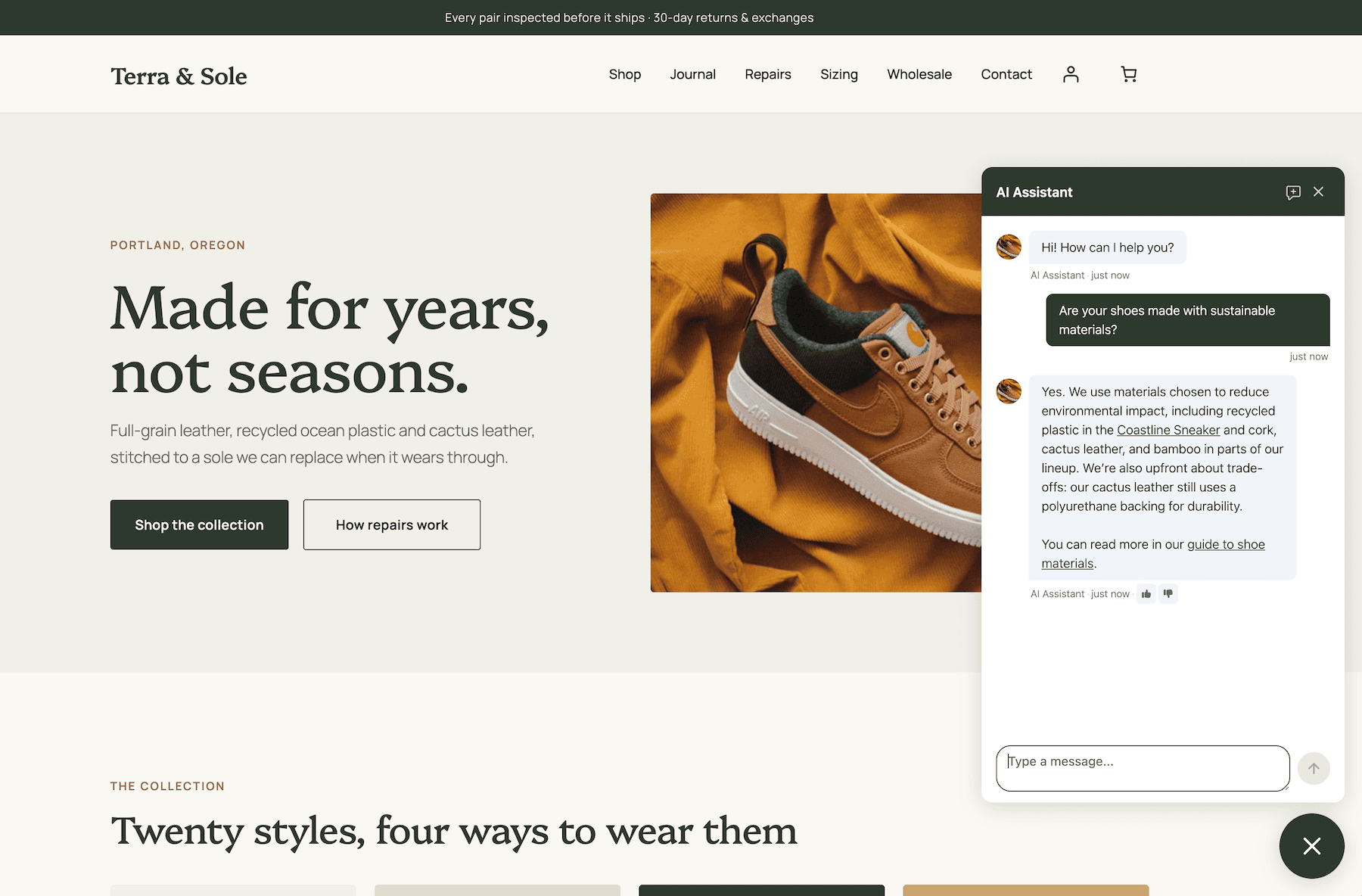



Resolver works around the clock to answer visitor questions intelligently for you. Offload hours of emailing every week to your new chatbot.
Get a Break From Customer Support
Resolver is a WordPress-native chatbot that trains itself as you edit your site and answers customer questions intelligently for you.
Here's What Makes Resolver Different
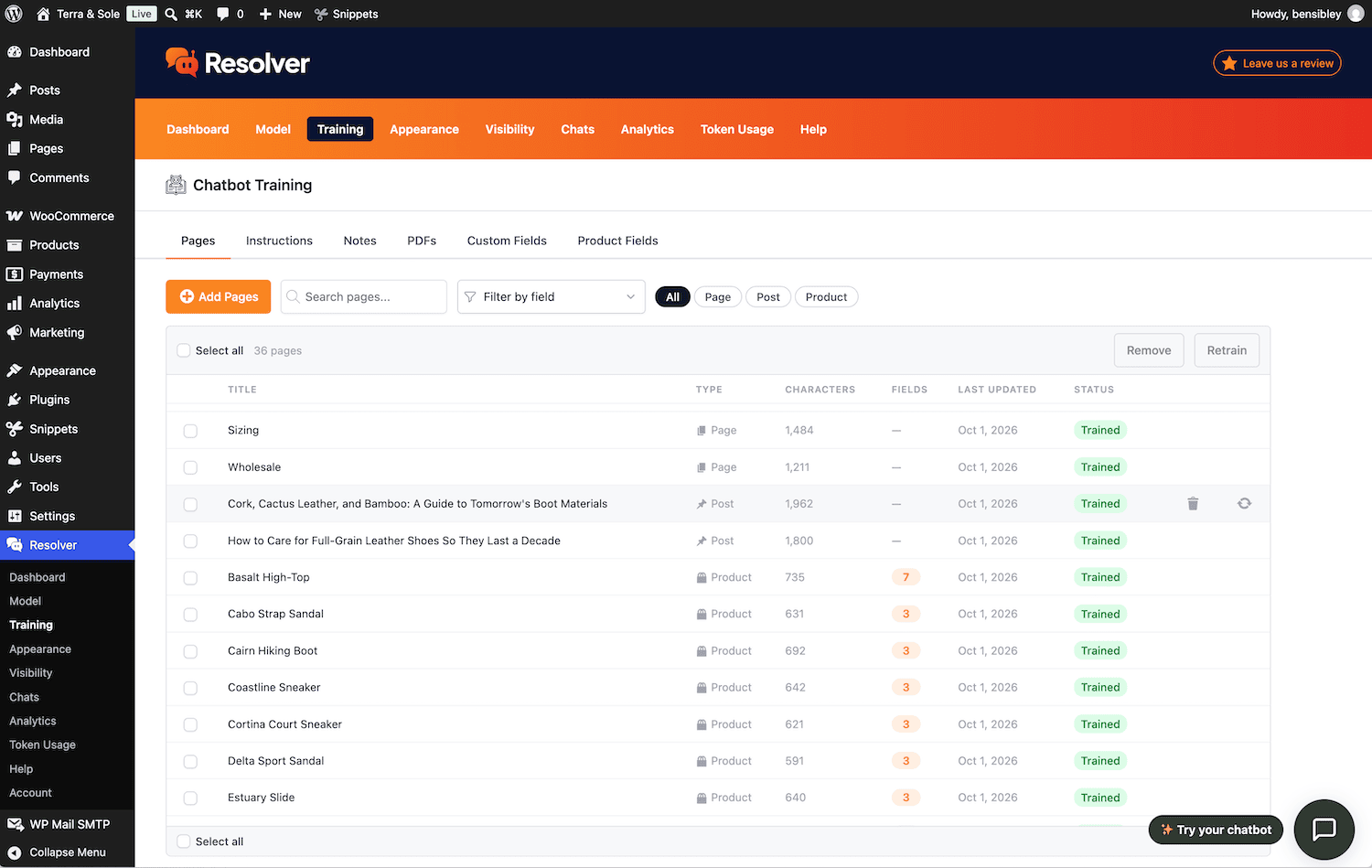
Choose which pages to train Resolver with, and it will continue to track them for updates, retraining automatically. Even better, it can auto-train on new pages as they’re published, so it always has the most up-to-date info.
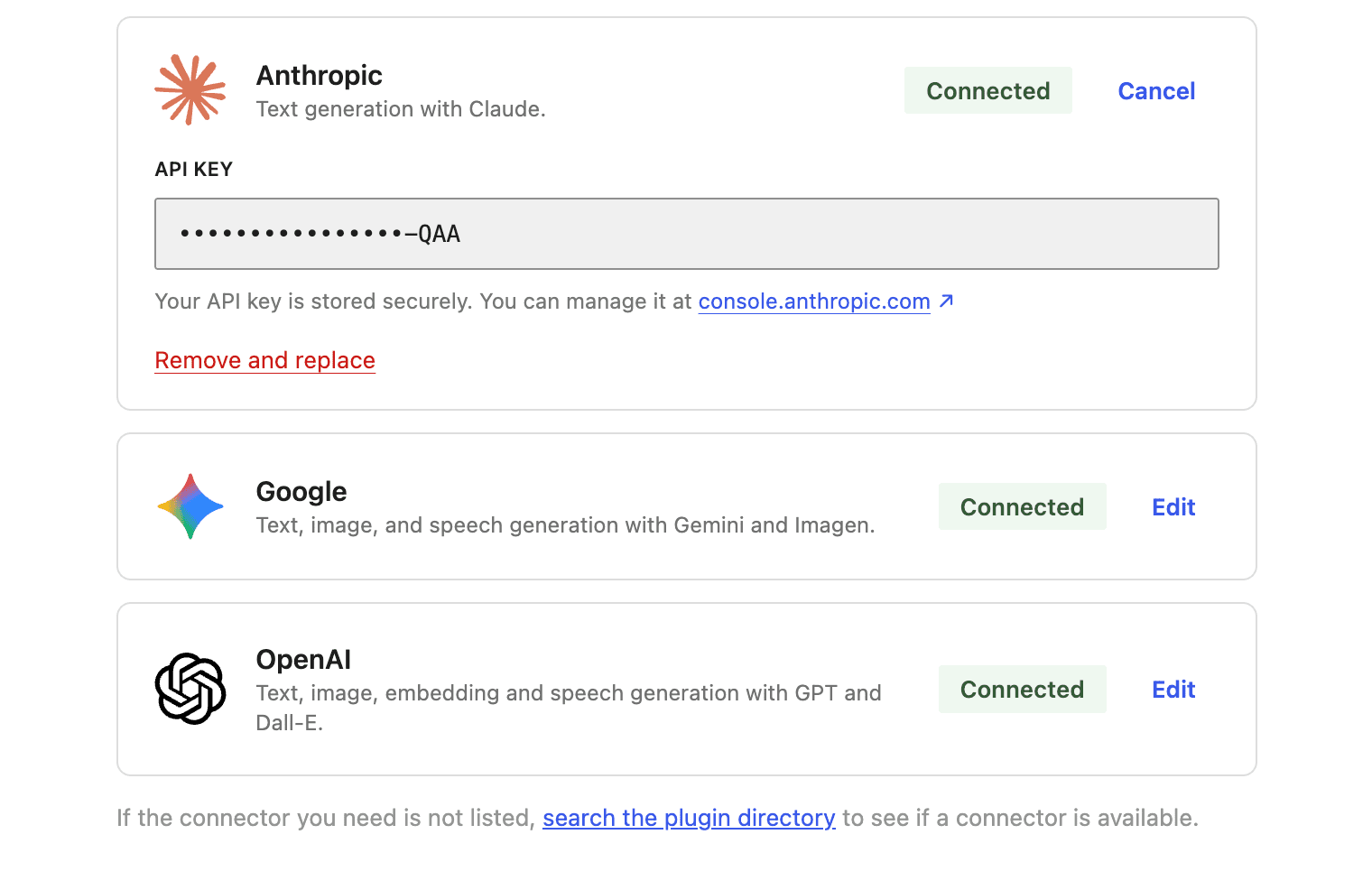
Enter your own API keys for your preferred AI platforms, and only pay them for what you use, instead of paying a SaaS app an inflated monthly fee.
Customers are expecting faster, higher quality support than ever before. By the time you answer an email, they may have already signed up with a competitor.
Every Tool You Need to Craft the Perfect Chatbot
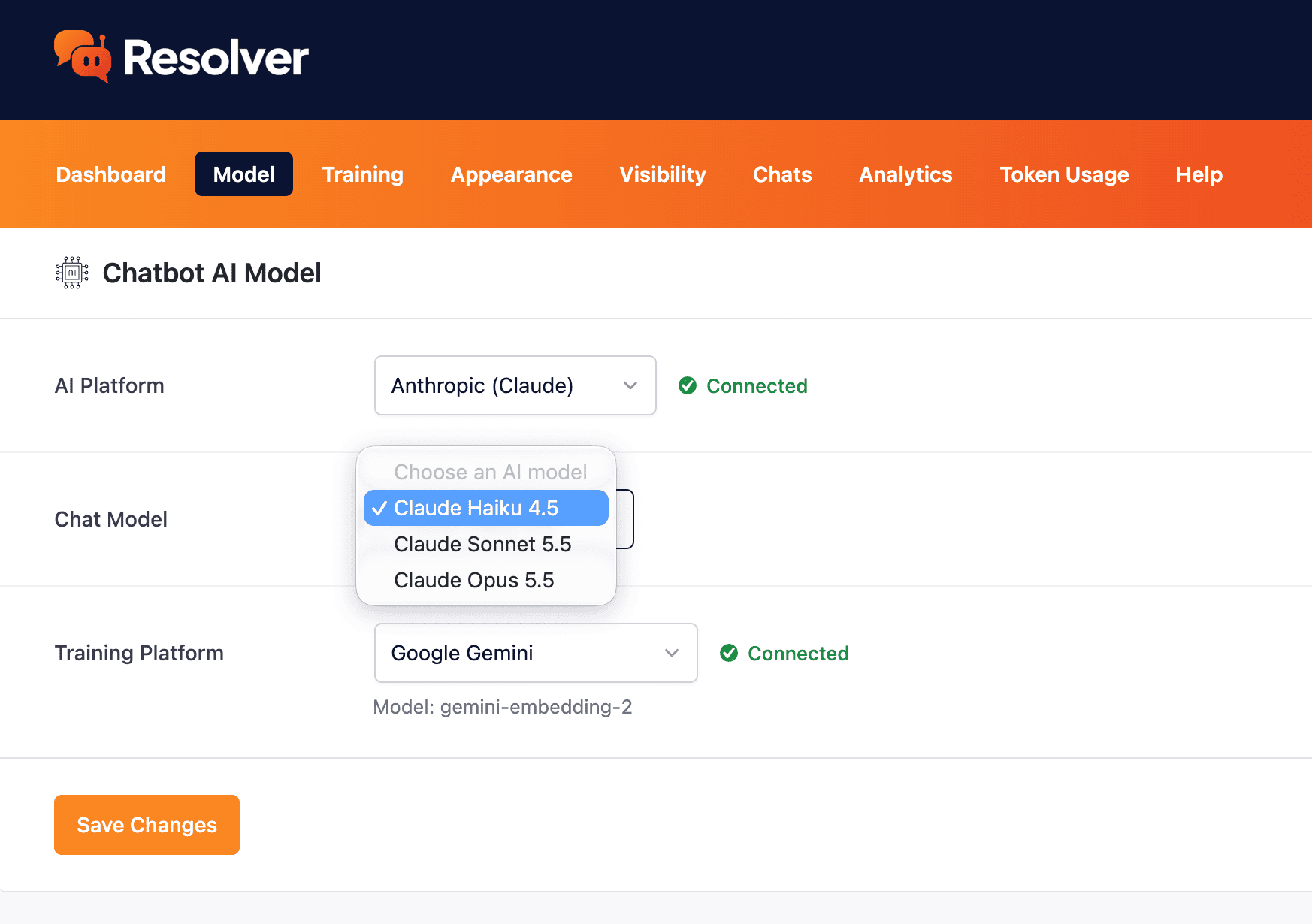
Choose from the most powerful AI models available.
Learn more →
Train your chatbot using your content, and let it train on new pages automatically.
Learn more →
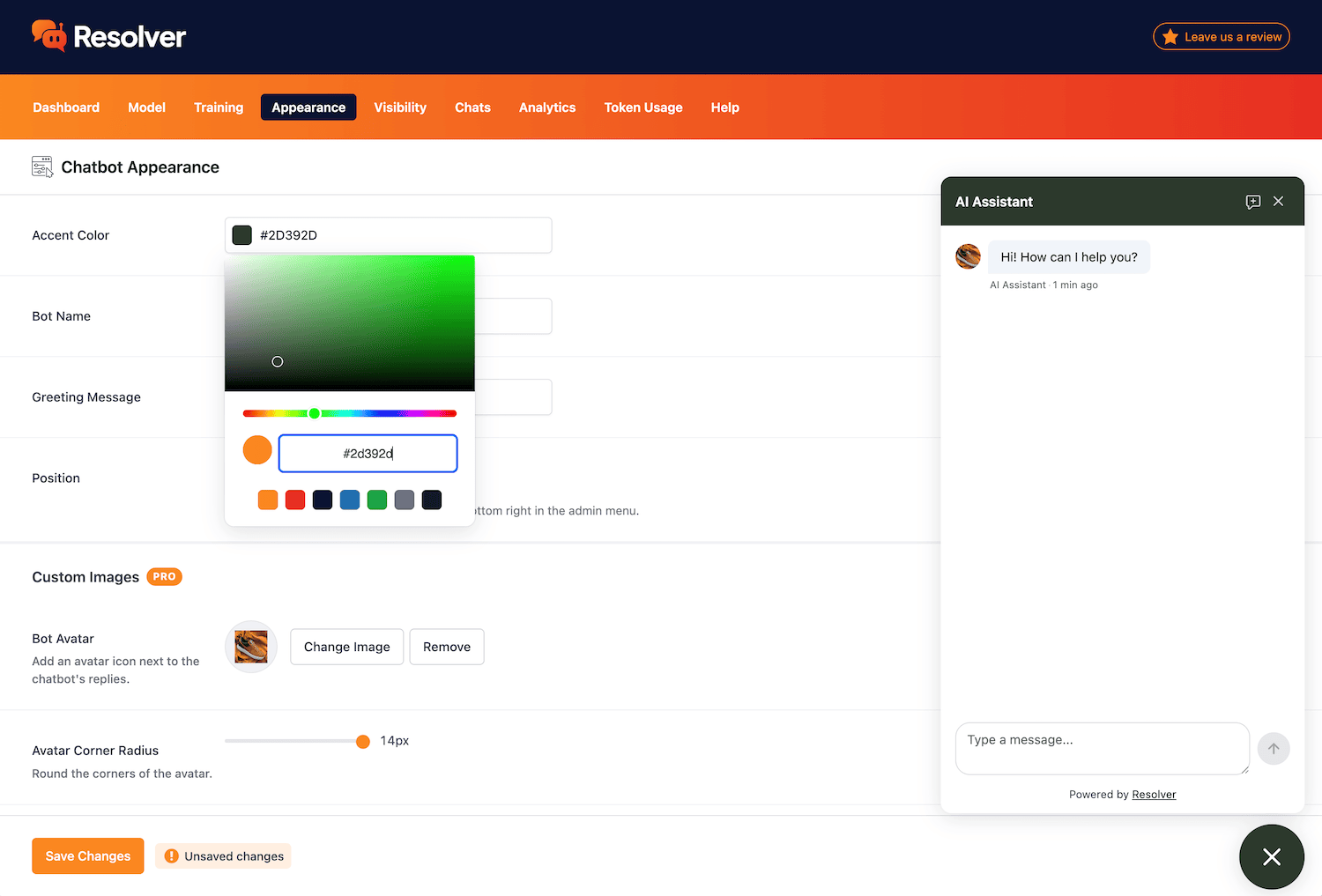
Customize the appearance of your chatbot to match your brand.
Learn more →
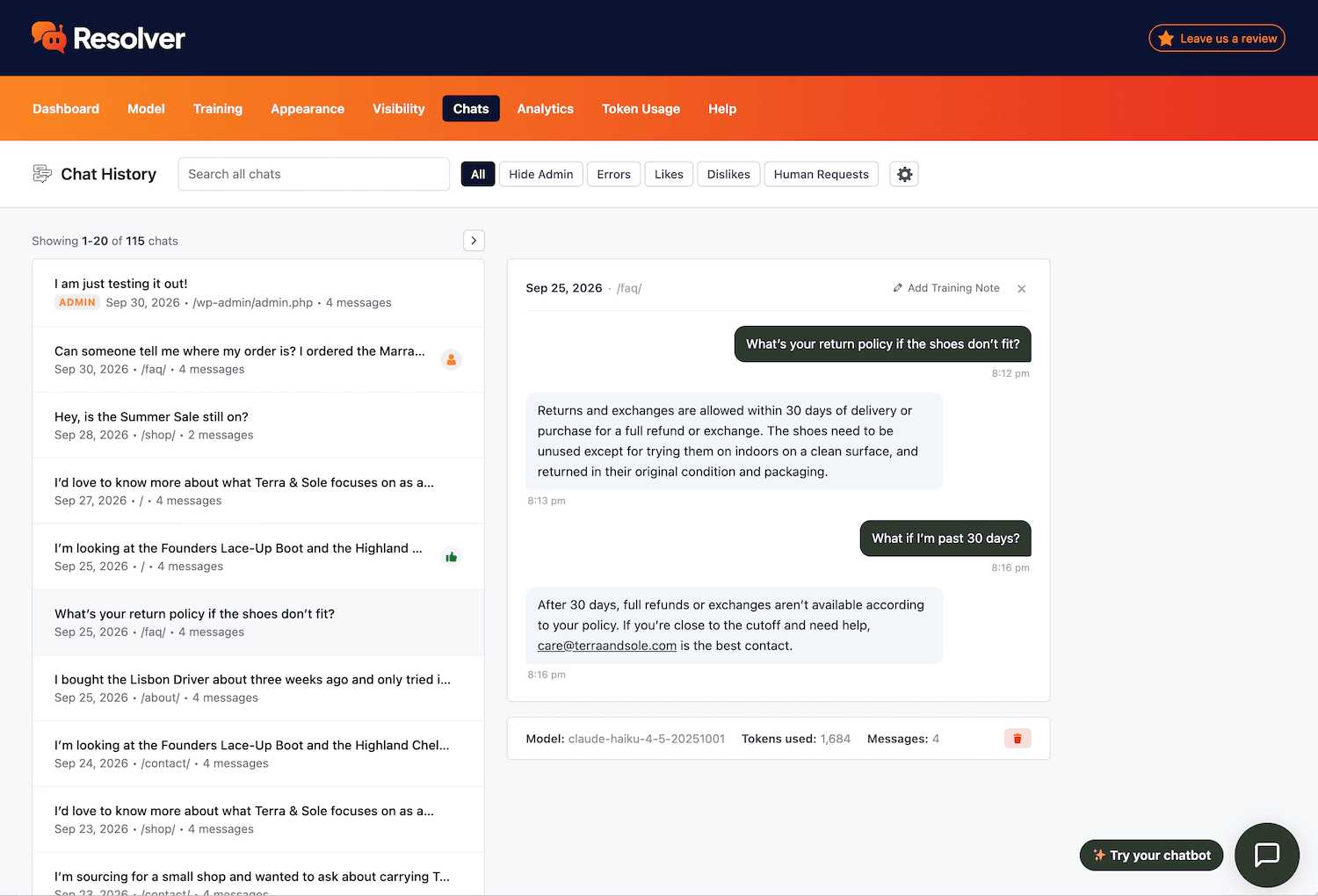
Review every conversation your chatbot has had with visitors.
Learn more →
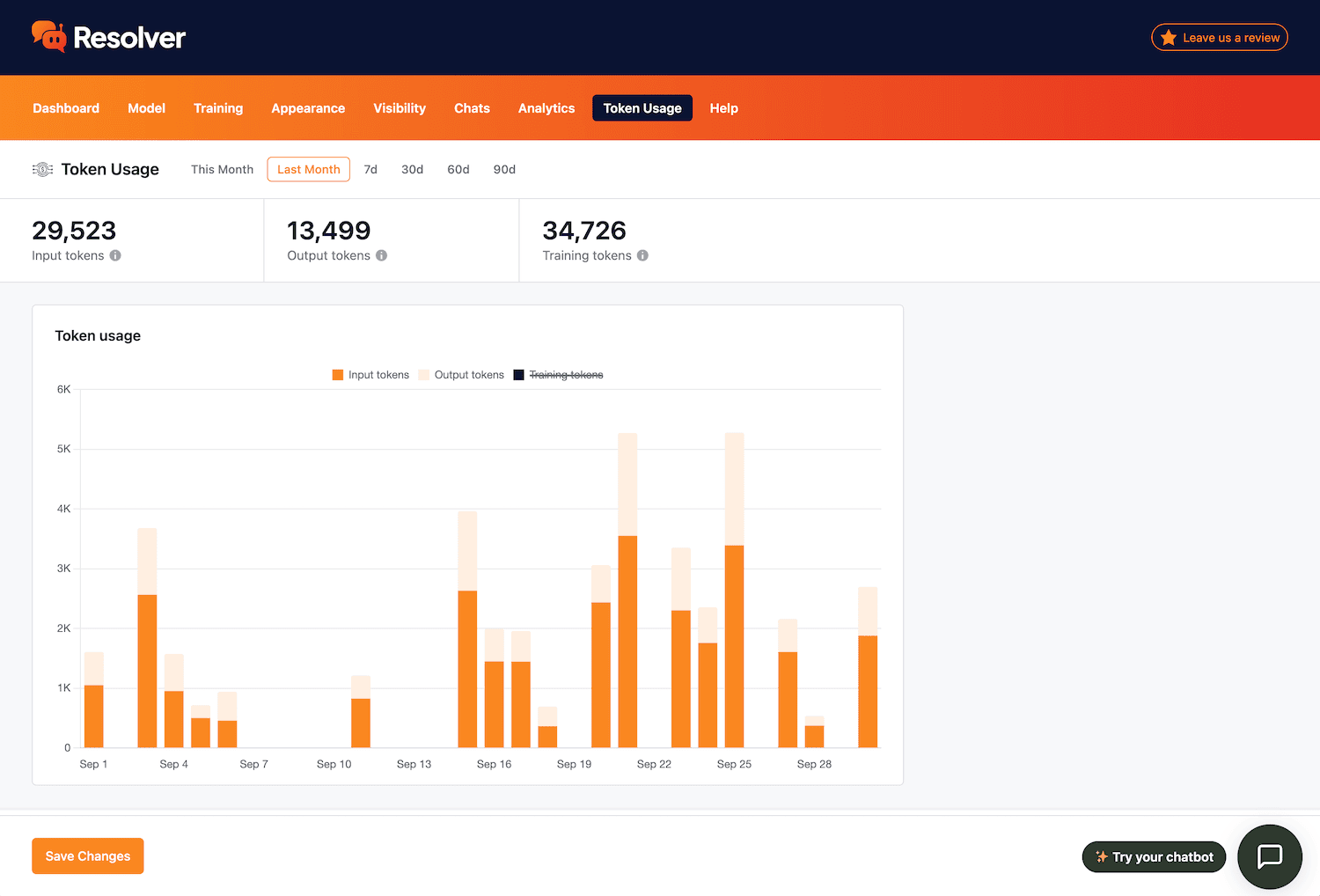
Get full transparency into the tokens used by your chatbot.
Learn more →
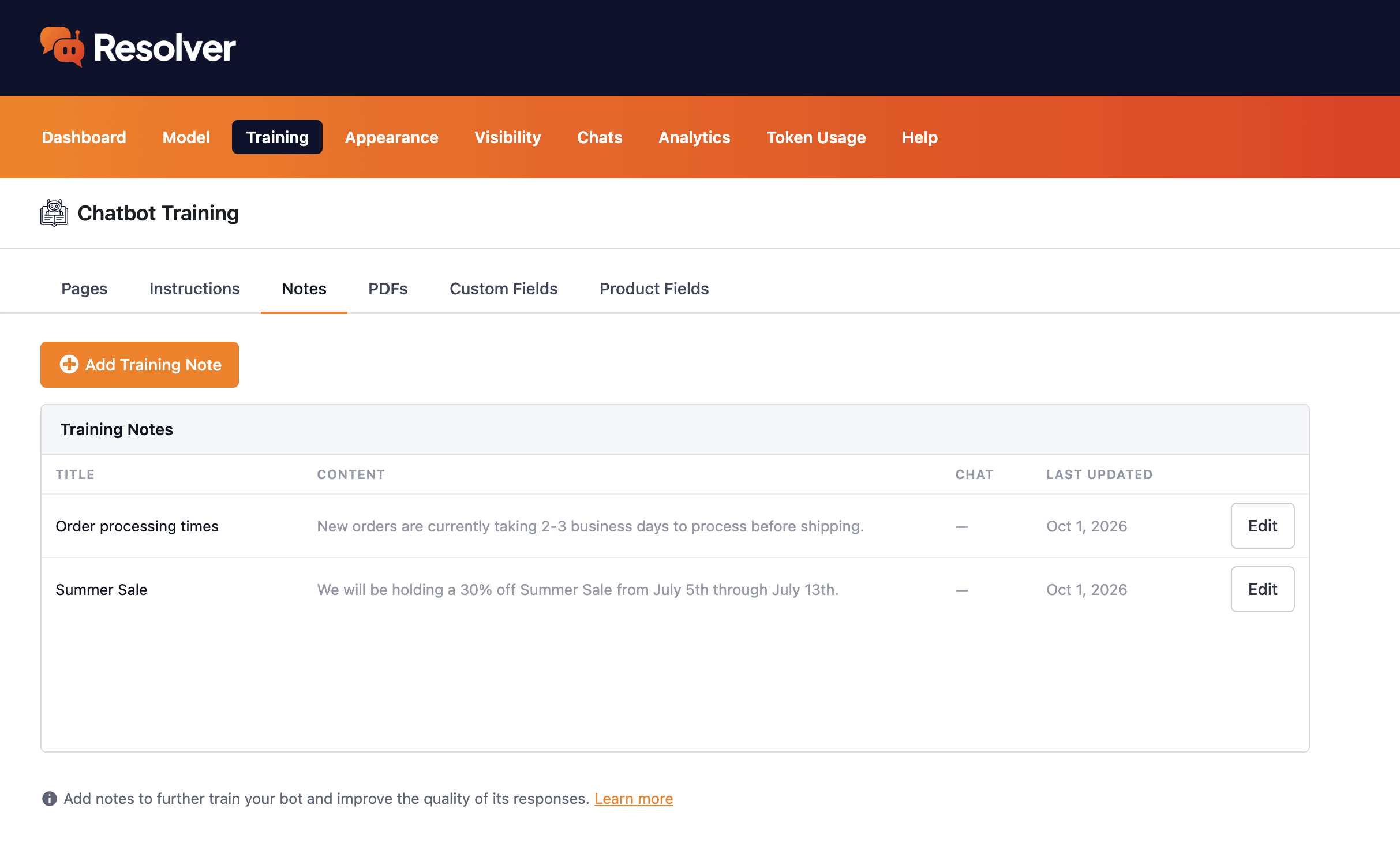
Add training notes to quickly optimize your chatbot.
Learn more →
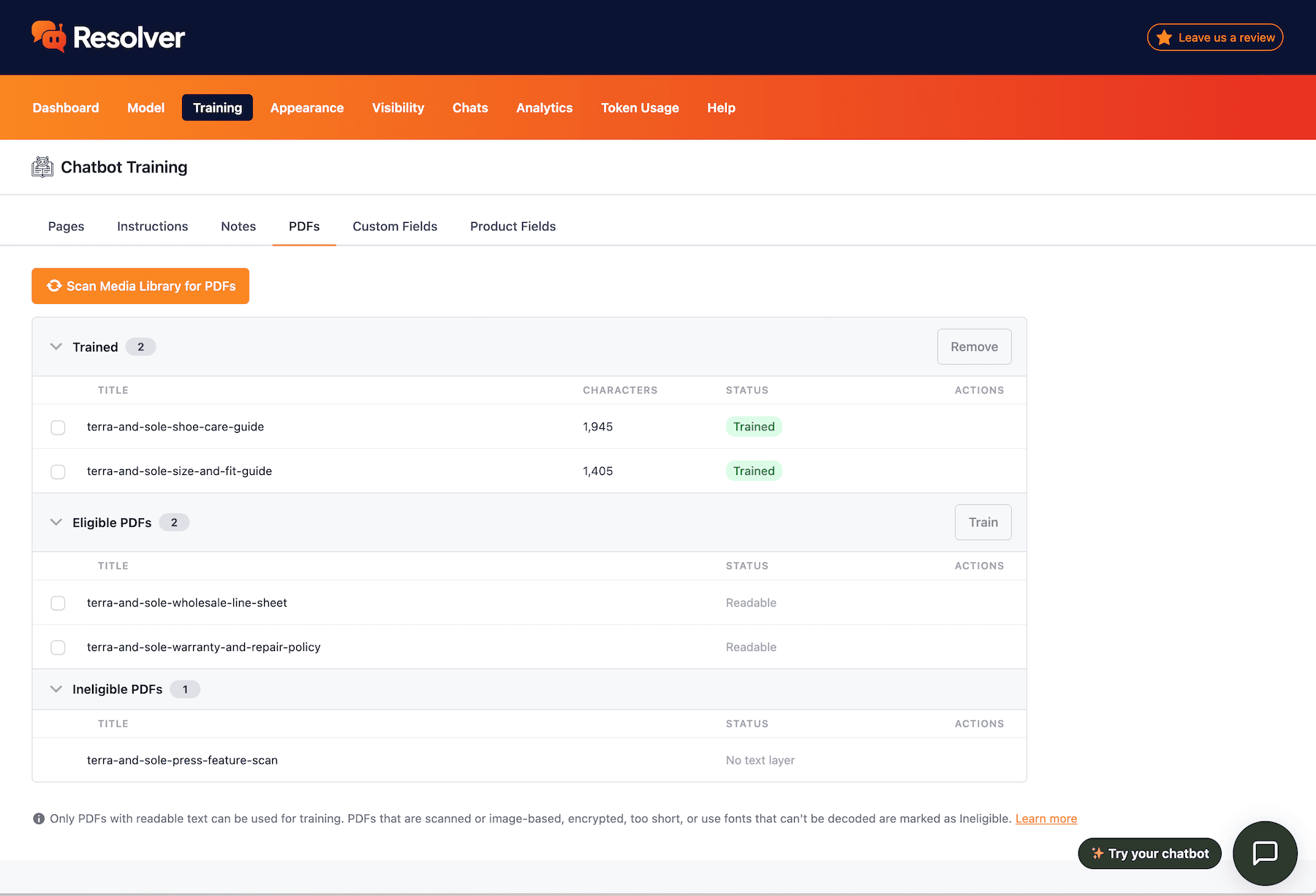
Train your chatbot with PDF files in your Media Library
Learn more →
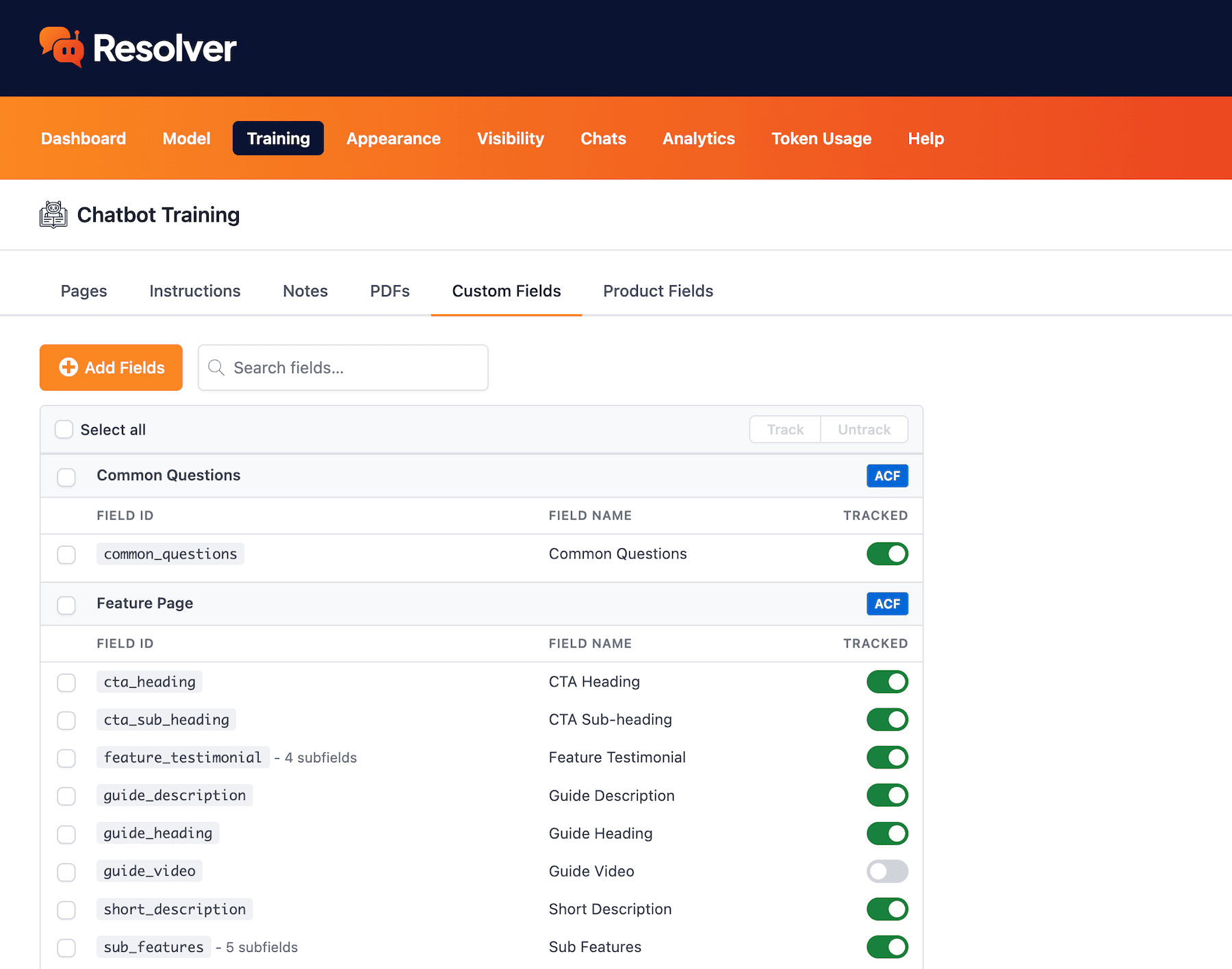
Choose custom fields to train your chatbot with.
Learn more →
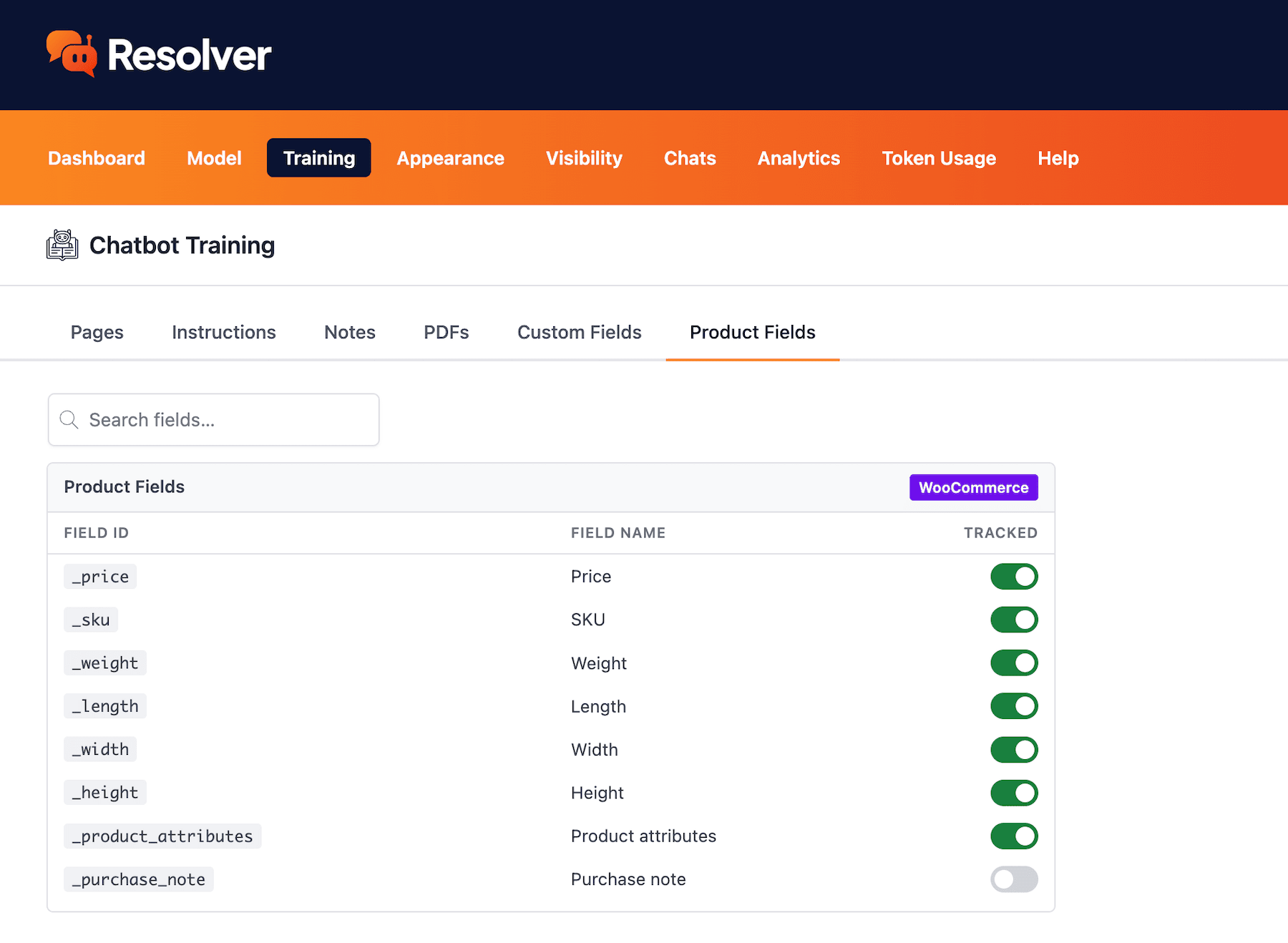
Train your chatbot with product fields from WooCommerce
Learn more →
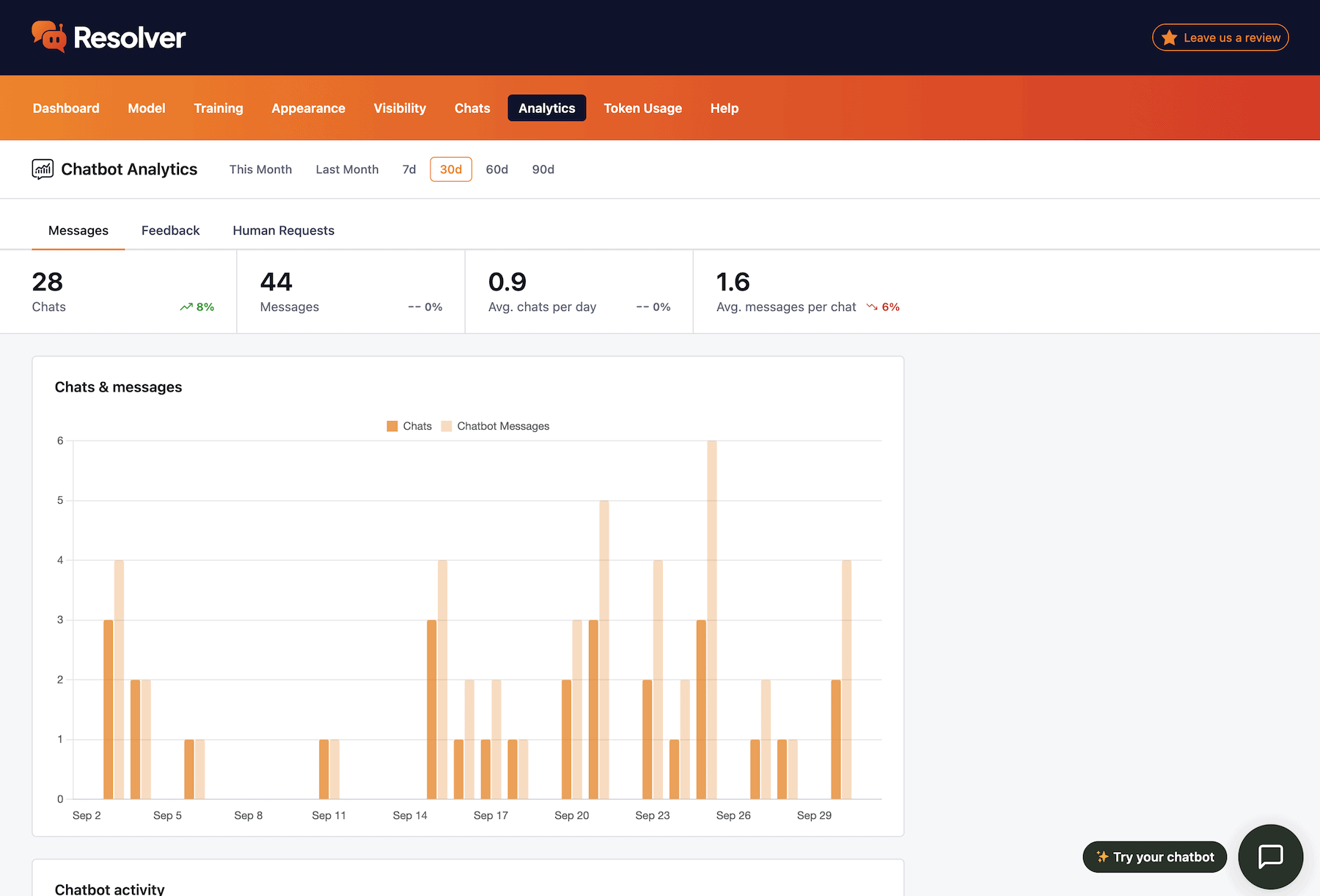
Learn from detailed chatbot analytics.
Learn more →
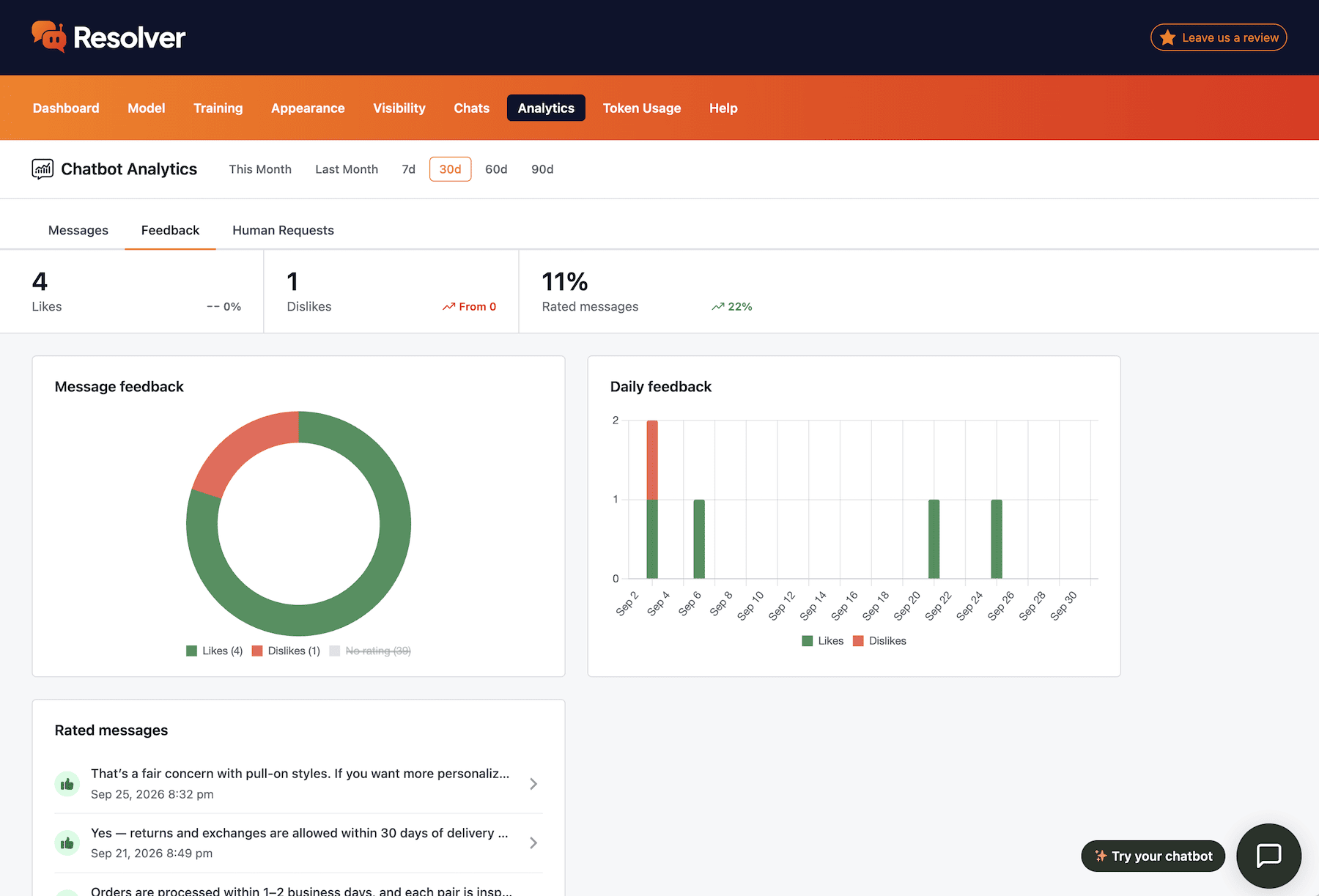
View user likes & dislikes for your chatbot's messages.
Learn more →
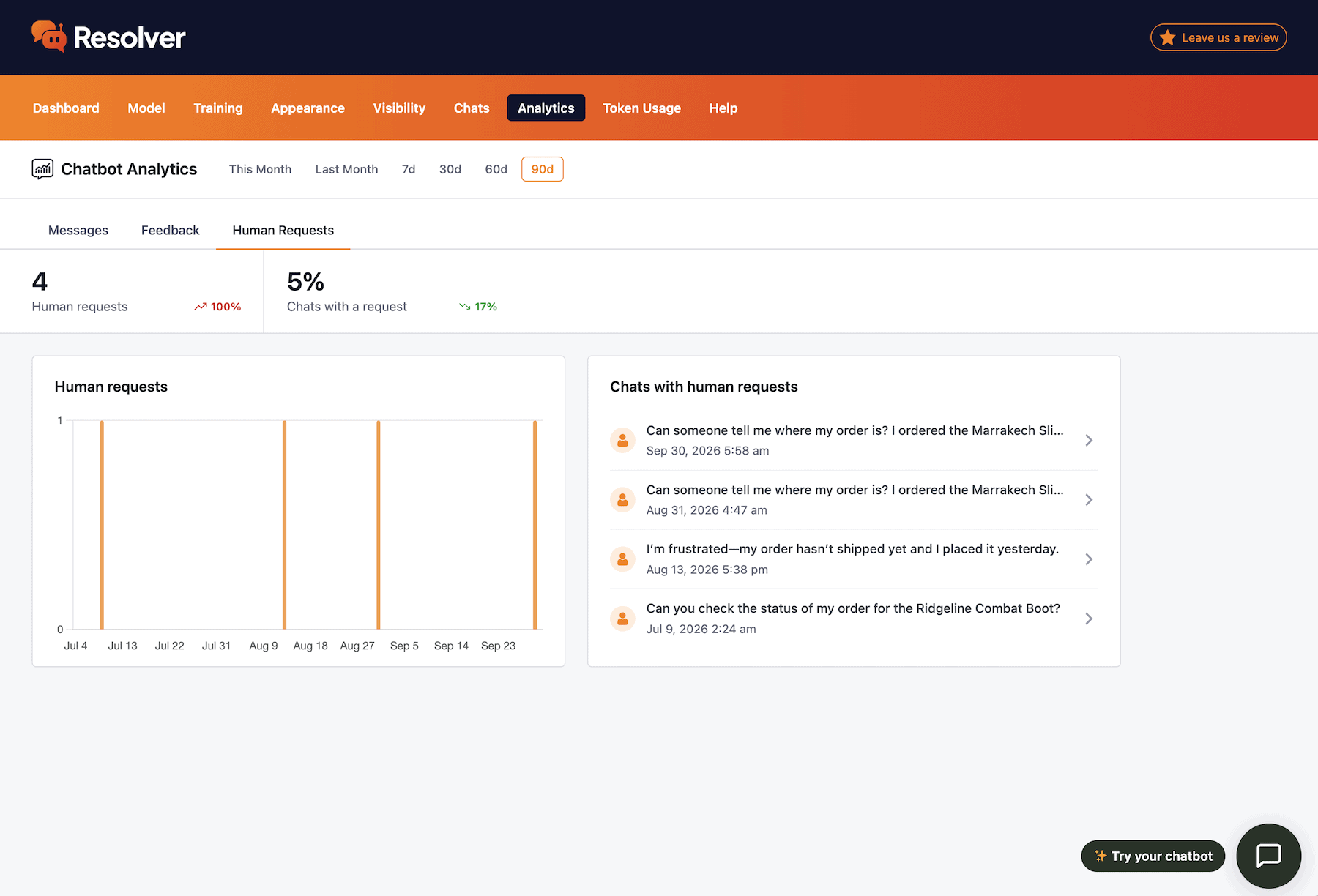
Track when visitors request to speak with a real person.
Learn more →
It's getting harder to keep up these days
The world is changing quickly, and we all feel it. We built Resolver not just for our customers, but also for ourselves to keep pace with customer demands.
View PricingGet Started
Frequently Asked Questions
-
Toggle FAQ
Where do I get an API key?
You can get your API keys from the AI platforms. Namely, OpenAI, Google Gemini, and Claude (Anthropic). Signing up for an API key only takes two minutes, and then you can enter it into the Settings > Connectors menu in the WP admin dashboard.
-
Toggle FAQ
How much does it cost?
The WP Chatbot plugin is free and requires that you use an API key of your own from one of the supported AI platforms (OpenAI, Google Gemini, or Claude). You will pay the AI platforms based on how much your API key is used, which depends on how many conversations your chatbot is having and which AI model you’re using. Generally speaking, a single conversation should only cost a few cents.
WP Chatbot also includes a Token Monitoring menu where you can view token usage transparently and set daily and monthly limits.
-
Toggle FAQ
Can I test it before it goes live on my site?
Yes, WP Chatbot includes a preview option so you can test out your bot before launching it to the public.
-
Toggle FAQ
Does it work as well as a SaaS chatbot app?
Yes, the intelligence behind every chatbot comes from the AI model being used. WP Chatbot has access to the same AI models as every other chatbot app, so its responses are as advanced as those of other chatbots.
If you have any questions, you can click here to chat with our chatbot. That's right, you can learn all about Resolver by talking to Resolver!
Download the Resolver plugin today