In this video, you’ll learn how to create a social links menu on your site. It covers adding a menu of icons that link visitors to your profiles on Facebook, Instagram, YouTube, and other social platforms.
A social links menu on your WordPress site displays icons that link visitors to your profiles on Facebook, Instagram, YouTube, and more. This guide shows you how to create a social links menu.

In this guide
Have a question?
Ask our Support AssistantFollow the steps below to add a social links menu to your site.
Your site’s theme type determines which instructions to follow. Go to Appearance in your site’s dashboard: if you see Editor, follow the Site Editor tab instructions. Otherwise, follow the WP Admin or Customizer tab instructions.
In the Site Editor, display a social links menu by inserting the Social Icons block. Follow these steps to add a new social links menu:
- Visit your site’s dashboard.
- Go to Appearance → Editor.
- Select the template or template part you want to edit, or click on the site preview on the side of the screen to open the homepage editor.
- Open List View in the top-left corner of your screen (it’s the icon that looks like three horizontal lines above each other.)
- Select a position and click the “+ block inserter” icon.
- Search for the Social Icons block and click to add it.
- Click the “+” icon and select the icon for the first social media profile you wish to add.
- You can search for a specific social media network or click the “Browse all” link to view all available social networks.
- Click the newly added icon and enter the URL of your social media profile. Press enter/return on your keyboard to submit, or click the “Apply” icon (represented by a curved arrow).
- Repeat for as many icons as you wish to add.
- Click the “Save” button to save your changes.
Video Tutorial


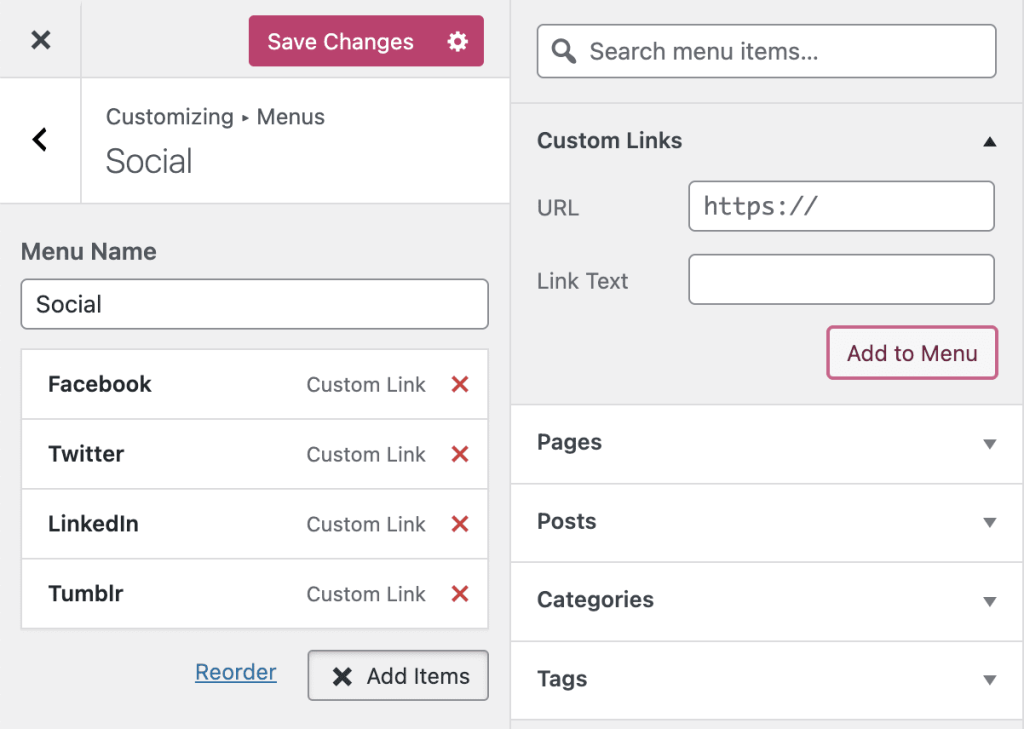
Linking to any of the following sites in your social links menu will automatically display its icon in your menu:
- 500px
- Amazon
- Apple
- Bandcamp
- Behance
- CodePen
- DeviantArt
- Digg
- Dribbble
- Dropbox
- Etsy
- Flickr
- Foursquare
- GitHub
- Goodreads
- Google+
- Email (mailto: links)
- Meetup
- Medium
- RSS Feed (URLs with /feed/)
- Snapchat
- SoundCloud
- Spotify
- StumbleUpon
- Tumblr
- Twitch
- Vimeo
- VK
- WordPress
- Yelp
- YouTube
Older themes may support a different set of icons — your theme’s documentation may list supported icons.

