Repository navigation
Implement correct iOS button press dynamics #19786
Description
Activity
- added this to the milestone
on Dec 6, 2018 - removed this from the milestone
on Aug 17, 2020 I'm able to reproduce this with the latest version of the Gallery app.
Dragging between buttons while pressed is not possible, the OK button loses the pressed state as soon as you start dragging and the CANCEL button does not gains the
pressedstate. In the video bellow I'm pressing one of the buttons and trying to drag to the other.
What about scrollable lists of buttons? This not true too, the Gallery app has a different behavior with the native iOS messages app. In the video bellow I'm pressing and dragging over the buttons in the list without releasing my fingers. We can notice that the native Messages app set the Pressed state to the button with the finger over it and it does not happen with the Gallery app.
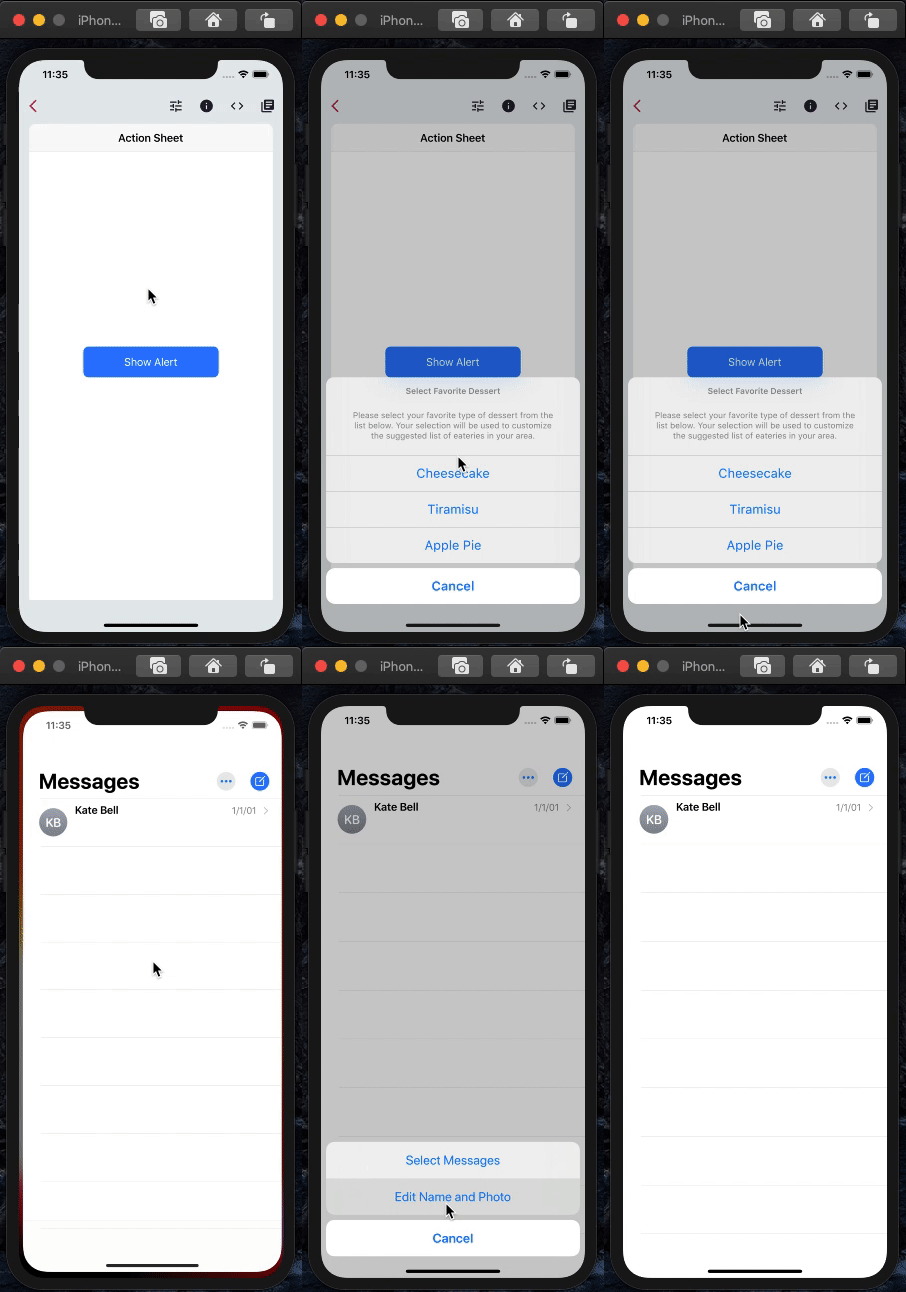
I can still reproduce this issue on
Master (3.7.0-4.0.pre.48). Updating labels to reflect the same- added a commit that references this issue
on Jun 6, 2024 @dkwingsmt is this resolved by your recent work in #149471?
Close, but not yet. #149471 supported sliding tap for action sheet, but this issue describes alert dialog, which I'm currently working on.
Also, I just learned this morning that many other (if not all) iOS buttons support sliding tap, which is described in #91581. But that doesn't have to count as part of this issue.
- added a commit that references this issue
on Sep 17, 2024 This thread has been automatically locked since there has not been any recent activity after it was closed. If you are still experiencing a similar issue, please open a new bug, including the output of
flutter doctor -vand a minimal reproduction of the issue.- locked as resolved and limited conversation to collaborators
on Oct 1, 2024 - added a commit that references this issue
on Jun 12, 2026


I noticed a certain behavior in iOS alert dialogs when buttons are pressed. This behavior might be generic to iOS, or it might be specific to alert dialogs. Either way, the following behavior should be implemented.
Dragging between buttons while pressed:
Consider an alert dialog with an "OK" button and "Cancel" button sitting next to each other. The user presses on the "OK" button causing that button to appear pressed. Then, while pressing on the "OK" button, the user drags over to the "Cancel" button. On iOS this causes the "OK" button to go back to the normal state, and causes the "Cancel" button to now appear pressed. Moreover, if the user releases the "Cancel" button then the "Cancel" button receives the tap event.
The above tap/drag behavior is also true for vertical lists of buttons in an alert dialog.
What about scrollable lists of buttons?
If the buttons overflow and are scrollable then the behavior is different. When the user presses down on a button it causes the expected effect. When the user starts dragging beyond the "slop" then the button press disappears and vertical scrolling begins. This is a typical and expected behavior. I believe this is the behavior we have today. We need to make sure that this aspect of our behavior remains unchanged.
What happens when the user presses multiple buttons with multiple fingers?
TODO: I need to verify this on a physical device. Will update when I try it.
CC @Hixie @xster